🔥LIMITED OFFER
01:58:23
GET 50% OFF

SIGNS, CAPTIONS, LABELS, AND PRINTED LETTERING

Remove text from image

Upload one photograph when you need to remove text from image areas you can already see. The default takes out signs, captions, labels, typography overlays, and printed words, then fills those spots from the pixels around them. Pick a narrower preset when only one kind of lettering should go, or write a note when a logo, a brand mark, or a number must stay.

5 credits per image. A failed attempt returns those credits. A later retry costs 5 credits.

1 · Your photo

Upload one photo

All visible text is selected first. Switch presets before you generate, or open Custom to name the lettering and what must stay. The button shows the cost.

2 · What to remove

3 · Remove text

If this attempt fails, its credits are returned. Sending the same attempt again does not charge twice. Try again after a failure is a new attempt.

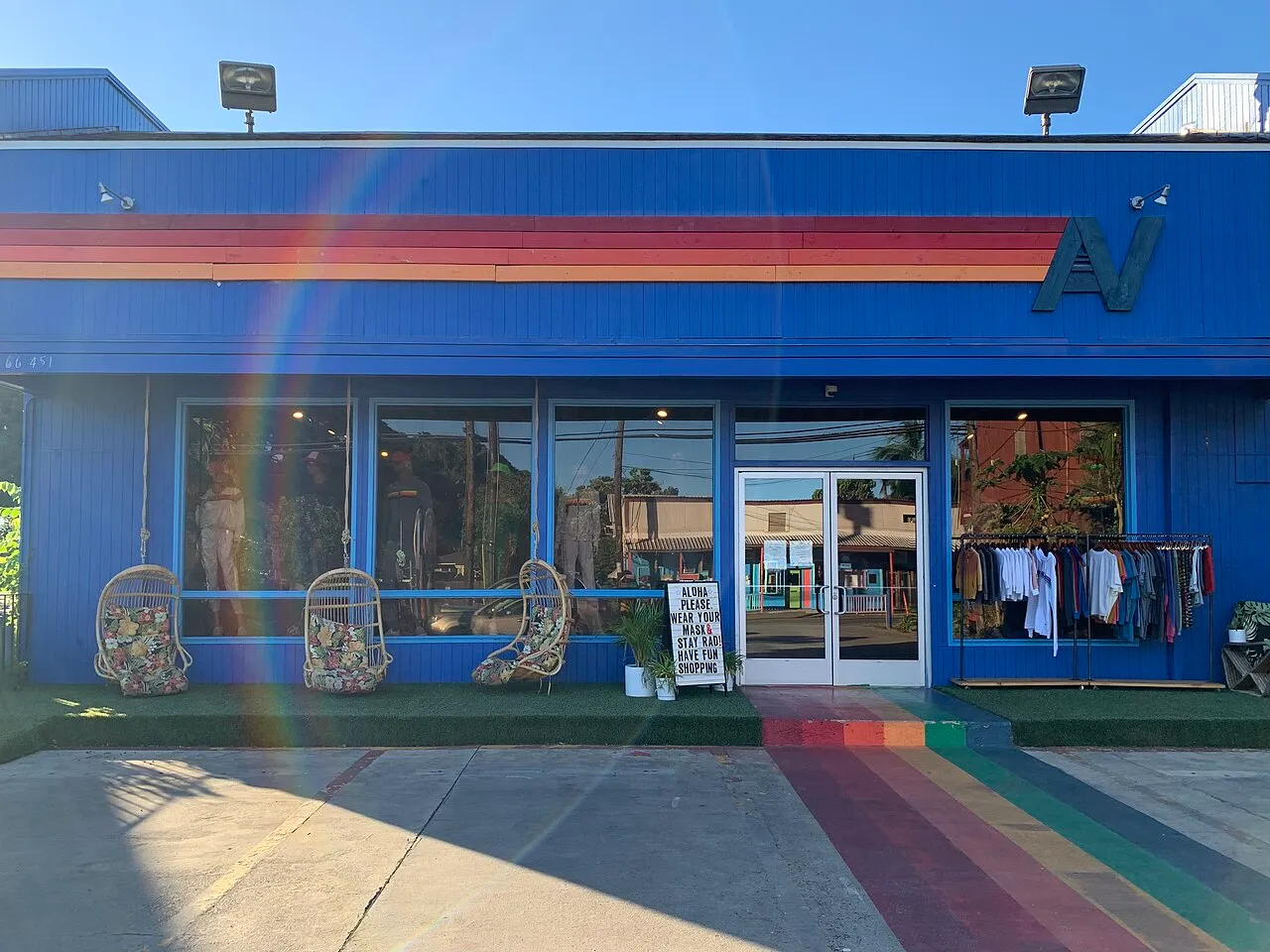
Same storefront after a remove text from image edit, with the sidewalk sign gone and the AN logo kept
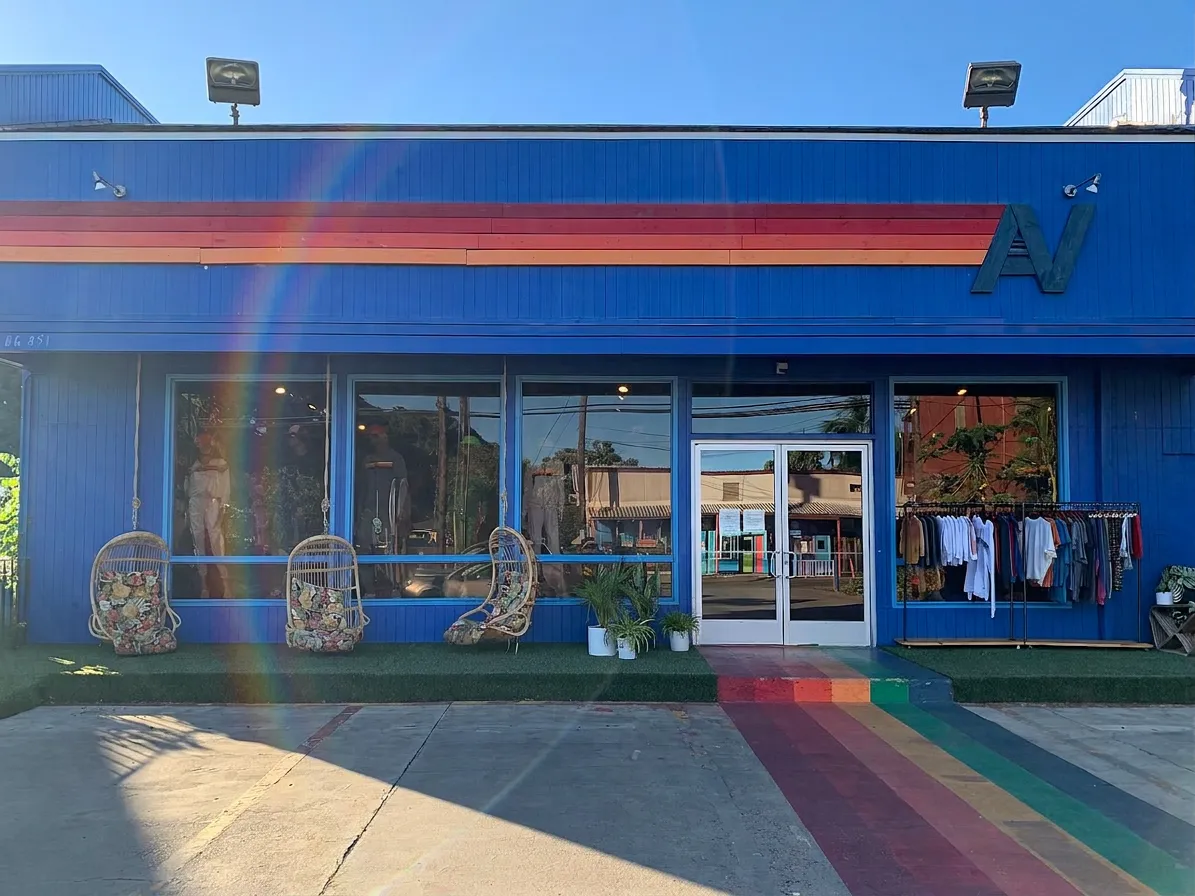
Storefront with an AN logo and a sidewalk sign before a remove text from image edit
BeforeAfter

Example

REAL RUNS, INCLUDING THE MISSES

What a remove text from image edit changed

These four pairs were produced by this page's editor. The sources are public-domain and Creative Commons photographs. Blank panels, a leftover slogan, a shifted car, and rearranged plants are left visible: the fill is an estimate, and another try would cost 5 credits.

Street signs

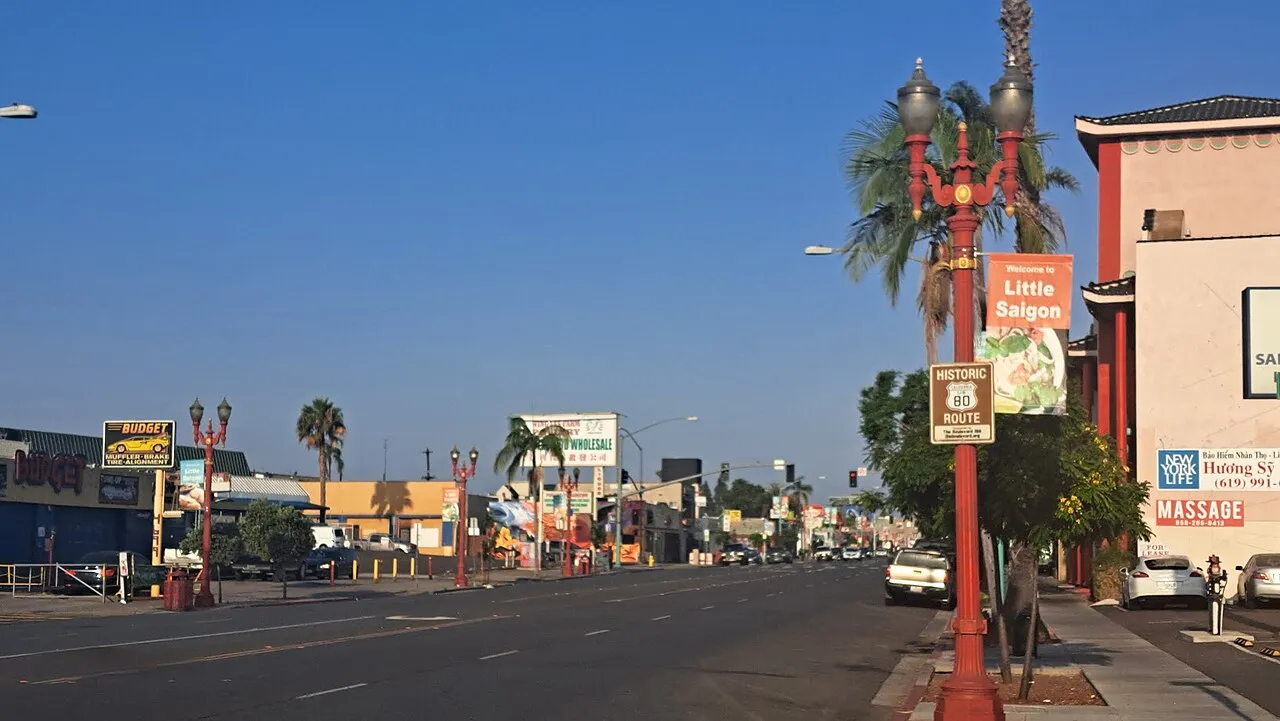
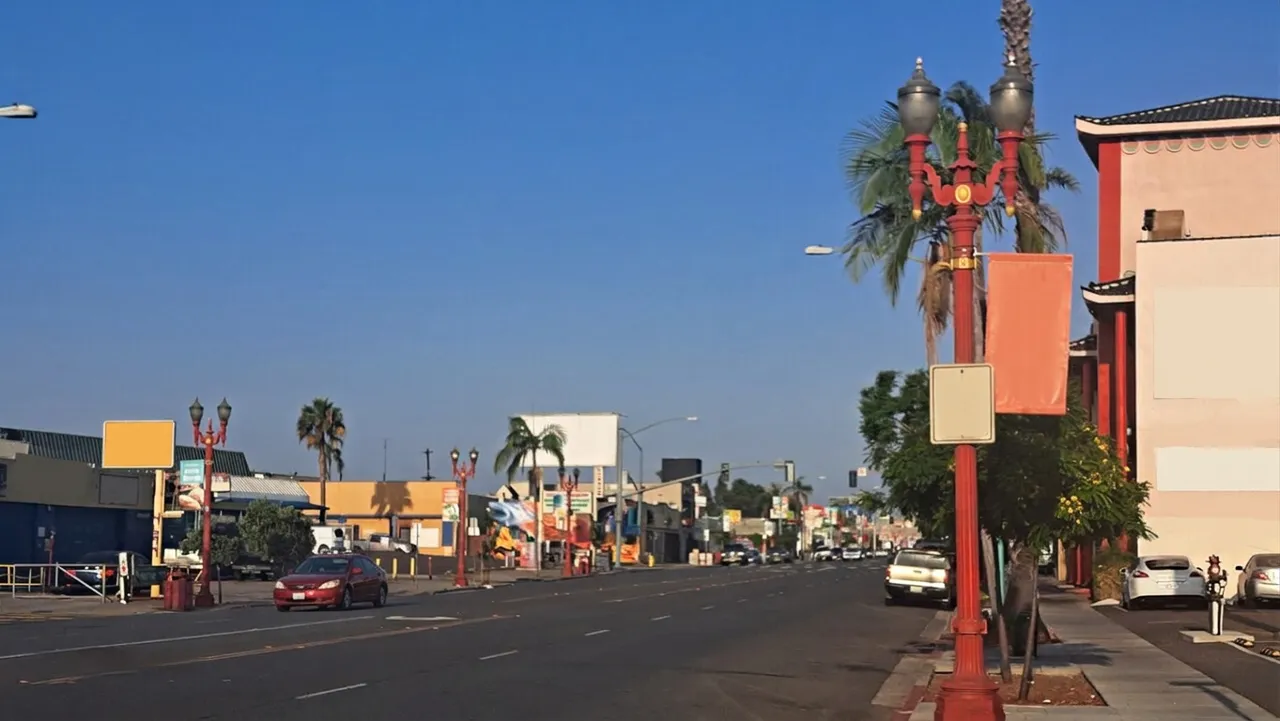
Public-domain San Diego street with storefront signs before a remove text from image edit
Before
Same San Diego street after a remove text from image edit, with lettering cleared and blank sign panels left
After

The signage preset cleared most of the readable words. The boards stayed as blank orange, white, and yellow panels, a small notice remains on the left lamp, and a red car in the near lane is not where it was.

CC0. Wikimedia Commons, File:Historic Route 80 Sign, Little Saigon, San Diego widest.jpg. Photograph by Kire1975.
Price tag

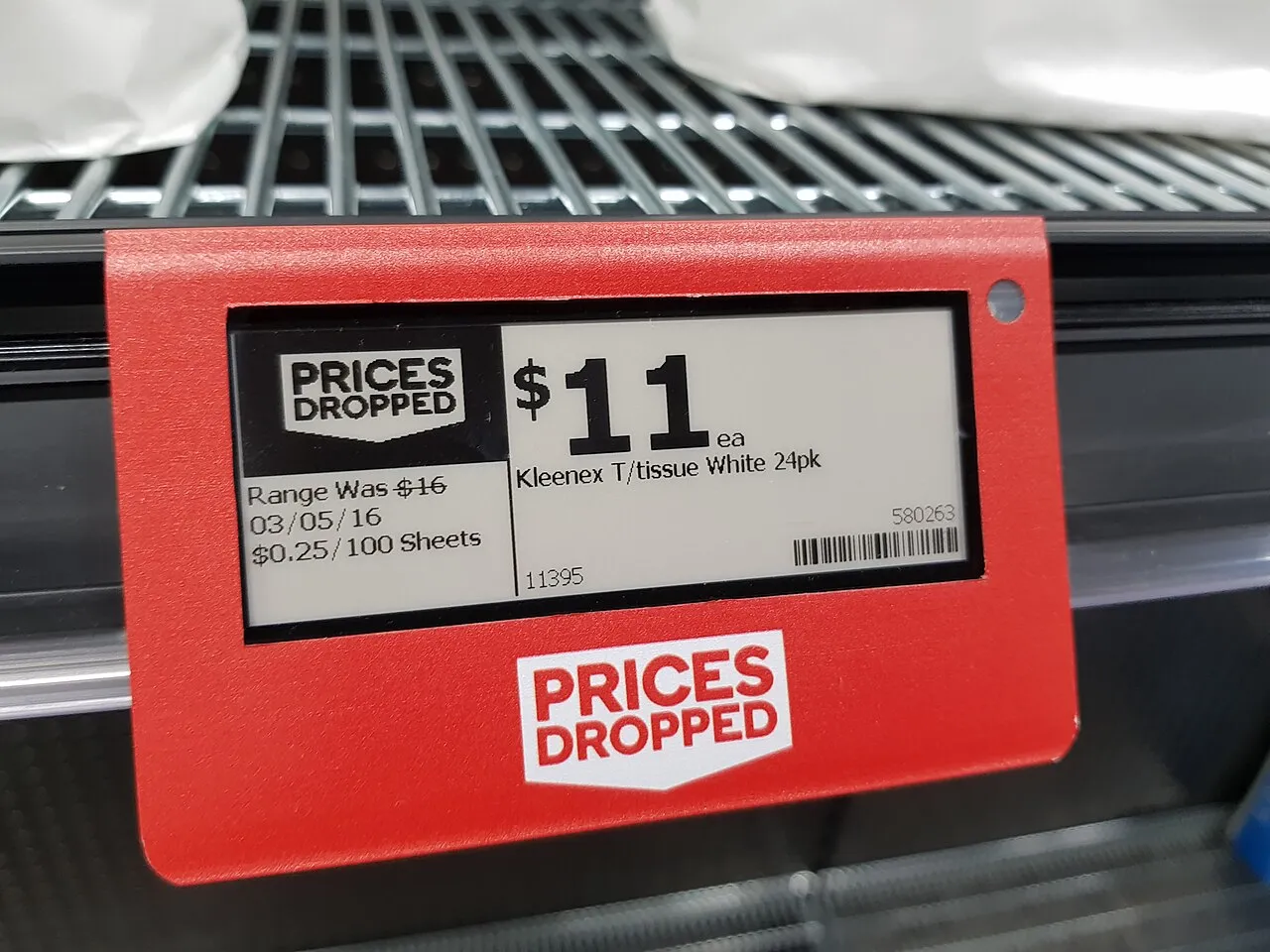
Supermarket price tag showing 11 dollars before a remove text from image edit
Before
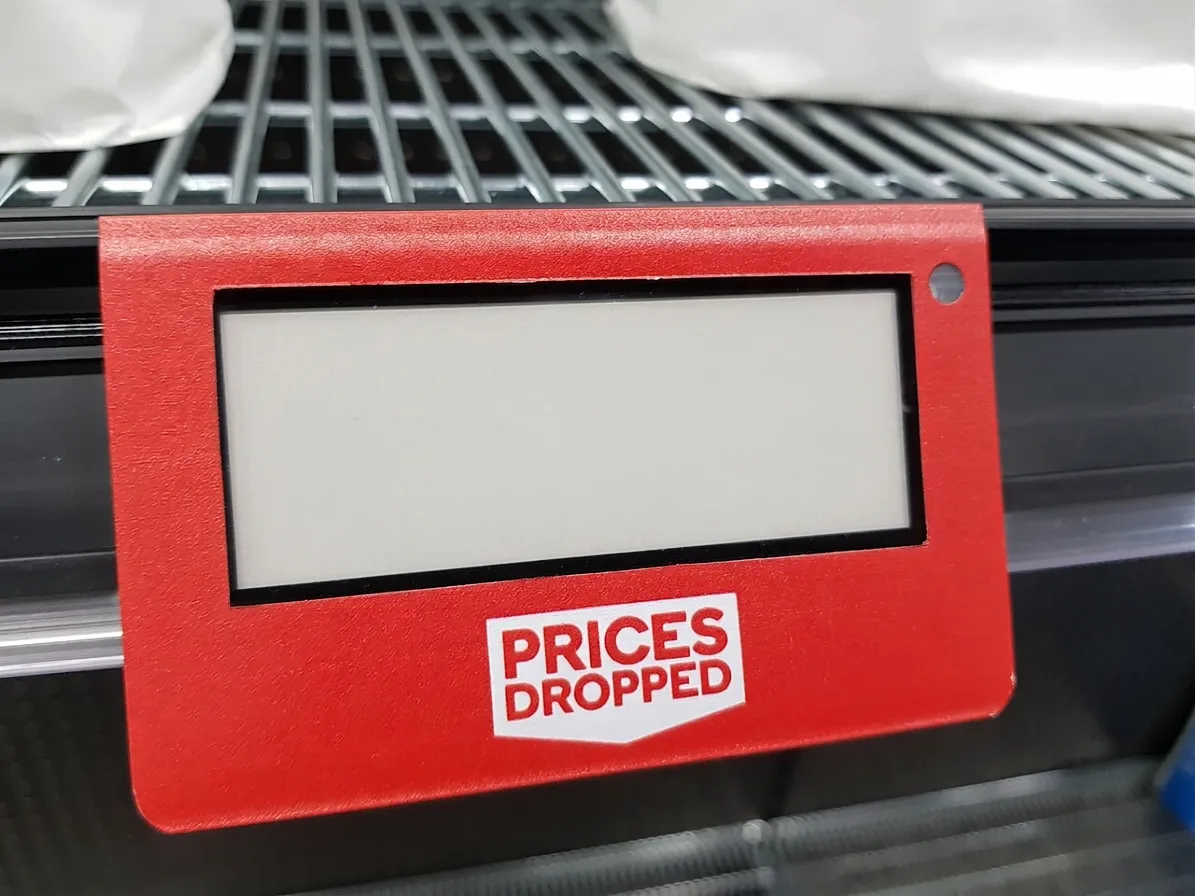
Same price tag after a remove text from image edit, with the screen cleared and the holder slogan remaining
After

The price, the product line, the date, and the barcode on the screen are gone. The printed slogan on the red holder is still there, and the frame is a little tighter than the upload.

CC BY-SA 4.0. Maksym Kozlenko, Wikimedia Commons, File:2021-06-28 E-ink price tag in Sydney supermarket.jpg. The edited file is a derivative of that photograph.

Poster typography

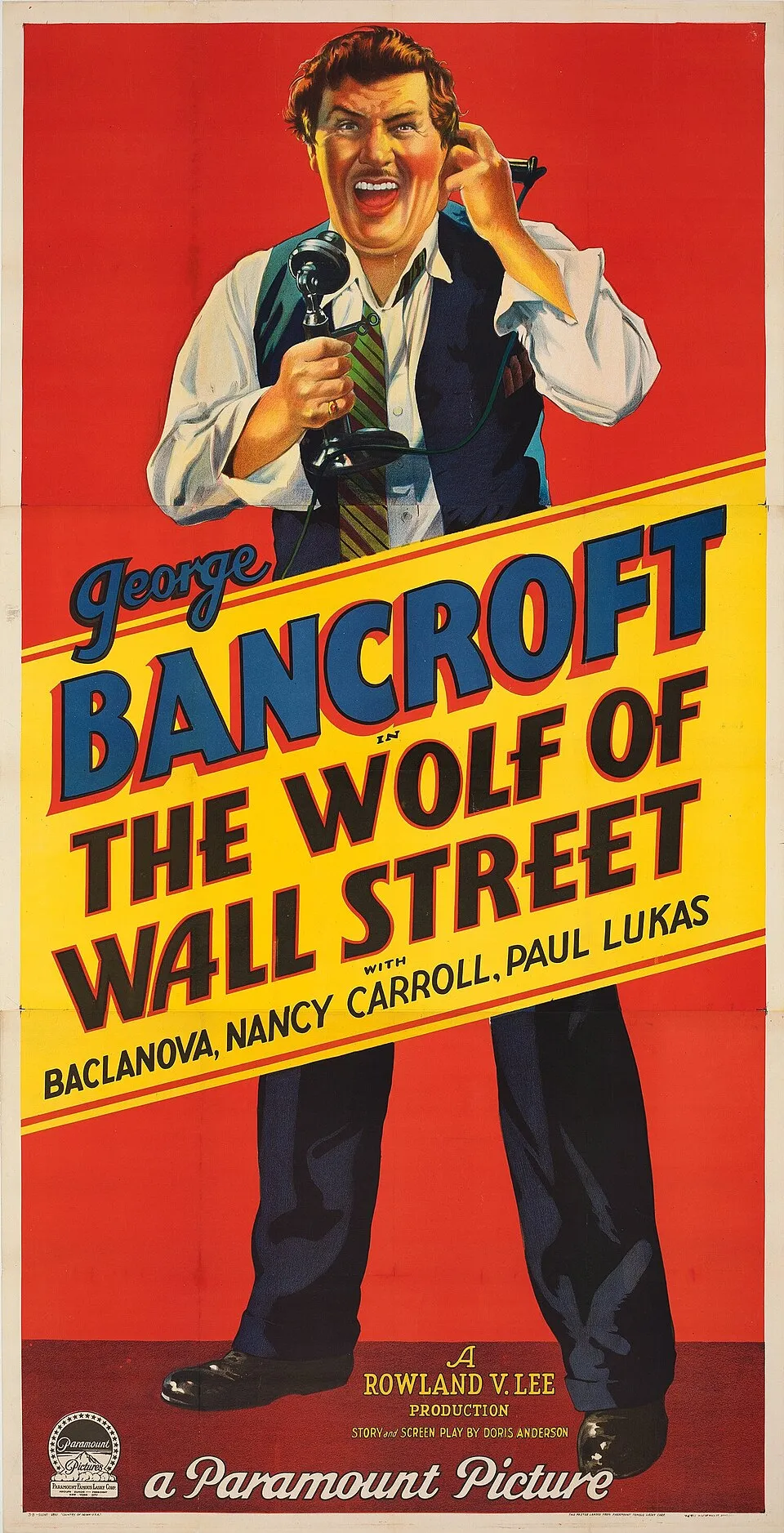
Public-domain 1929 poster with large title lettering before a remove text from image edit
Before
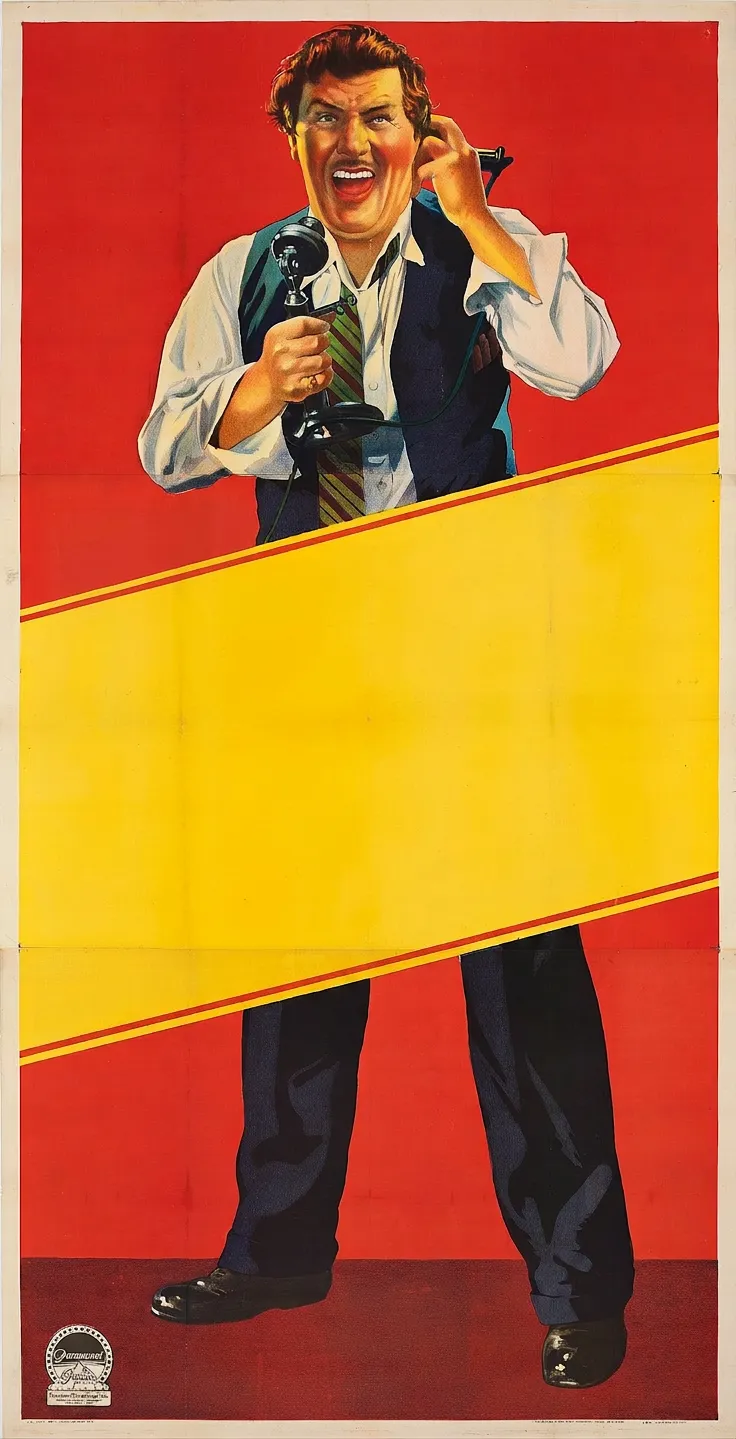
Same 1929 poster after a remove text from image edit, with the title band emptied and the figure kept
After

The title lettering on the yellow band was removed. The illustrated figure and the small studio mark at the lower left remain, and the returned frame is smaller than the scan.

Public domain. Paramount Pictures, 1929. Wikimedia Commons, File:The Wolf of Wall Street (1929) three-sheet poster.jpg.

Keep the logo

Storefront with an AN logo and a sidewalk sign before a remove text from image edit
Before
Same storefront after a remove text from image edit, with the sidewalk sign gone and the AN logo kept
After

Custom asked for the sidewalk sign to go and for the large AN mark to stay. The sign is gone and the mark is still on the wall. The plants by the door were rearranged, and a faint address on the left wall can remain.

CC0. Wikimedia Commons, File:Aviator Nation Haleiwa.jpg. Photograph by Ezlev.

ONE PHOTO, ONE TARGET

How to remove text from image files here

The editor does not ask you to paint a mask. You upload a still photo, choose the lettering, and compare the fill before you download it. These three steps are the whole remove text from image flow.

Step illustration of uploading a storefront photo on the remove text from image page

01

Upload the photograph

Use one JPEG, PNG, or WebP still. Drag it in, click to choose it, or paste it. A sample photo is there if you want to see the controls first. Nothing is submitted until you press the button.

Step illustration of the signage preset selected for a remove text from image edit

02

Choose the lettering

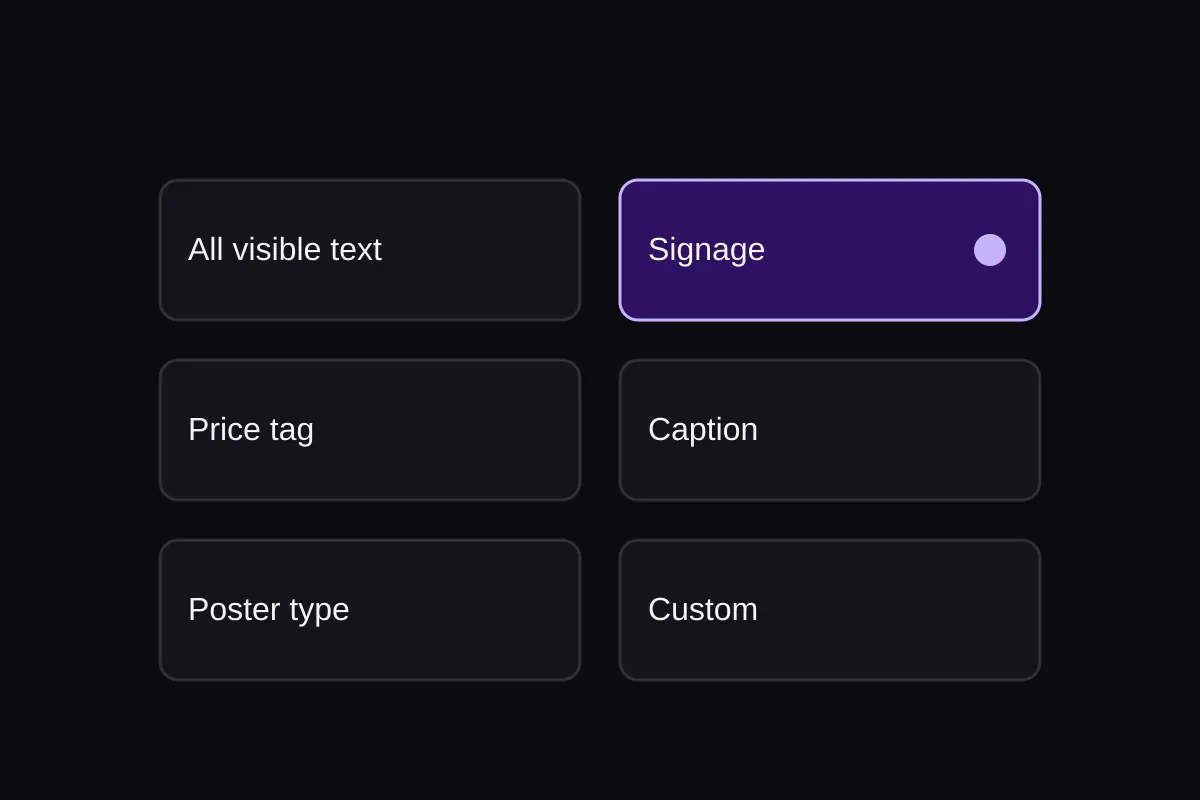
All visible text is the default. Signage, price tag, caption or subtitle, and poster typography each limit the target. Custom is where you name a logo, a brand mark, or a number that must remain.

Step illustration of comparing a photo before and after a remove text from image edit

03

Compare, then download

Drag the split, or focus it and use the arrow keys. The download is the edited file. If a stroke of a letter remains, a retry is a new 5-credit attempt, and the original file is still yours.

KEEP THE JOB NARROW

This page removes lettering. It does not add it, and it is not a watermark tool.

Searchers often land here wanting a generic text tool or a mark unique to one generator. Those are different pages. Use this one to remove text from image areas that are ordinary visible lettering, then rebuild the surface behind them.

Gemini watermark marks

A Gemini sparkle in the corner is a watermark, not a sign or a caption. The Gemini watermark remover is the page for that mark. This editor is not positioned as a watermark remover, and it does not batch those marks.

Open the Gemini watermark remover

Adding a caption

Add Text to Image places words on a photo. This page does the opposite. If you want a title, a subtitle, or a label to appear, use the text editor instead of asking this tool to write.

Add text to an image

Objects and people

A bottle, a bag, or a passerby is not lettering. Remove Object from Photo and Remove People from Photo rebuild the scene behind those subjects. Use them when the thing you want gone is not text.

Remove an object from a photo

People in the background

Bystanders and a person you want out of a group belong on Remove People from Photo. This page leaves people in place and only targets the lettering you selected.

Remove people from a photo

WHAT THE EDIT CAN AND CANNOT DO

A plausible fill, not the original pixels behind the letters

The photograph never stored a clean copy of the wall, the sky, or the shirt under the words. The editor continues what it can see nearby. Treat every remove text from image fill as an estimate and keep your original.

Strokes can remain

Thin type, letters on a patterned fabric, and text across a face or a reflection are the usual misses. A shadow of the word can stay even when the main strokes are gone. Compare the whole frame. A retry spends 5 credits and can still miss.

Logos stay only if you name them

All visible text also removes lettering that is part of a logo. Pictorial marks with no readable letters are left alone. To keep a wordmark, a brand mark, or an important number, switch to Custom and say so. The rest of the note should name only the text that should go.

The file is a 1K result

Each edit costs 5 credits and returns the model's standard 1K image with an automatic aspect ratio. This is not a pixel-locked copy of the original resolution, and the crop can shift slightly. Keep the source when dimensions or fine detail matter.

The photo is processed on the server

The file is uploaded and edited by the image model. It is not handled only in your browser. The original and the result are stored privately on your account so you can compare and download them. They are not added to the public gallery.

Questions before you clear lettering

What can this remove text from image tool take out?

Visible lettering: signs, captions, subtitles, labels, poster type, and printed words on an object in the photo. The default targets all of that. Signage, price tag, caption or subtitle, and poster typography each narrow the job. There is no brush, lasso, or mask in this version, so the preset or the custom note is the only target.

Can I keep a logo or a price?

Yes, by naming it. Choose Custom and write what must stay, such as the door logo or a specific number, and what lettering should be removed. If you leave All visible text selected, readable lettering inside a logo is part of the target. A pictorial mark with no letters is kept.

Will every letter disappear?

No. Residual strokes, halos, and bits of type on complex texture can remain. The instruction tells the editor to fill from surrounding pixels and not to repaint the scene to hide a miss. Look at the comparison before you replace your original. A retry is another 5-credit attempt, not a correction of the same file.

Does the download keep my original resolution?

No. A remove text from image download is the standard 1K output with an automatic aspect ratio. It is not a promise of the source pixel dimensions, and it is not a pixel-locked duplicate of the upload. Download it as a new file and keep the photograph you started with.

How much does an edit cost, and what if it fails?

One image costs 5 credits. The same number is on the button and on the server. You need to be signed in, and the account needs those credits. If the attempt fails, times out, or returns no image, those 5 credits are returned. Repeating the same attempt does not charge again. After a failure, Try again starts a new attempt and costs 5 credits.

Does the photo stay on my device?

No. Removing the lettering uploads the photo and sends it to the image model. It is not a local-only edit. The upload and the result stay on your account as private files so you can compare them and download the edit. They are not published in the public gallery.

How is this different from the Gemini watermark remover?

The Gemini watermark remover targets the visible Gemini mark and can run a batch. This page is for ordinary lettering in a photograph: signs, captions, labels, and printed type. People sometimes call that an image text remover, but a generator watermark is a different job. The watermark page is the wrong tool for a street sign or a subtitle.

Can the editor recover the exact background?

No. Nothing under the ink was recorded as a separate layer. The fill is a continuation of nearby color, texture, and light. It can invent a plausible board, sky, or fabric, and that invention is not a historical record of what the letters covered. Reject the result when the surface looks wrong.

Remove text from image lettering, then check the fill

Stay on All visible text, or name a logo that must survive. The button shows 5 credits before the photo is sent.

Back to the tool