
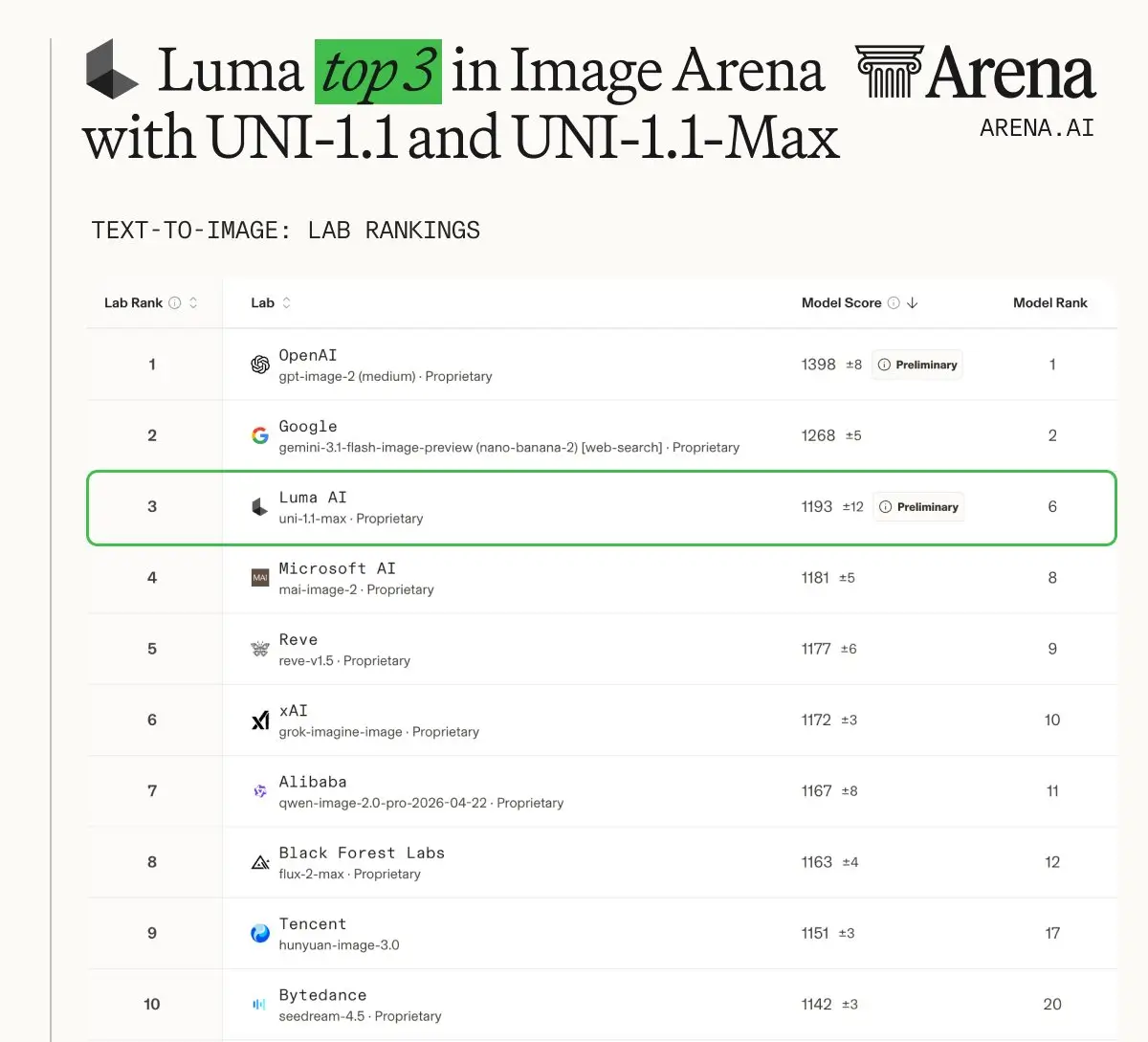
Why Creators Use uni 1
uni-1 is built for practical image work: strong prompt interpretation, reference-aware generation, and fast iteration without a complicated setup.
Prompt-to-Image Generation
Describe the image you want in natural language and generate a clean visual without spending time on complex prompt syntax. uni 1 works well for marketing concepts, editorial images, product scenes, social posts, and visual experiments.
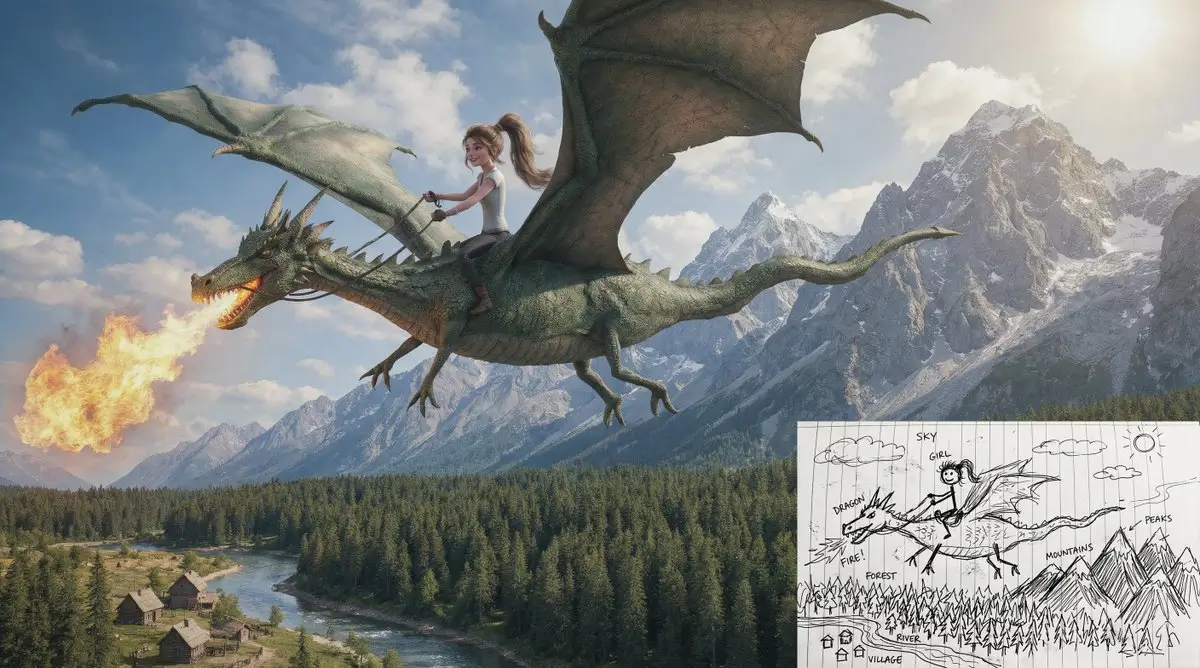
Reference Image Control
Upload reference images when you need a consistent product, person, object, palette, or mood. The workflow is useful for brand assets, character variations, e-commerce visuals, and design directions that must stay visually aligned.
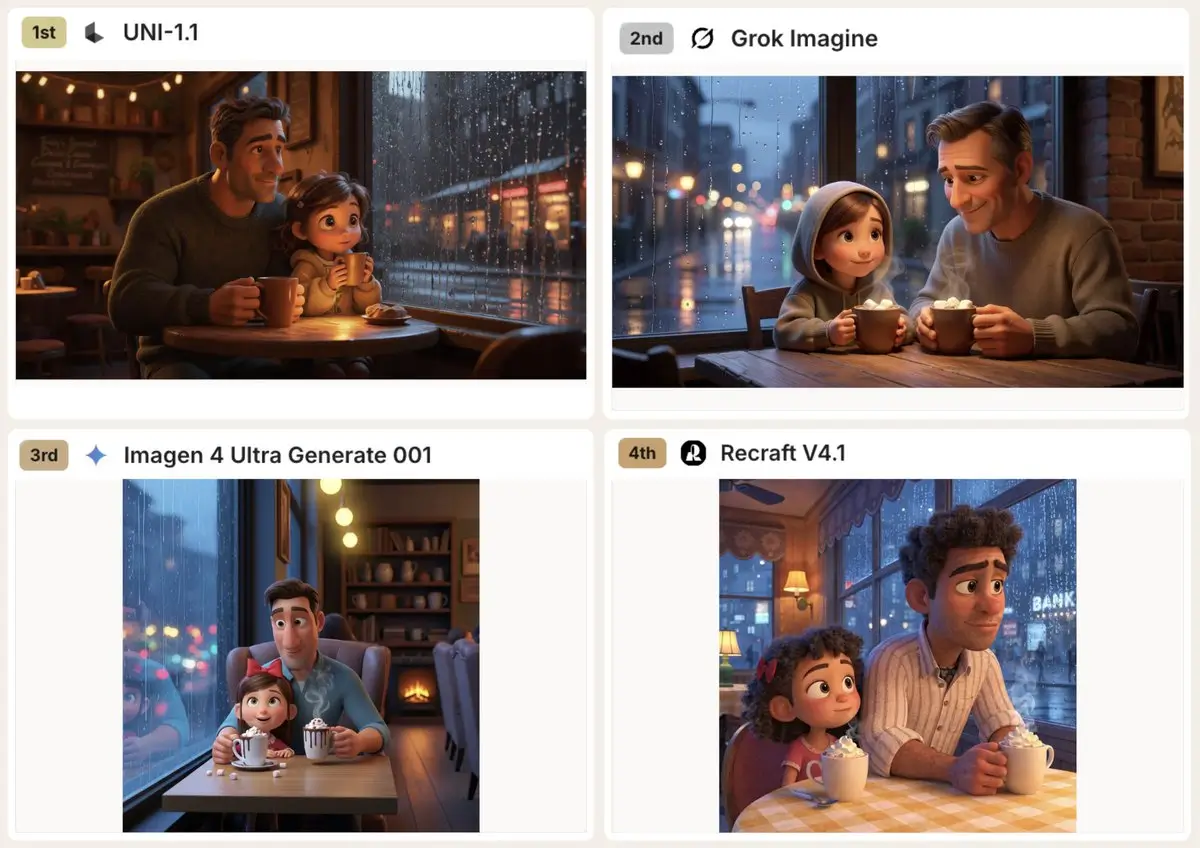
Fast Creative Iteration
Generate, compare, refine, and download results from one browser-based tool. uni-1 keeps the interface direct so you can test more visual directions and move from rough idea to usable asset faster.
A Practical uni 1 Workflow for Real Image Tasks
The page is tuned for builders and creative teams who need repeatable image generation, not a one-off demo.
Designed for Builder-Friendly Image Pipelines
Use uni-1 when you need an image model experience that fits into everyday creative production: prompt a concept, add visual context, generate a result, then keep iterating until the image matches the brief.
Better Continuity With References
Reference images help preserve important visual anchors such as faces, products, materials, color grading, or layout. That makes uni 1 useful for asset sets where every image needs to feel like part of the same campaign.
Simple Controls, Strong Defaults
Choose the aspect ratio, output format, resolution, and generation mode without exposing unnecessary provider settings. The defaults are selected for fast, reliable image generation.
Useful for Both Creation and Editing
Start from text when you need a fresh concept, or switch to image-to-image when you already have a photo, mockup, sketch, or reference that should guide the final output.
Where uni-1 Fits Best
Use uni 1 for visual work that benefits from fast generation, clear creative direction, and reference-driven consistency.
Product and E-Commerce Visuals
Create product scenes, lifestyle shots, packaging concepts, background variations, and promotional compositions without scheduling a new shoot for every idea.
Campaign Concepts and Social Posts
Move from campaign theme to publishable image direction quickly. Generate multiple angles, moods, and compositions before committing to a final creative route.
Character and Brand Consistency
Use image references to keep recurring characters, brand colors, object shapes, and style cues aligned across a set of generated images.
How to Use uni-1 in 3 Steps
Step 1 Write Your Image Prompt
Describe the scene, subject, style, lighting, composition, or output goal. Short prompts work for quick exploration, while detailed prompts give uni 1 more creative direction.
Step 2 Add References When Needed
Switch to image-to-image mode and upload reference images when you want to preserve a product, character, color palette, material, or visual structure.
Step 3 Generate, Review, and Refine
Click generate, preview the result, then adjust the prompt or references if you want another direction. Download the final image when it matches the brief.

uni-1 Pricing Plans
Choose a credit plan for uni-1 image generation and editing. Credits can be used for text-to-image and image-to-image workflows.
Basic
Perfect for trying uni-1 and creating occasional visuals.
Includes
- 1000 credits (never expire)
- $0.10per image
- Text-to-image generation
- Image-to-image editing
- No watermark
- Commercial use rights
- Permanent image download link
Credits never expire!
Max
PopularFor teams creating frequent uni-1 product images, social visuals, and campaign assets.
Everything in Basic, plus
- 7500 credits (never expire)
- $0.07per image
- High-volume image generation
- Reference image workflows
- No watermark
- Commercial use rights
- Priority support
- Access to all new releases
Best value for creators
Pro
A balanced plan for designers, marketers, and content teams.
Everything in Basic, plus
- 3300 credits (never expire)
- $0.08per image
- More uni-1 generations
- Image editing with references
- No watermark
- Commercial use rights
- Permanent image download link
Flexible creative plan
uni-1 FAQ
What is uni 1?
uni 1 is an online AI image generation and editing experience for creating visuals from prompts and reference images. It is designed for fast creative iteration, product visuals, campaign concepts, and reference-aware image workflows.
Can I use reference images with uni-1?
Yes. Switch to image-to-image mode and upload reference images when you want the result to follow a product, character, color palette, material, composition, or visual style.
Does uni-1 support text-to-image and image-to-image?
Yes. You can start from a prompt in text-to-image mode or upload references in image-to-image mode for more controlled generation and editing.
How many reference images can I upload?
The current uni-1 workflow supports up to 14 reference images, which is useful for consistent products, characters, objects, and brand visuals.
Can I try uni-1 for free?
Yes. Sign in to use free trial credits, generate images online, and upgrade to a paid credit plan when you need more volume.