
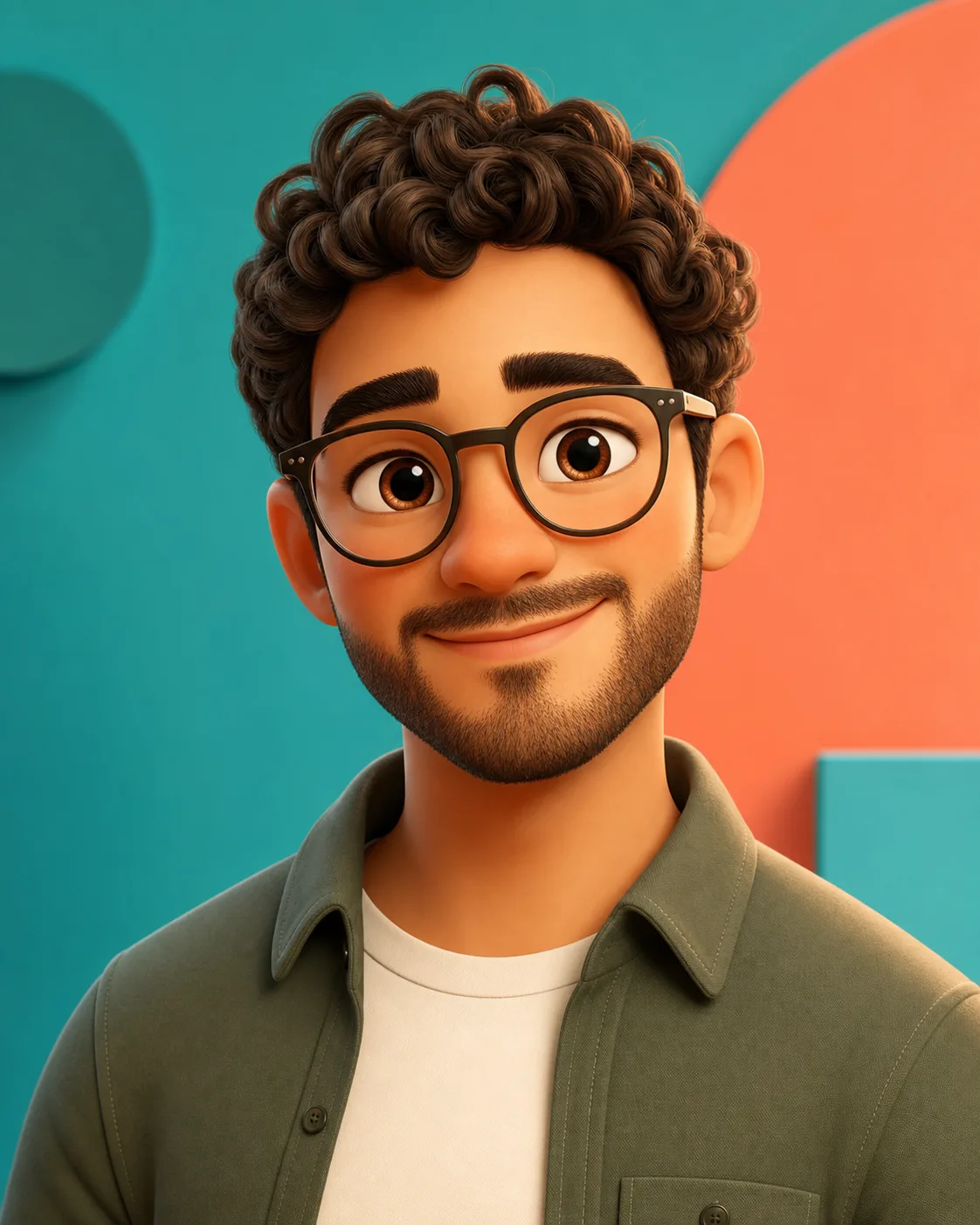
3D Cartoon Avatar
Create a friendly profile picture from a selfie with rounded features, expressive eyes, clean studio lighting, and a crop that works on Discord, TikTok, Instagram, YouTube, or team bios.
Upload a selfie, pet photo, family picture, or character reference, then turn it into a polished cartoon image for profile pictures, stickers, thumbnails, gifts, creator branding, or story visuals. This AI Cartoon Generator starts in photo upload mode so the result can keep the subject recognizable before changing the style.
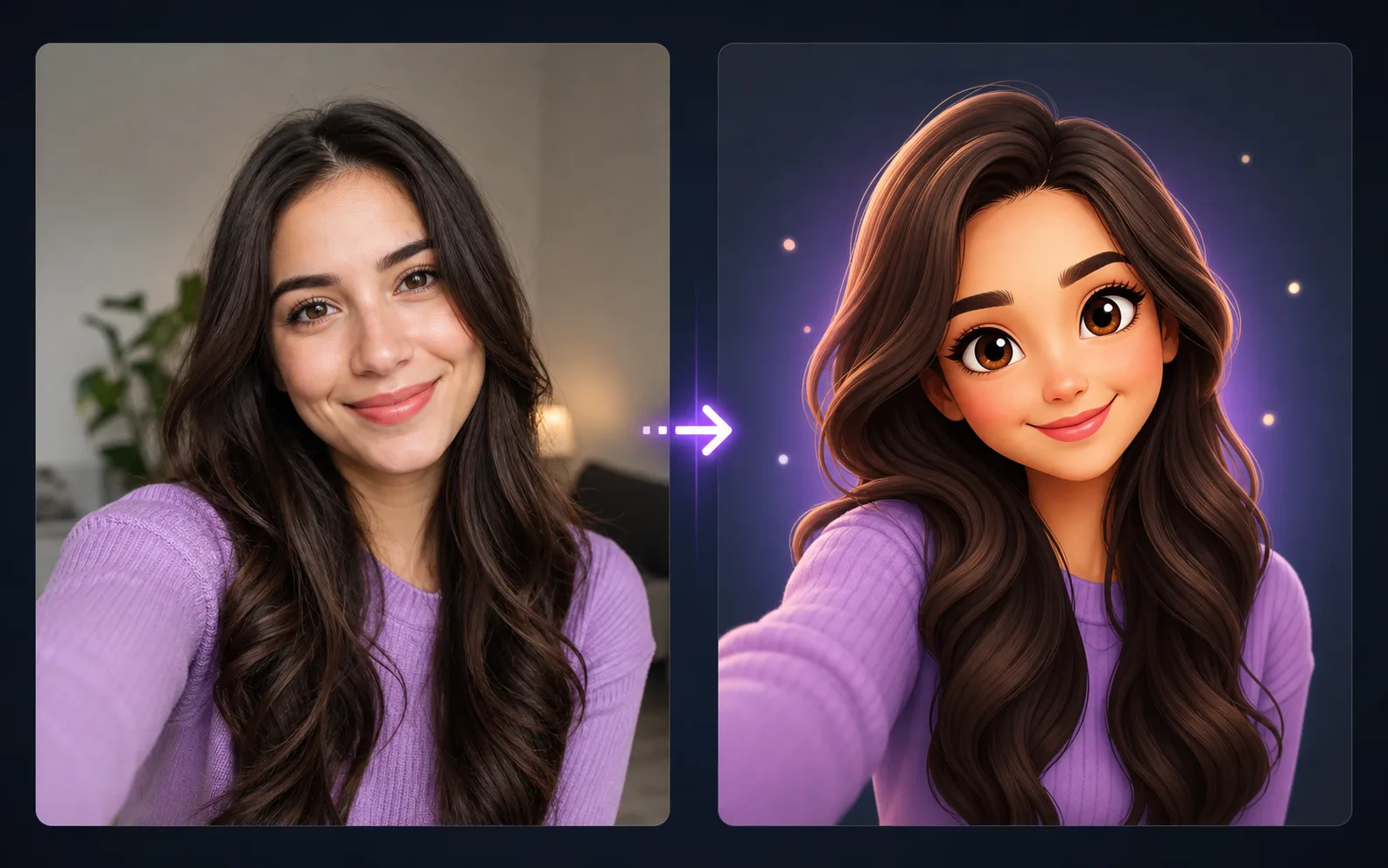
Most people are not looking for random cartoon art. They want themselves, a pet, a friend, or a reusable character to become a fun cartoon while the important details stay familiar.
Use a front-facing selfie, pet photo, product mascot sketch, or character image with good lighting. Visible eyes, fur, hair shape, clothing colors, and pose cues help the model preserve the subject.
Ask for 3D avatar, flat vector, anime-inspired, storybook, doodle, sticker, papercraft, or mascot style. The more specific the style, the easier it is to avoid generic output.
Check whether the cartoon still resembles the source, then refine the prompt for face shape, expression, pet markings, outfit, color palette, crop, and background before downloading.
Google Search
Use web grounding for real-time context
Use these examples as practical directions rather than fixed templates. Each style can start from an uploaded image or from a text prompt when you want an original character.
Create a friendly profile picture from a selfie with rounded features, expressive eyes, clean studio lighting, and a crop that works on Discord, TikTok, Instagram, YouTube, or team bios.
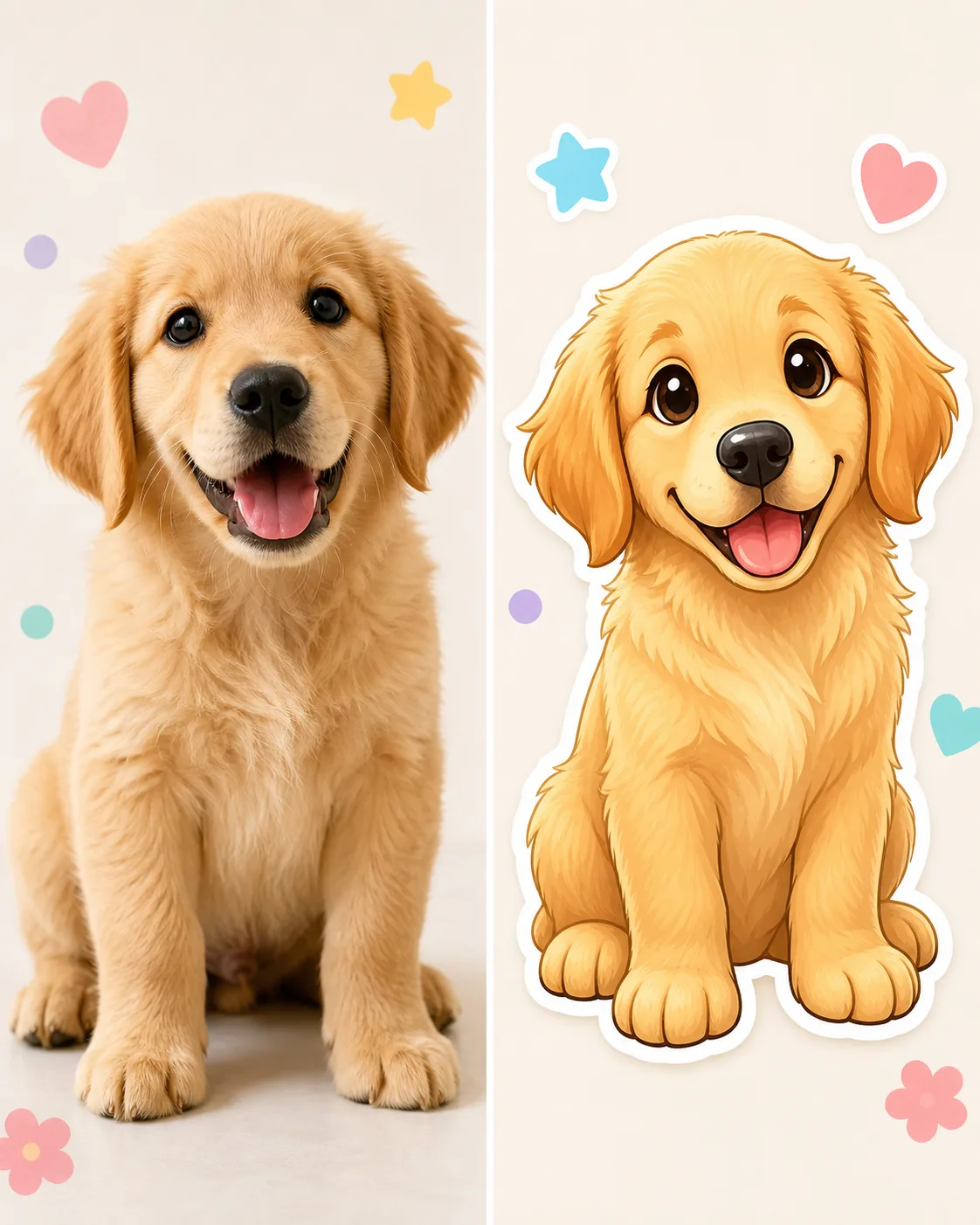
Turn a dog, cat, or other pet photo into a cute sticker-style cartoon while keeping the fur color, ear shape, eye expression, and playful personality recognizable.
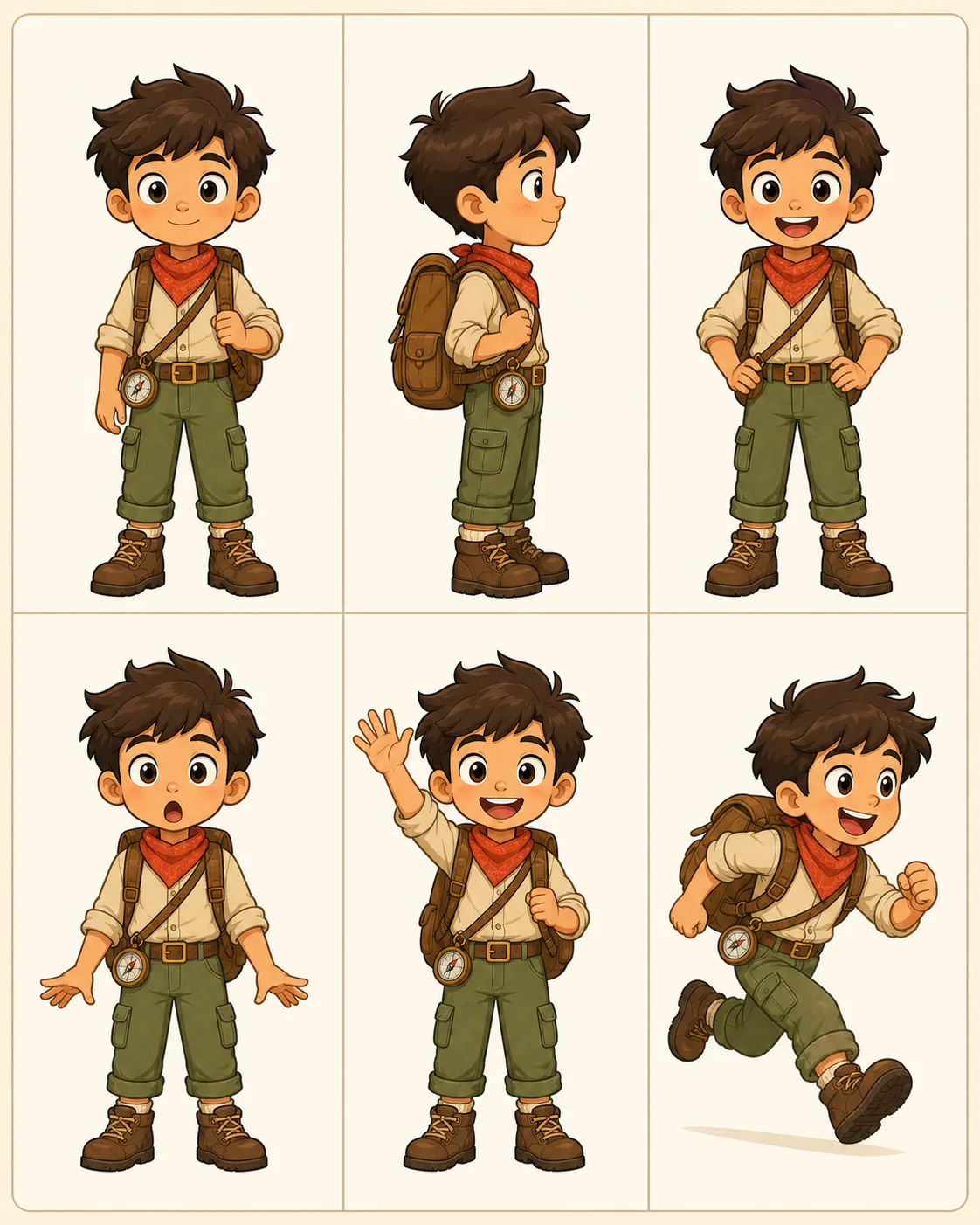
Build a reusable character sheet for children's stories, comics, brand mascots, explainer videos, or creator series. Ask for multiple poses and expressions in the same outfit and palette.
The default prompt in this AI Cartoon Generator is written for image-to-image use: preserve the uploaded subject first, then change the image into a cartoon avatar. Use the presets when you need a pet sticker, doodle portrait, storybook character, mascot, or reusable character sheet.
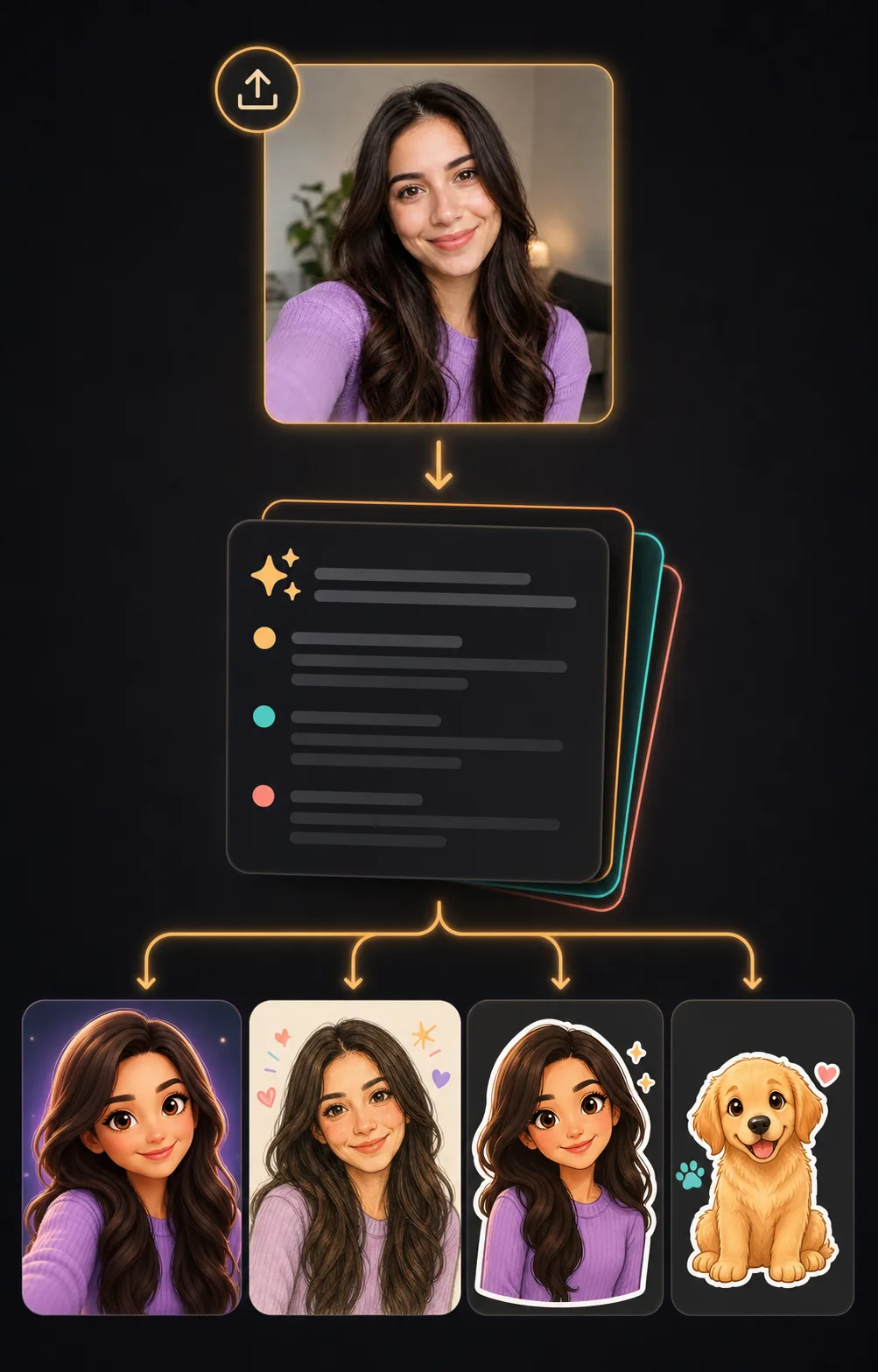
Turn the uploaded selfie into a polished 3D cartoon avatar. Preserve the person's face shape, eye spacing, hairstyle direction, expression, skin tone, and clothing color. Use rounded friendly proportions, expressive eyes, soft studio lighting, a clean background, and a profile-picture crop. Do not change who the person is.
Transform the uploaded photo into a playful hand-drawn cartoon portrait with clean outlines, soft pastel colors, rosy cheeks, sticker-like doodles, and a cheerful social media look. Preserve the pose, expression, hairstyle, outfit colors, and recognizable identity from the original image.
Create a cute cartoon sticker from the uploaded pet photo. Keep the pet's species, fur color, ear shape, markings, eye expression, and personality. Use a crisp white sticker outline, soft shading, bright friendly colors, and a clean background with no text or watermark.
Create a consistent cartoon character sheet from the uploaded reference. Keep the same face shape, hairstyle, outfit, color palette, accessories, and proportions across six panels: front view, side view, happy expression, surprised expression, waving pose, and running pose. Use clean linework and simple panel dividers.
Create an original friendly cartoon mascot for a creator brand: a small adventurous character with a simple outfit, memorable silhouette, expressive eyes, clean linework, bold but balanced colors, and a transparent-looking clean background. Make it suitable for stickers, thumbnails, and social profile use.
Use the page when the job is fast, recognizable cartoon output rather than a blank illustration prompt. Photo upload is best when likeness matters; text prompting is useful for original mascots and story characters.
Cartoonize a selfie for a playful profile image, creator icon, community avatar, or channel picture. Ask for a clean crop and simple background so the image still reads at small sizes.
Turn pet photos, family moments, or friend photos into cartoon stickers, printable gift concepts, wallpaper ideas, meme images, or message reactions without needing drawing skills.
Create a cartoon mascot or character sheet when you need repeated visuals for children's stories, explainers, educational posts, thumbnails, short videos, or brand storytelling.
The most common failure is a cute cartoon that no longer looks like the original subject. Write the prompt around what must stay the same before adding style words.
For people, name face shape, eye spacing, hairstyle, expression, skin tone, and clothing color. For pets, name fur color, markings, ear shape, eye expression, and body pose.
Use terms such as 3D cartoon avatar, flat vector poster, anime-inspired portrait, hand-drawn doodle, storybook illustration, papercraft, sticker outline, or mascot reference sheet.
Check hands, eyes, mouth shape, glasses, pet paws, text artifacts, and background clutter. For commercial work, review likeness rights, brand safety, and whether the cartoon resembles protected characters.
Yes. You can try the cartoon workflow online with free generations. People searching for AI Cartoon Generator Free usually want a quick upload, a prefilled prompt, and an editable style before spending credits on more variations.
Yes. The page defaults to image-to-image mode because photo-to-cartoon is the strongest intent. Upload a selfie, pet photo, family image, or character reference, then use the prompt to preserve important details.
Yes. Switch to text-to-image mode when you want an original mascot, cartoon character, or fictional avatar. Describe the subject, style, color palette, pose, and intended use.
Start with a character sheet prompt. Ask for the same face shape, hairstyle, outfit, color palette, accessories, and proportions across several poses and expressions. Use the best sheet as a reference for later images.
Yes. Upload a clear pet photo and ask the model to keep fur color, markings, ear shape, eye expression, and body pose. Sticker prompts work especially well for dogs, cats, rabbits, and other pets.
3D cartoon avatars, flat vector posters, doodle portraits, anime-inspired looks, storybook art, papercraft, watercolor cartoons, sticker art, and mascot sheets work well when the prompt includes clear style and preservation rules.
Commercial use depends on your rights to the uploaded photo, the people or pets shown, the chosen model, and local rules. Avoid celebrity likenesses, protected characters, and brand assets you do not own.
The source may be blurry, angled, shadowed, filtered, or partly covered. Use a clearer upload and add stronger preservation instructions for face shape, hairstyle, expression, pet markings, outfit colors, and pose.