
Witch
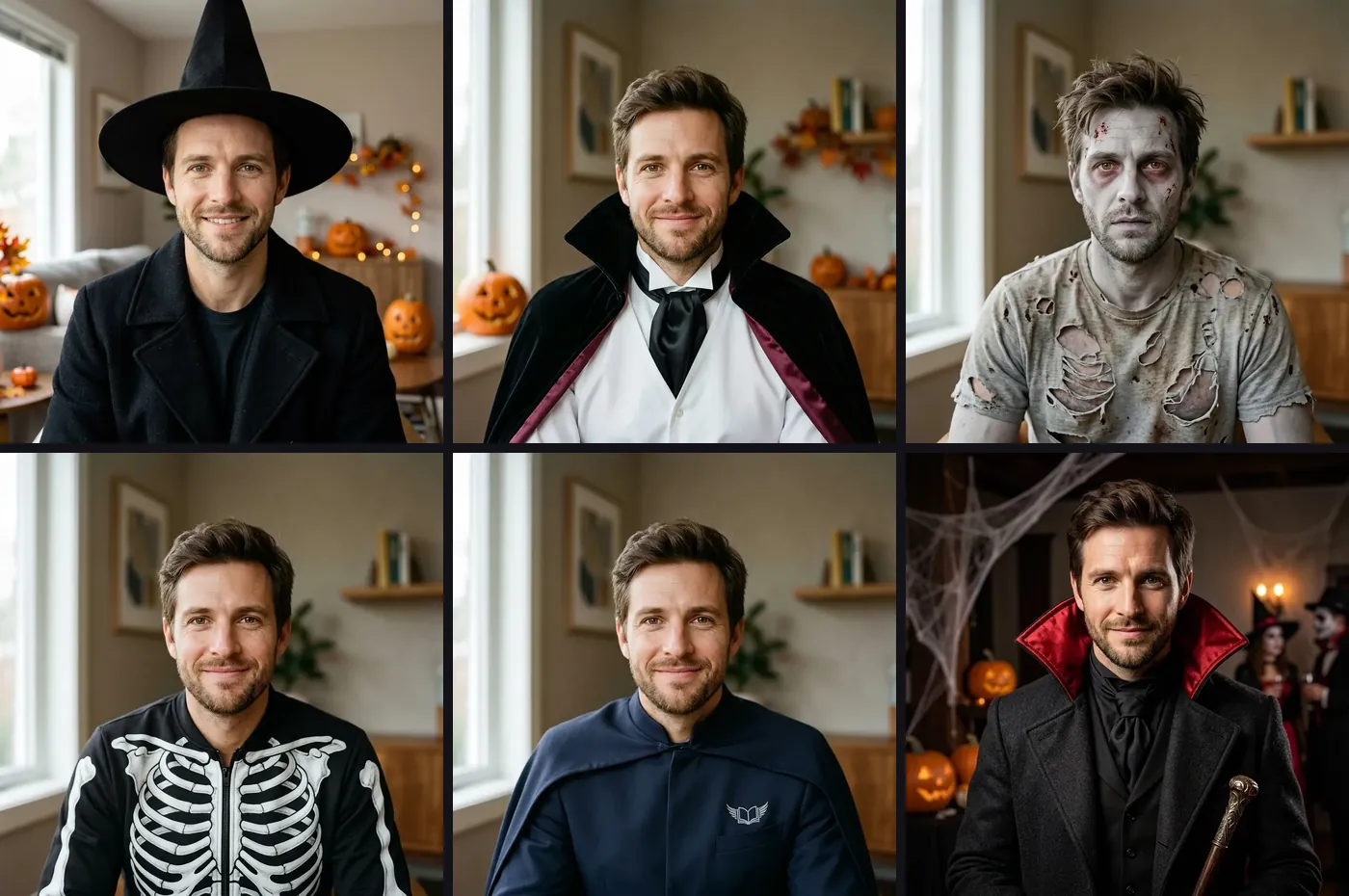
A pointed hat and a black coat. The hat sits high enough that the face stays in frame. This costume is selected first.
YOUR FACE. A COSTUME ON TOP.
Upload a clear photo and try a costume that still looks like you. Witch, vampire, zombie, skeleton, superhero, and classic monster change the clothes, not who is in the picture.


Your AI Halloween costume replaces this example
COSTUME IDEAS FROM ONE PHOTO
Each card loads a costume in the tool. The clothes change. The face in the example stays recognizable.
A pointed hat and a black coat. The hat sits high enough that the face stays in frame. This costume is selected first.
A high-collar cape, white shirt, and dark tie. Skin tone and hair stay as they are in the photo.
Pale grey makeup, a few wounds, and a torn shirt. The face is still the person in the upload.
A bone-print jacket. The head is not replaced by a skull, so you can still tell who it is.
A simple navy suit, a small emblem, and a short cape. No mask over the face.
A heavy coat with a tall collar, in the spirit of an old movie monster, without hiding the face.
These steps use one fictional adult so you can see the photo, the costume choices, and a finished witch look separately.
 01
A shoulders-up picture with the face easy to see works best. You can try the sample before you sign in.
 02
Witch is ready to start. Switch to vampire, zombie, skeleton, superhero, or classic monster, or write your own with Custom.
 03
The button shows the credit cost. Sign in, then check that the face still matches the photo before you download.
THE FACE COMES FIRST
An AI Halloween costume should be readable at a glance and still look like the photo you uploaded.
Hats in the source photo, sunglasses, and heavy filters make the face harder to keep. A plain indoor photo is enough.
Custom is for a coat, hat, or cape. If you ask for a different face, the result may no longer be useful as a costume of you.
Compare eyes, hairline, and stubble or makeup with the upload. Generate again if the costume covered the face or added someone who was not there.
It dresses the person in your photo in a Halloween costume. Witch is selected first. You can switch to vampire, zombie, skeleton, superhero, or a classic monster, or describe another costume.
That is the aim. The presets change clothing and a hat or cape. They are written to leave your face visible. Compare the result with your photo before you share it.
Yes. Upload one photo and try several presets. Each run is a new image, so you can compare a few costume ideas from the same picture.
Custom accepts a short costume description, so you can ask for something that is not in the six presets. The page itself is built for Halloween.
New accounts receive 10 free credits. Generate shows 5 credits before you start, and a retry uses credits again. You need to sign in to create the image.
Start with the witch look, then switch if you want another costume from the same upload.
Open the costume toolExamples use a fictional adult and generated edits. Your result can differ. Review the face before you share it.