
A sharper image workflow
Nano Banana 2.1
More natural images. Clearer text. More consistent edits. Google's latest Nano Banana update brings improved visual quality to image generation and editing, with output up to 4K. Now available in our generator.
Released by Google · October 6, 2026
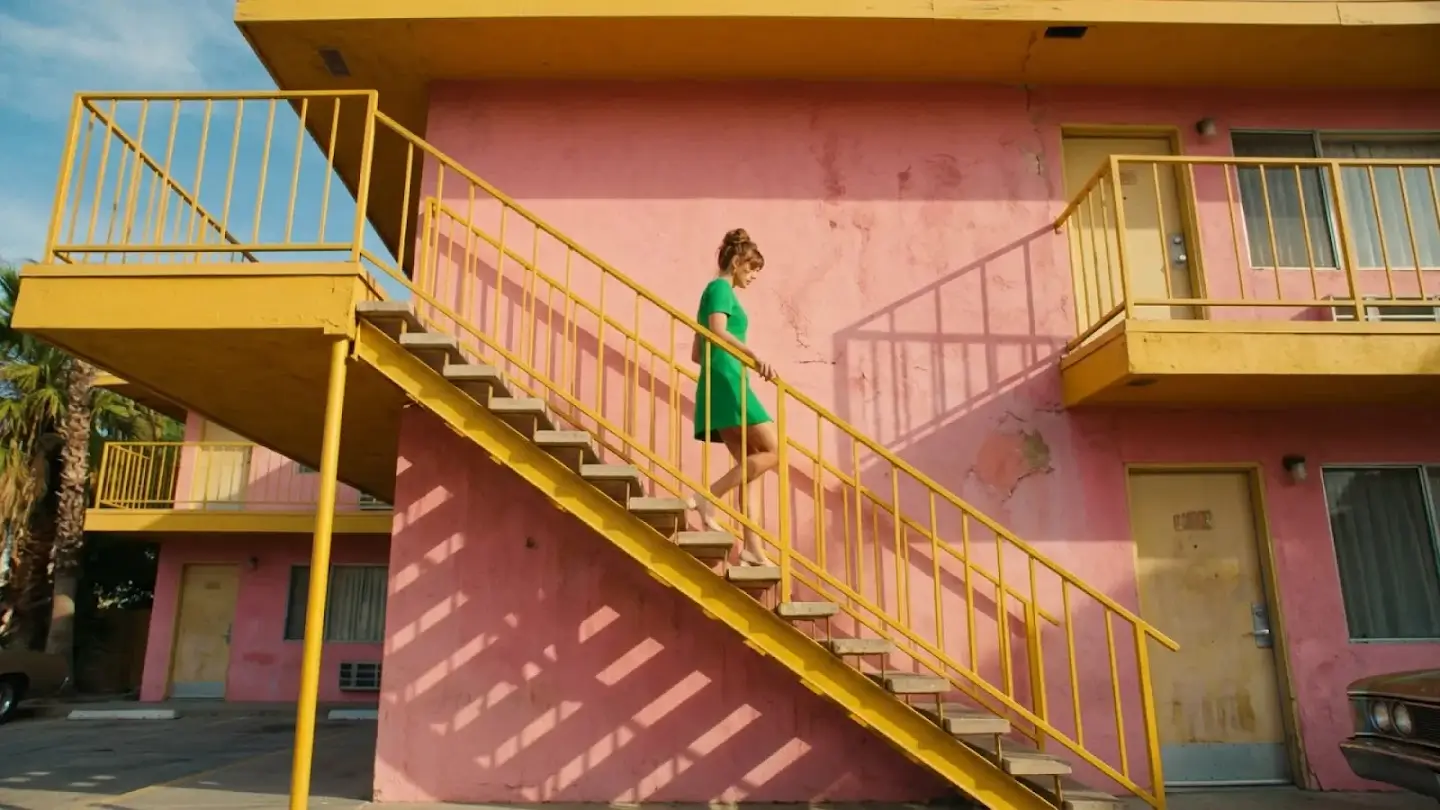
1K → 4K
Output resolution
10
Reference images supported here
Text + image
Generation and editing
2.1
The update to Nano Banana 2
This generator uses the KIE Nano Banana 2.1 API with up to 10 reference images, 1K/2K/4K output and PNG/JPG downloads. The official multi-image example below illustrates Google’s capabilities separately.
Create with Nano Banana 2.1
Nano Banana 2.1 is selected by default. Generate from text or edit up to 10 reference images. Choose 1K, 2K or 4K; the generator displays the credit cost before submission.
Multi-image fusion
Many references. One shared world.
Bring separate people, outfits and poses into the same composition. This official Nano Banana 2.1 example combines a cast of individual references in one colorful editorial scene.
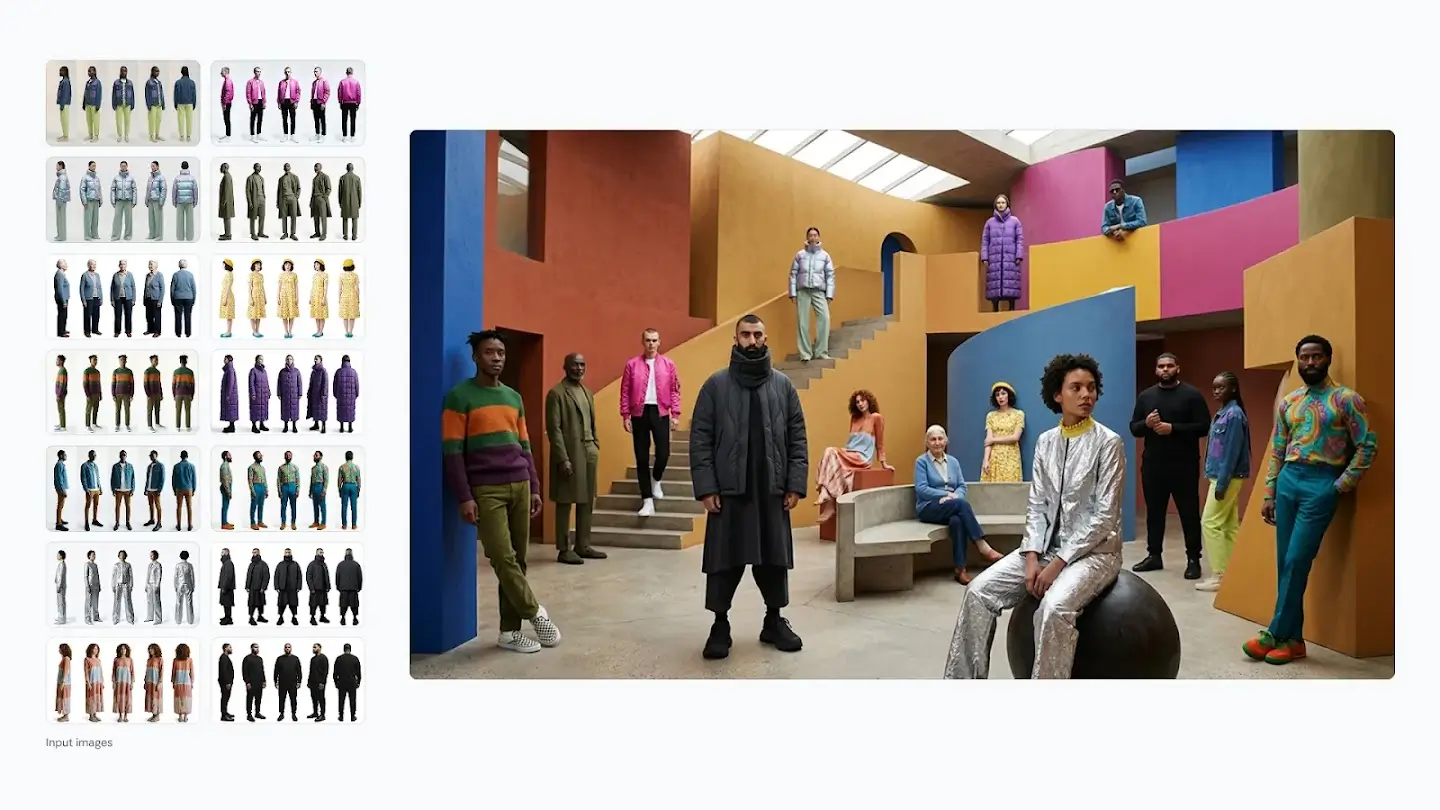
Four of the 14 reference sheets are shown here. Each provides different views of a person and their outfit.
The creative direction
Place the referenced models together in a colorful architectural set. Vary their distance from the camera and arrange them in a dramatic editorial composition.
Change the atmosphere. Keep the person.
This reference-guided edit changes daylight to a rainy evening while retaining the woman's expression, burgundy cardigan, blue door and table setting. Compare the preserved details alongside the changed lighting.
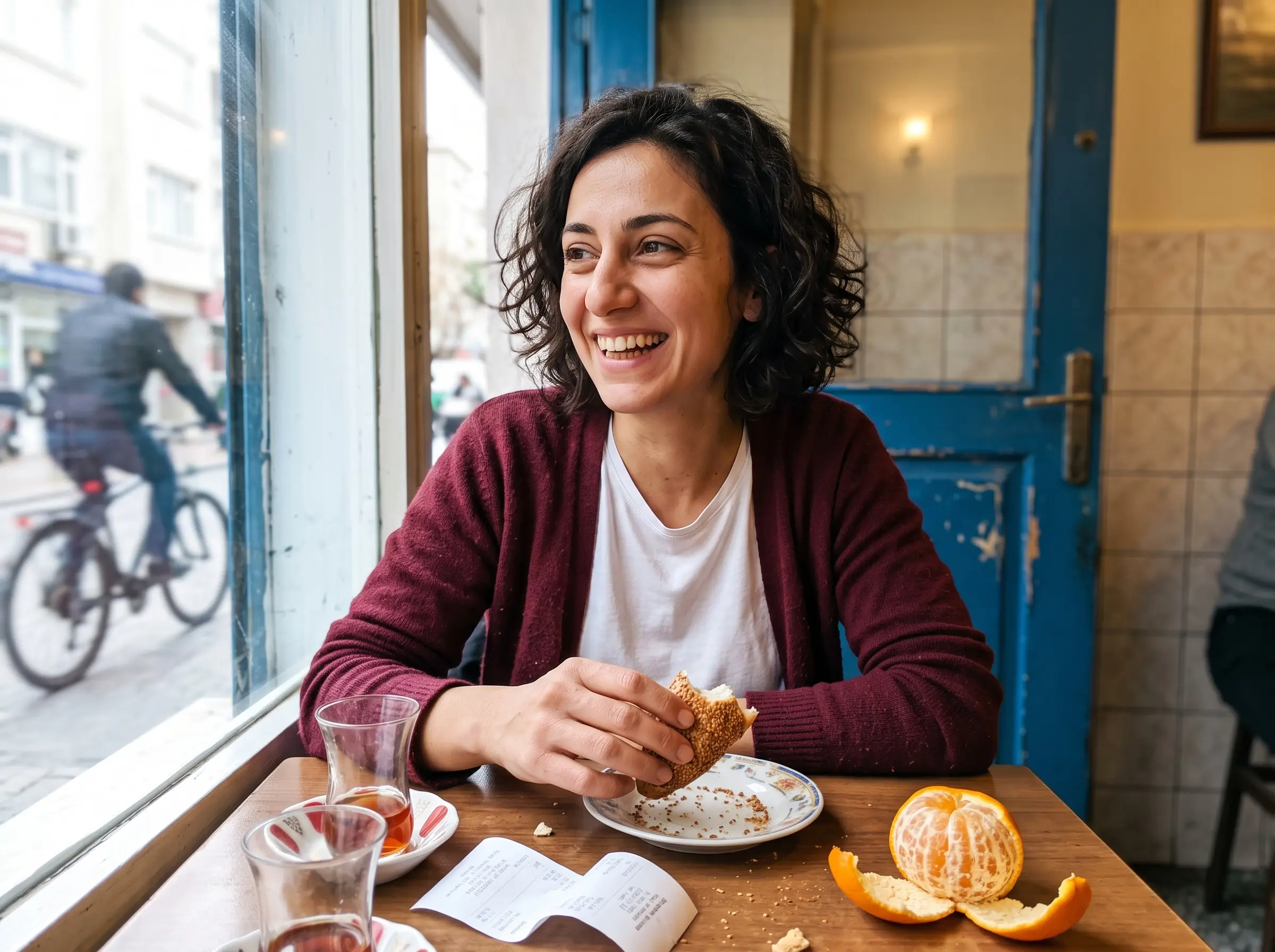
Reference input · Daylight
The starting photograph establishes the person's face, pose, clothing and surrounding objects. A focused reference makes it easier to explain exactly which visual details should survive the edit.
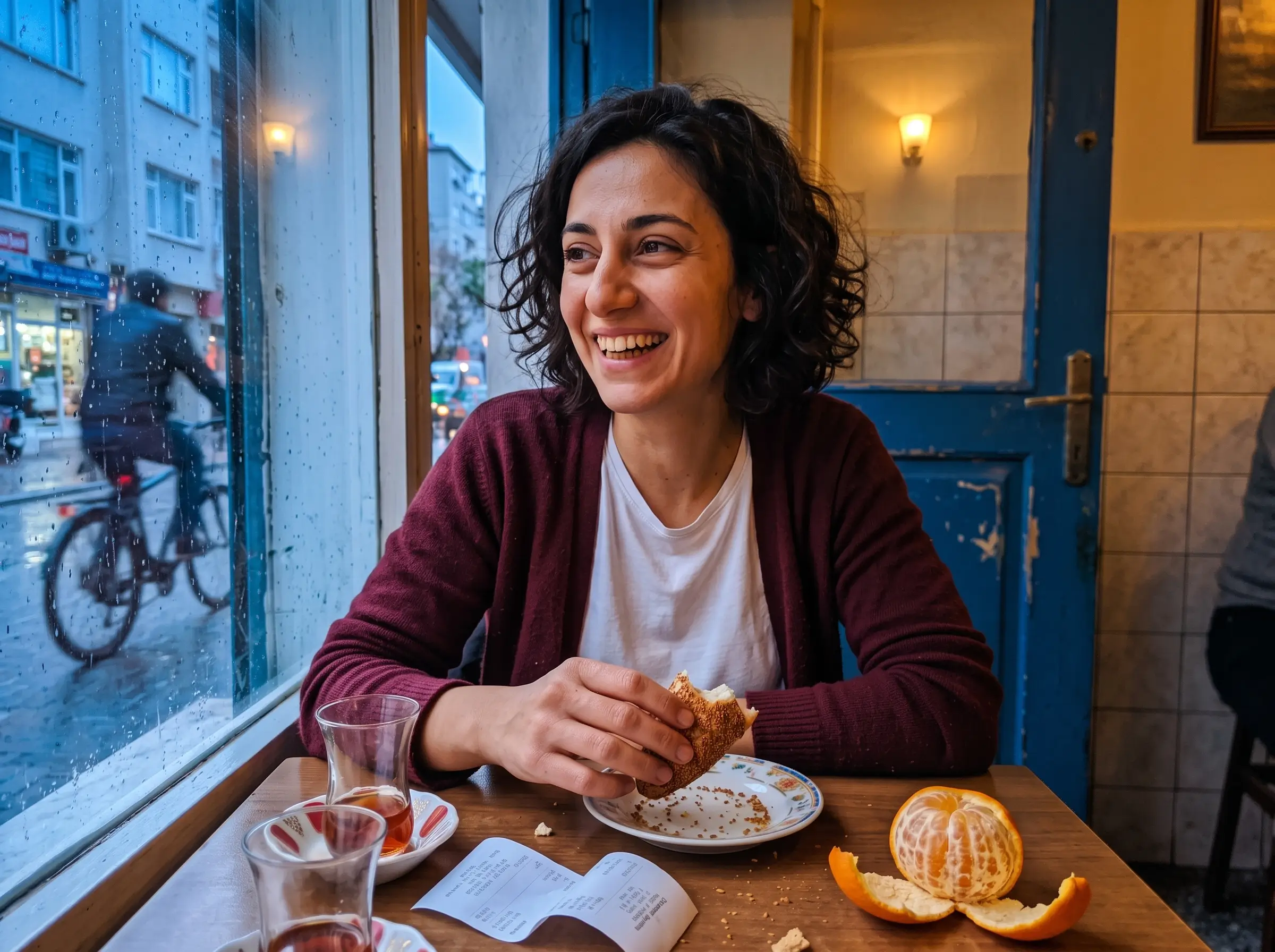
Nano Banana 2.1 edit · Rainy evening
The instruction asks for cool dusk outdoors, rain on the glass and warm cafe lighting, while preserving identity and geometry. One example illustrates the workflow; it does not guarantee every edit will preserve every detail.
The daylight photo is the reference input; the evening photo is the provider's published Nano Banana 2.1 edit. This example was not generated on our site. Editing example published by fal
More ways to put 2.1 to work
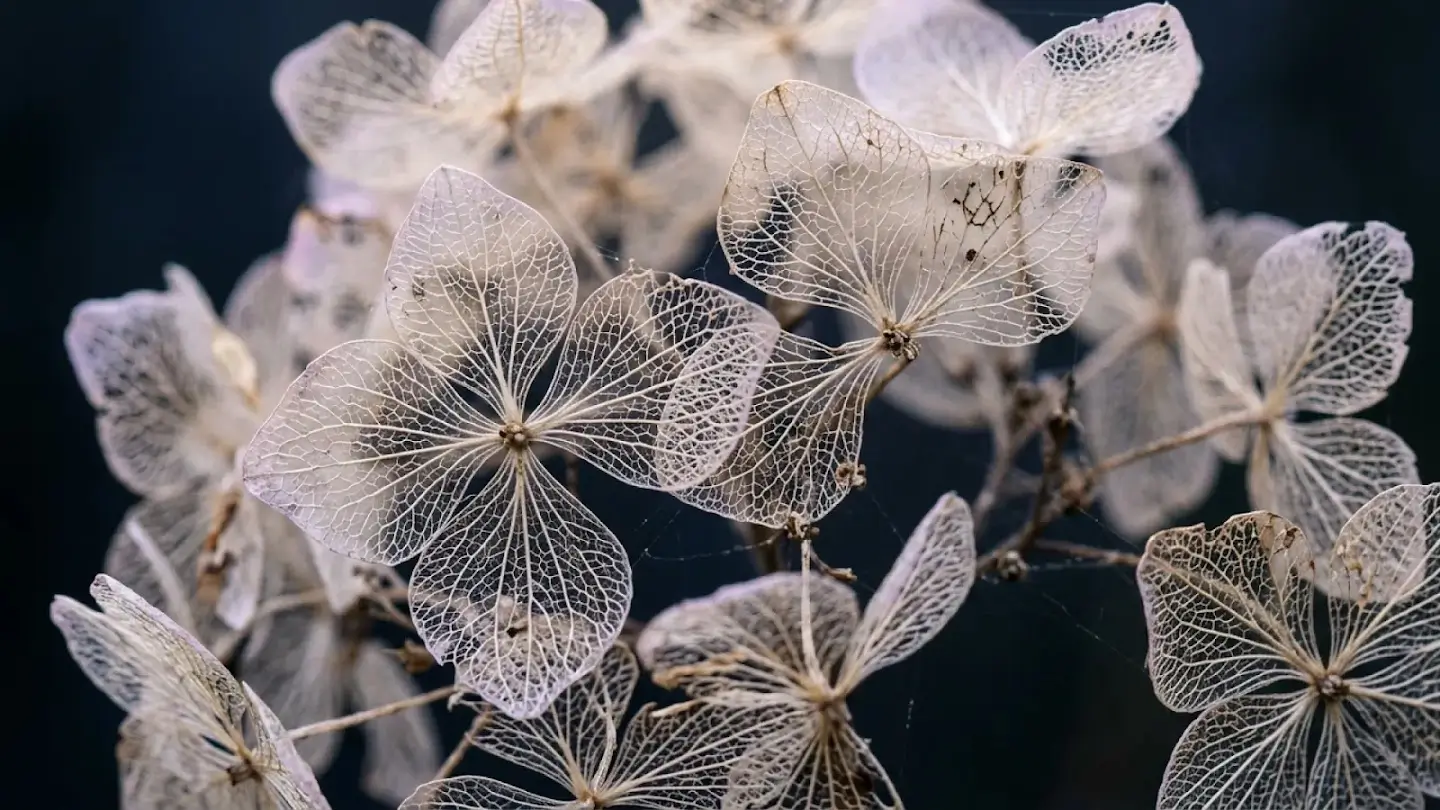
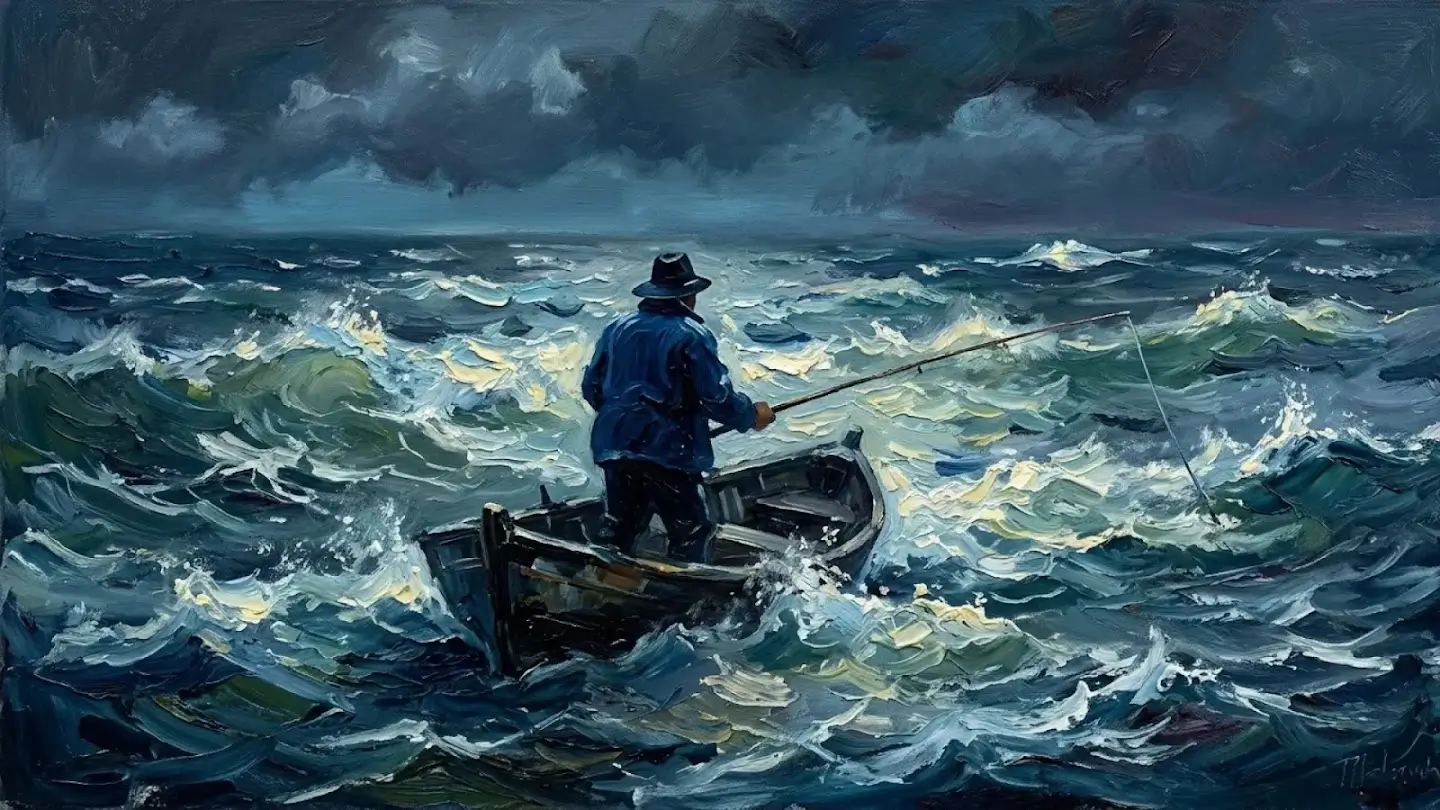
Explore six examples from Google’s Nano Banana 2.1 showcase, from product scenes and graphic layouts to close-up textures and painterly compositions. Open any image for a closer look.
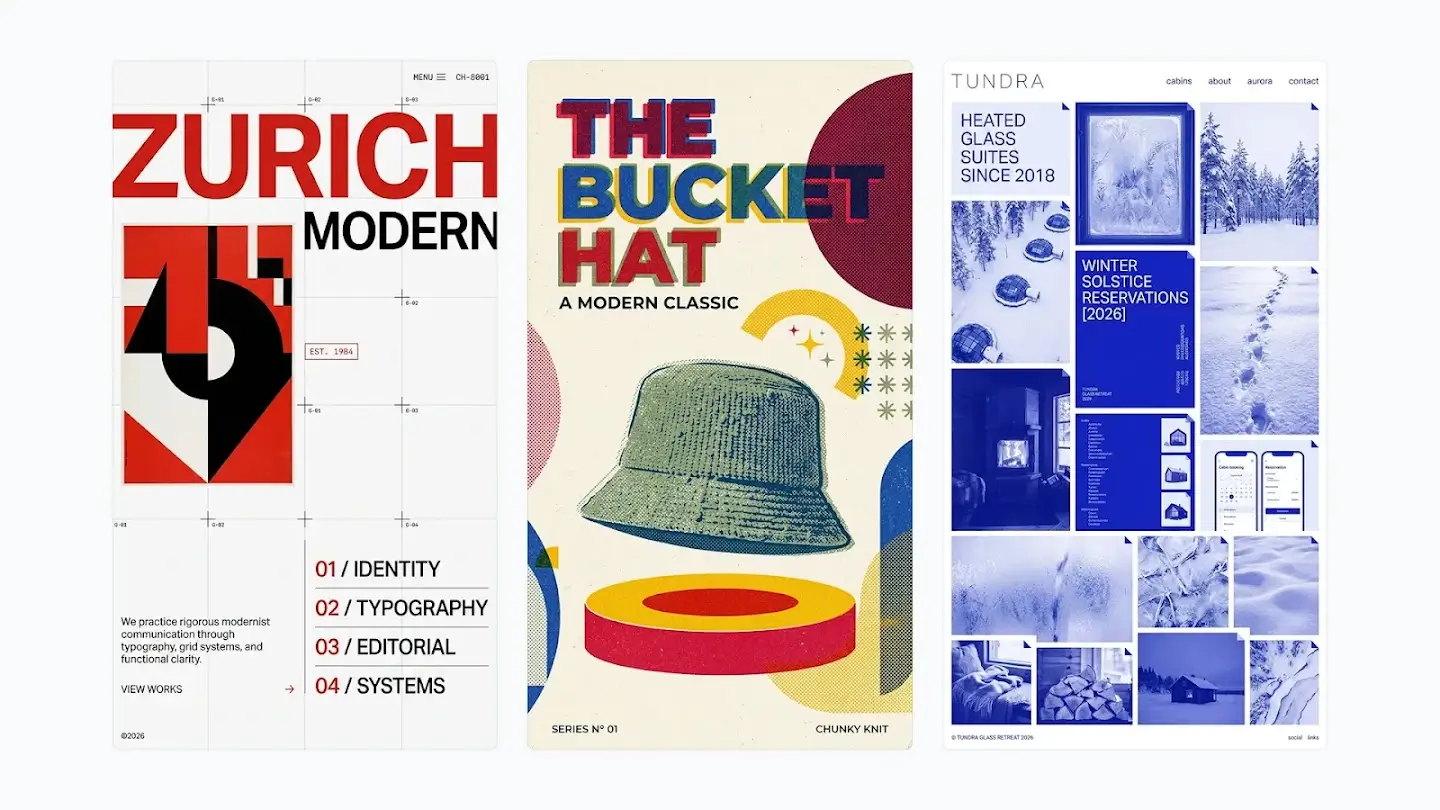
01 / Google example
Typography with a point of view
Swiss grids, a retro product poster and a blue winter layout show different ways to bring text and imagery into one design.
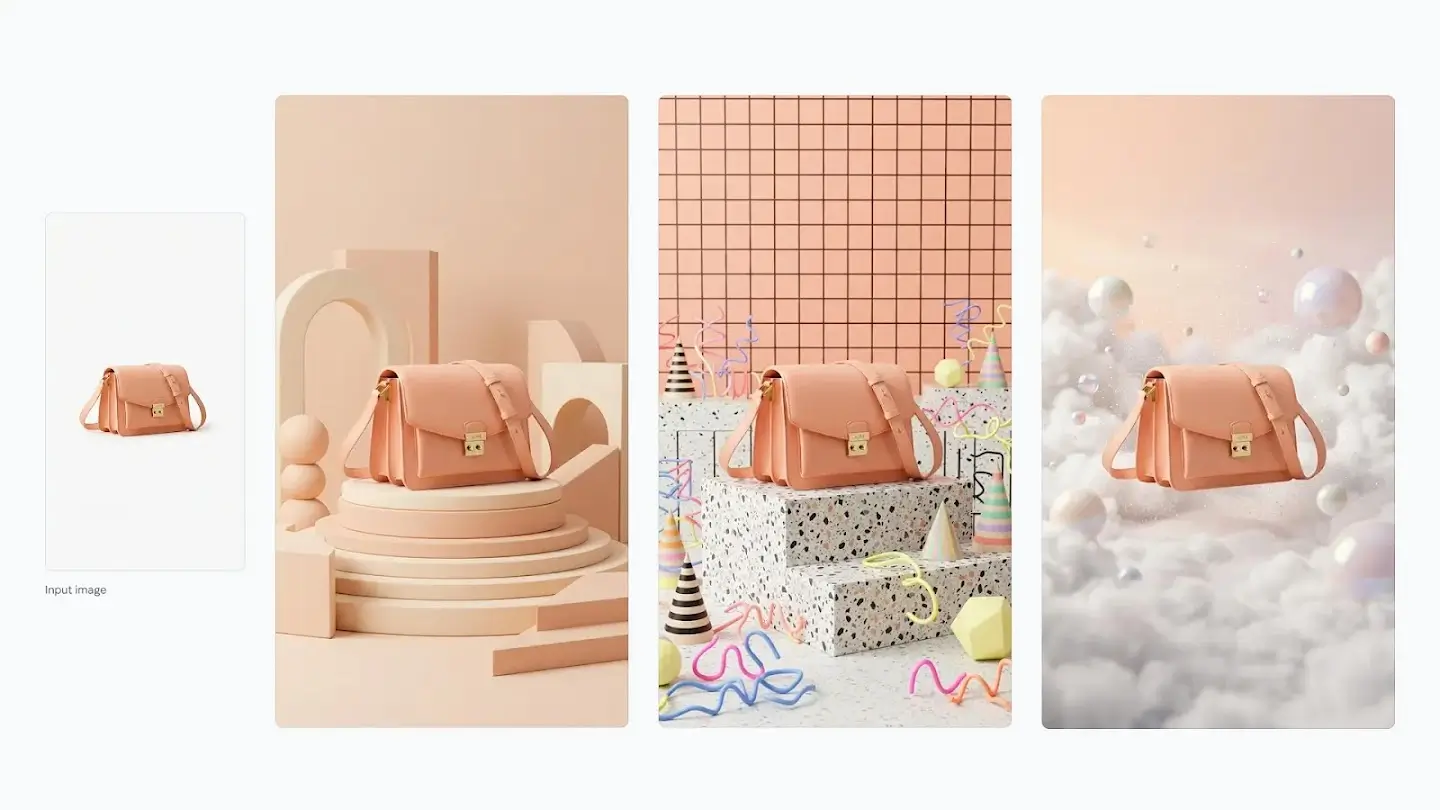
02 / Google example
One product, three new stages
The same peach bag moves from a clean reference into sculptural, terrazzo and cloud settings.
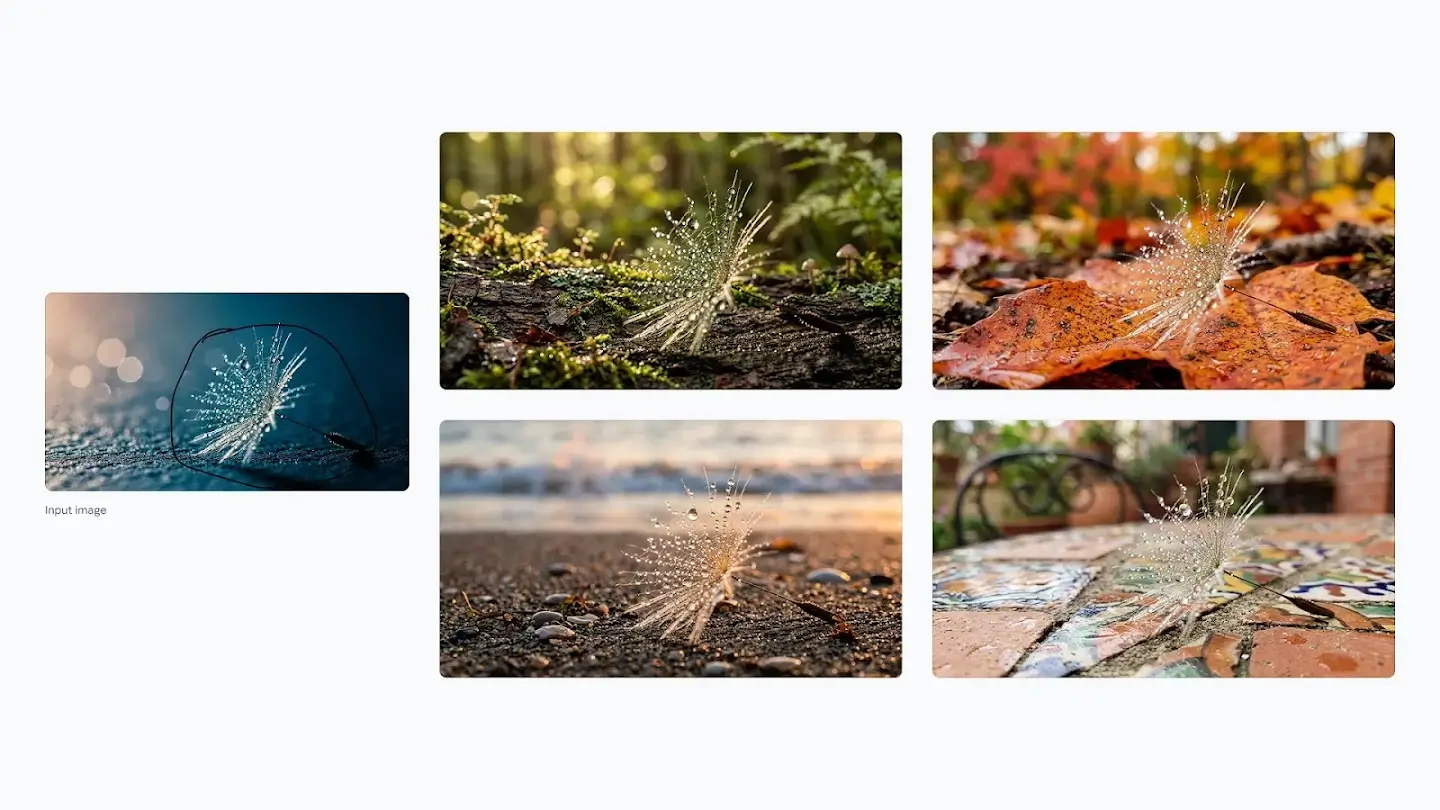
03 / Google example
Change the setting around the subject
A marked dandelion seed keeps its place in the frame while the surrounding surface and environment change.
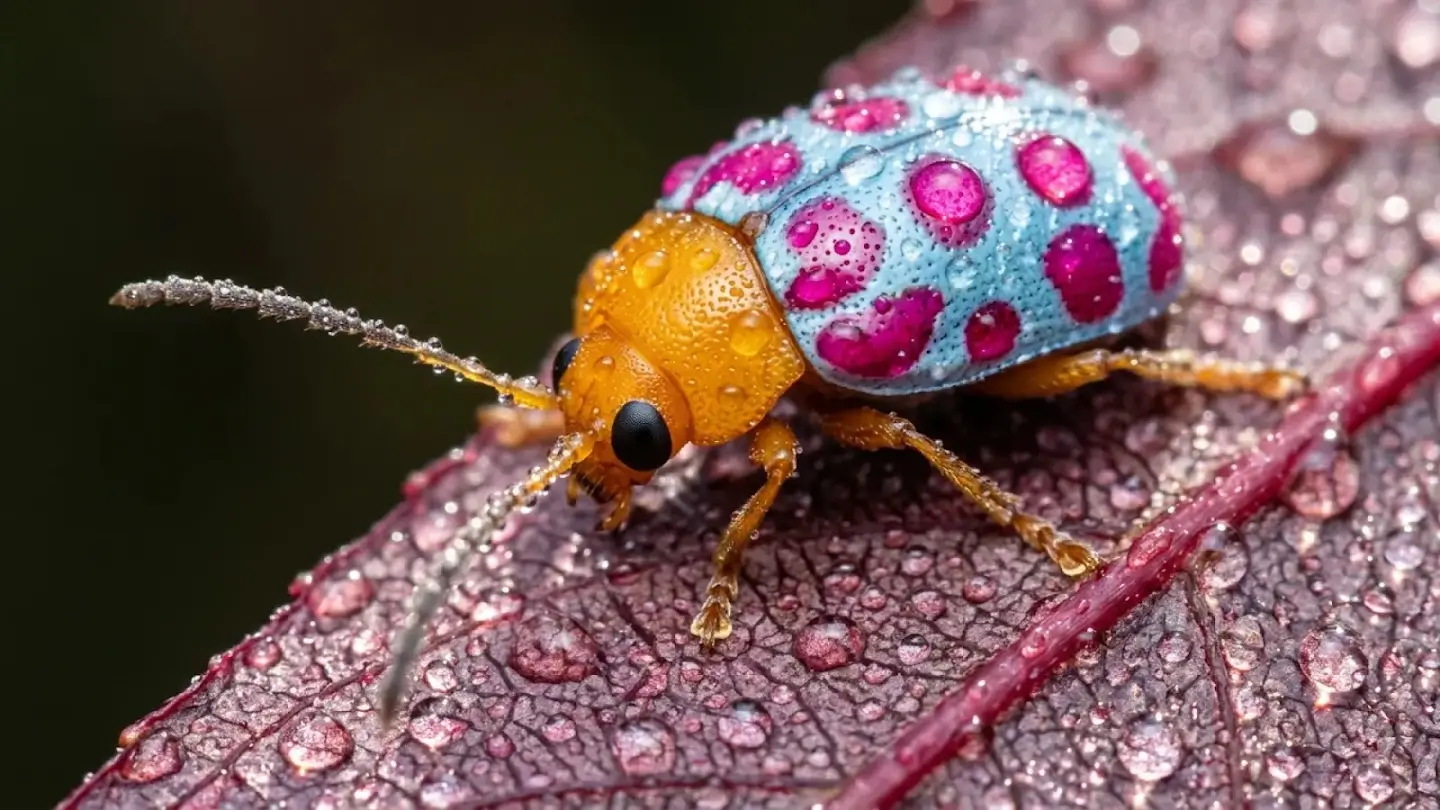
04 / Google example
Look closer at the little details
Water droplets, a textured shell and vivid colors make this macro composition a useful example of fine surface detail.
05 / Google example
Light through delicate textures
Backlit hydrangea skeletons reveal fine veins and layered translucent surfaces against a deep blue background.
06 / Google example
A scene with a different visual language
An expressive seascape uses visible brushwork, a dark palette and a small human figure to establish scale and mood.
What changes in your next creative brief
Nano Banana 2.1 improves the image tasks that often need repeated revisions. Use those improvements with explicit instructions, then check the details that matter before publishing.
Describe light, materials and composition
Google reports improved realism and visual quality. Specify light direction, surface texture, camera framing and the intended mood instead of relying on a generic quality phrase. Inspect skin, reflections and small object geometry in the result.
Give words a clear place in the layout
Text rendering and infographic layouts are improved. Quote the exact short headline, define its position and describe the reading order. Check spelling, numbers and alignment at export size; generated text can still need correction.
Keep wide compositions coherent
Google documents fixes for tiling artifacts at 2K and 4K in 1:4, 4:1, 1:8 and 8:1 images. Plan a focal point and safe margins for wide banners or tall panels, then inspect repeated patterns and seams.
Tell each edit what must stay
The model improves consistency across successive edits and supports up to 14 reference images. Google's guidance distinguishes up to four character references and ten object references. Keep the reference set relevant and restate the identity or product details you need to retain.
Plan an edit that is easy to judge
Define the change and the constants
Separate the edit into what should change and what must stay. For example, change the weather and lighting while keeping the face, pose, clothing, camera position and crop.
Check the selected model before submitting
Nano Banana 2.1 is selected by default. Choose text-to-image or upload up to 10 references, select the output resolution and format, and check the displayed credit cost before generating.
Review the original beside the result
Inspect facial features, product markings, written text and object placement at full size. Refine one change at a time so a new lighting or background edit does not hide an unwanted identity change.
Release details, straight from the source
Checked October 7, 2026. Google documents the model separately from our site's availability; product access and settings can differ by provider.
Pricing
Generate professional images with your favorite Nano banana 2 AI plan.
Basic
Perfect for getting started with nano banana 2 AI image generation.
Includes
- 1000 credits (never expire)
- $0.10per image
- 166 images generation ($0.12 / image)
- No watermark
- Character consistency
- batch generation
- permanent image download link
- Commercial use rights
Credits never expire!
Max
PopularFor professionals who need high-volume image generation.
Everything in Pro, plus
- 7500 credits (never expire)
- $0.07per image
- 1250 images generation ($0.08 / image)
- No watermark
- Character consistency
- batch generation
- permanent image download link
- Commercial use rights
- Priority support
- Access to all new releases
Credits never expire!
Pro
Great for educators, designers, and marketers.
Everything in Basic, plus
- 3300 credits (never expire)
- $0.08per image
- 550 images generation ($0.09 / image)
- No watermark
- Character consistency
- batch generation
- permanent image download link
- Commercial use rights
- Priority support
- Access to all new releases
Credits never expire!
Before you choose a model
Has Nano Banana 2.1 been released?
Yes. Google released Nano Banana 2.1, and it is now available in this generator through KIE’s nano-banana-2-1 API.
Can I generate with Nano Banana 2.1 on this site today?
Yes. Select Nano Banana 2.1 to generate from a text prompt or edit up to 10 reference images. Choose 1K, 2K or 4K and PNG or JPG output. Each reference must be JPEG, PNG or WEBP and no larger than 30 MB.
What is new compared with Nano Banana 2?
Google describes improvements to realism, prompt adherence, text rendering, multi-turn character consistency and wide-format output. Nano Banana 2.1 updates Nano Banana 2 while retaining the speed and efficiency focus of the Flash image family.
Does it support 4K and reference images?
Google documents 1K, 2K and 4K outputs, with 1K as the default, and up to 14 reference images. Those are model capabilities; the controls, upload limits and resolutions of an individual provider can differ.
What is the official API model ID?
The Google Gemini API identifier is gemini-nano-banana-2.1. Other providers can use their own identifiers. An official Google model ID does not by itself enable that model in our generator.
Should I choose 2.1, Pro or Lite?
Nano Banana 2.1 targets efficient generation and iterative editing. Pro is positioned for complex visual work, while Lite emphasizes speed and cost. Compare the same brief and inspect the details you care about; a new version is not a universal quality guarantee.
How many credits will Nano Banana 2.1 cost here?
Nano Banana 2.1 costs 5 credits for 1K, 8 credits for 2K, or 12 credits for 4K per generated image. The generator shows the cost before submission. Failed generation tasks follow the site’s existing refund process.