
Flux Kontext: AI Image Generation and Prompt-Based Editing
Flux Kontext is built for image generation and in-context image editing: upload a reference image, describe the change you want, and let the model modify the scene with natural language. It is especially useful for product visuals, character-driven scenes, background changes, style exploration, and fast creative iteration where preserving the original image matters.
Auto translate
Translate prompts before generation
Why Creators Use Flux Kontext
Flux Kontext is not just another text-to-image option. Its value is in editing images through context: keeping the useful parts of an image while changing the parts you describe.
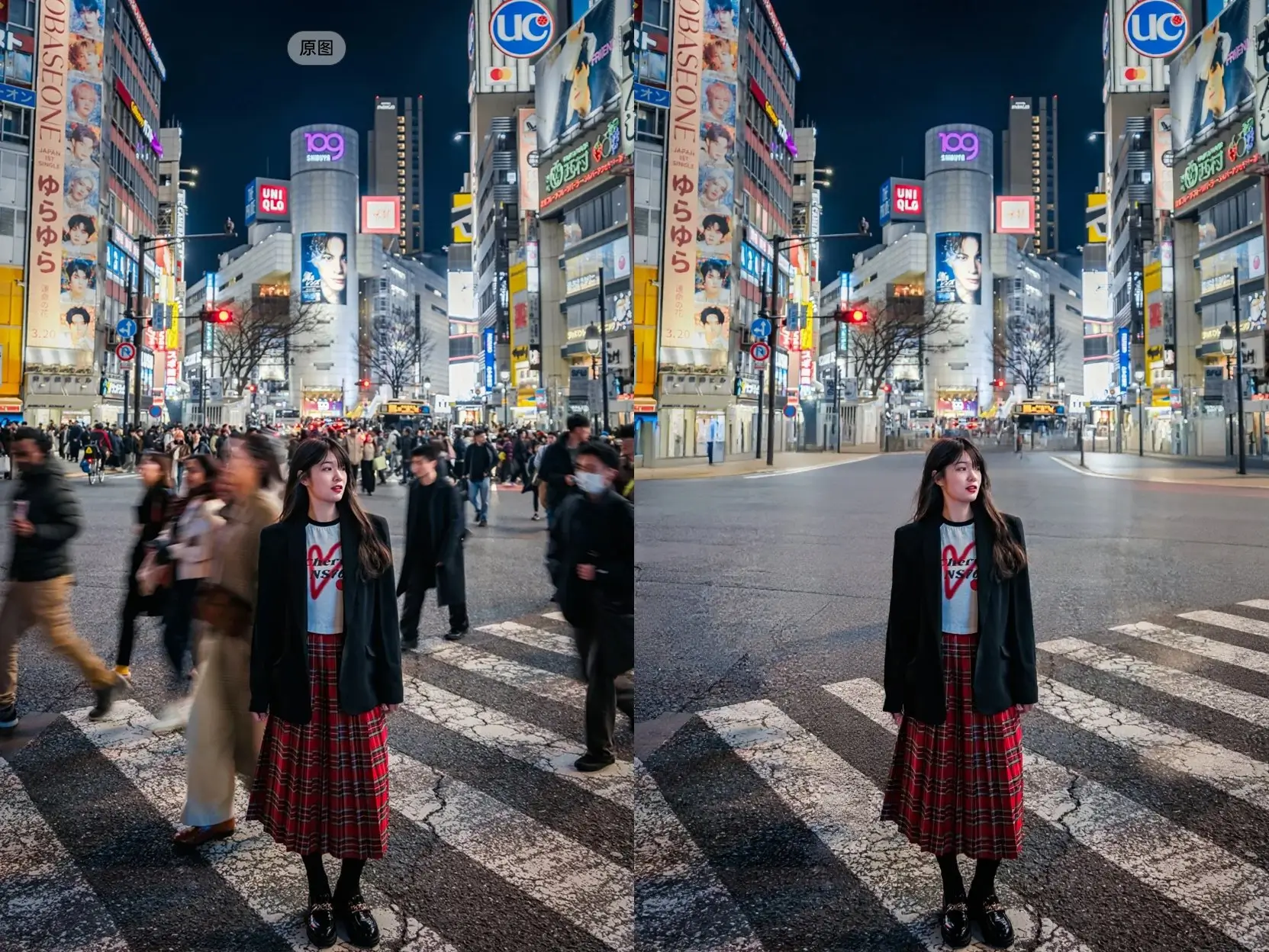
Prompt-Based Image Editing
Flux Kontext is useful when you already have an image and want a controlled change: replace a background, adjust clothing, restyle a product scene, add an object, or shift the mood of the shot. Instead of rebuilding the whole image from scratch, it aims to follow the edit instruction while preserving the surrounding context.
Pro and Max Modes for Different Workflows
Use Flux Kontext Pro for everyday image editing and fast creative production. Choose Flux Kontext Max when you want stronger quality, richer detail, or more ambitious scene transformation. Both modes support text-to-image and image-to-image workflows, but Max is better suited for polished outputs where the final look matters more than cost.
Good Fit for Visual Consistency
Flux Kontext is often used for character scenes, product placements, social content, and storyboard-style visuals because it understands the relationship between the input image and the requested change. It can help keep a subject recognizable across variations, which is valuable for campaigns, mockups, and creative testing.
What Flux Kontext Is Best At
Use Flux Kontext when the job is about changing an image with intent, not just generating a pretty image from a short prompt.
Localized Edits Without Rebuilding Everything
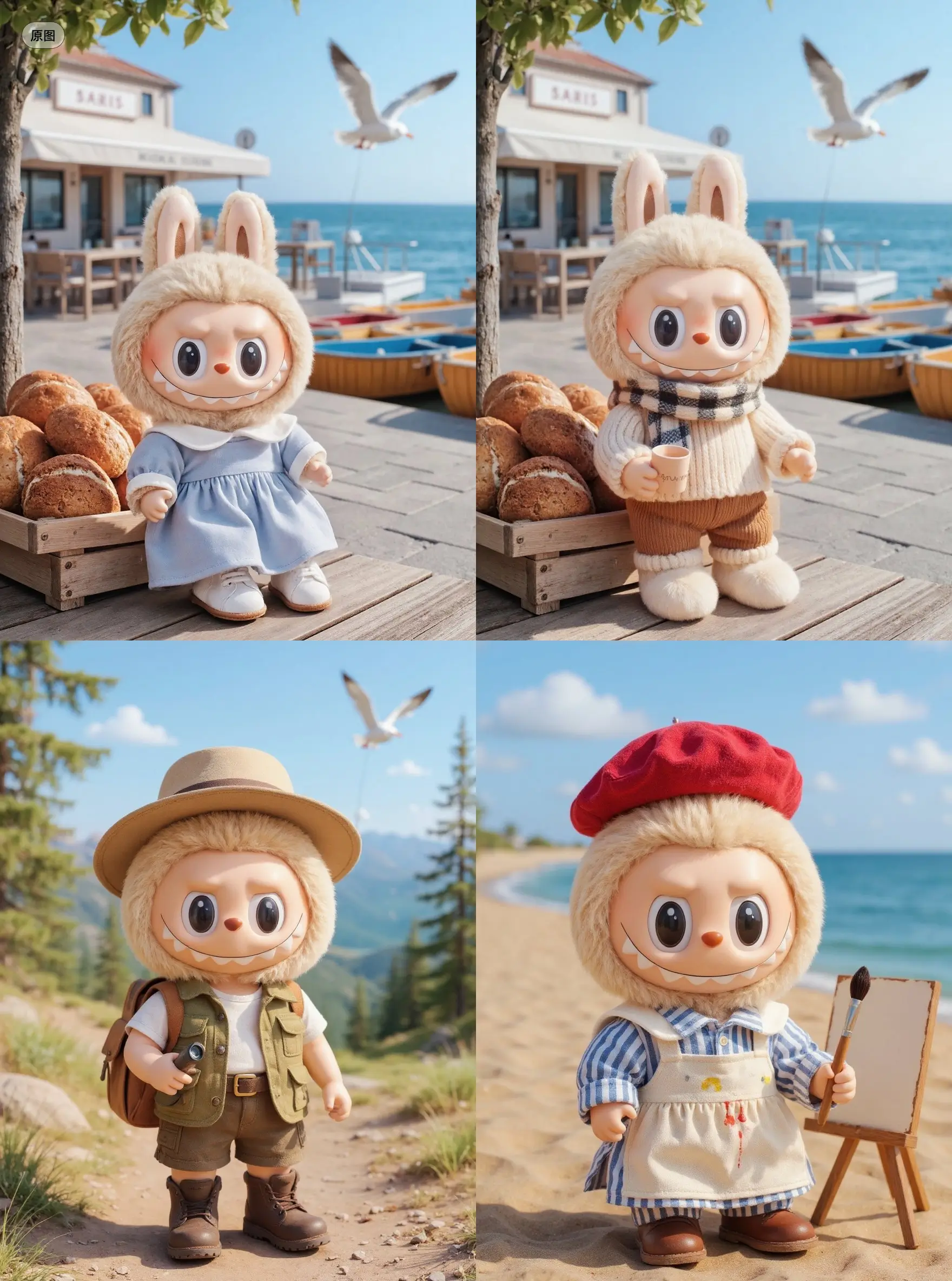
Flux Kontext is strongest when you want to keep the base image recognizable. It is useful for changing one part of a composition while leaving the rest mostly intact: a different outfit, a new background, a product inserted into a scene, or a lighting/mood shift.
Natural Language Control
You can describe edits in plain English instead of writing technical prompts. Instructions such as make the scene warmer, turn this into a premium product ad, or place the character in a rainy city street are closer to how non-designers explain visual changes.
Creative Iteration for Marketing and Design
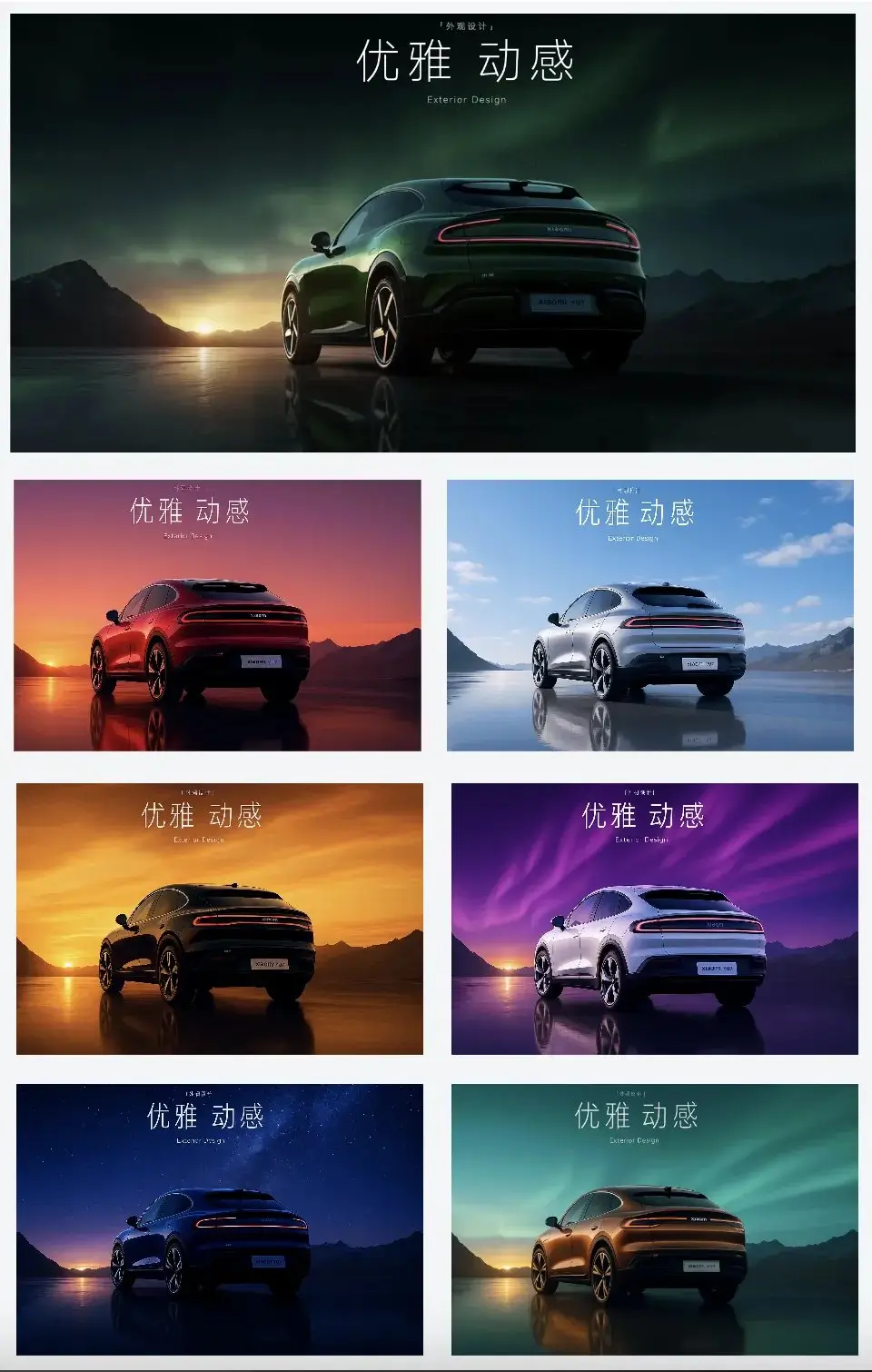
Flux Kontext is practical for testing visual directions quickly: ad concepts, campaign variations, product lifestyle shots, poster drafts, and social media assets. It helps teams explore many directions before committing design time to manual refinement.
Clear Strengths and Known Limits
Flux Kontext is not the best choice for every task. Complex face swaps, precise multi-person identity edits, and heavy text rendering can still be unreliable. For text-heavy posters or diagrams, use a model specialized in text fidelity; for local visual edits and scene transformation, Flux Kontext is a strong option.
Flux Kontext Use Cases
These are the workflows where Flux Kontext tends to provide the most practical value for creators, marketers, and product teams.
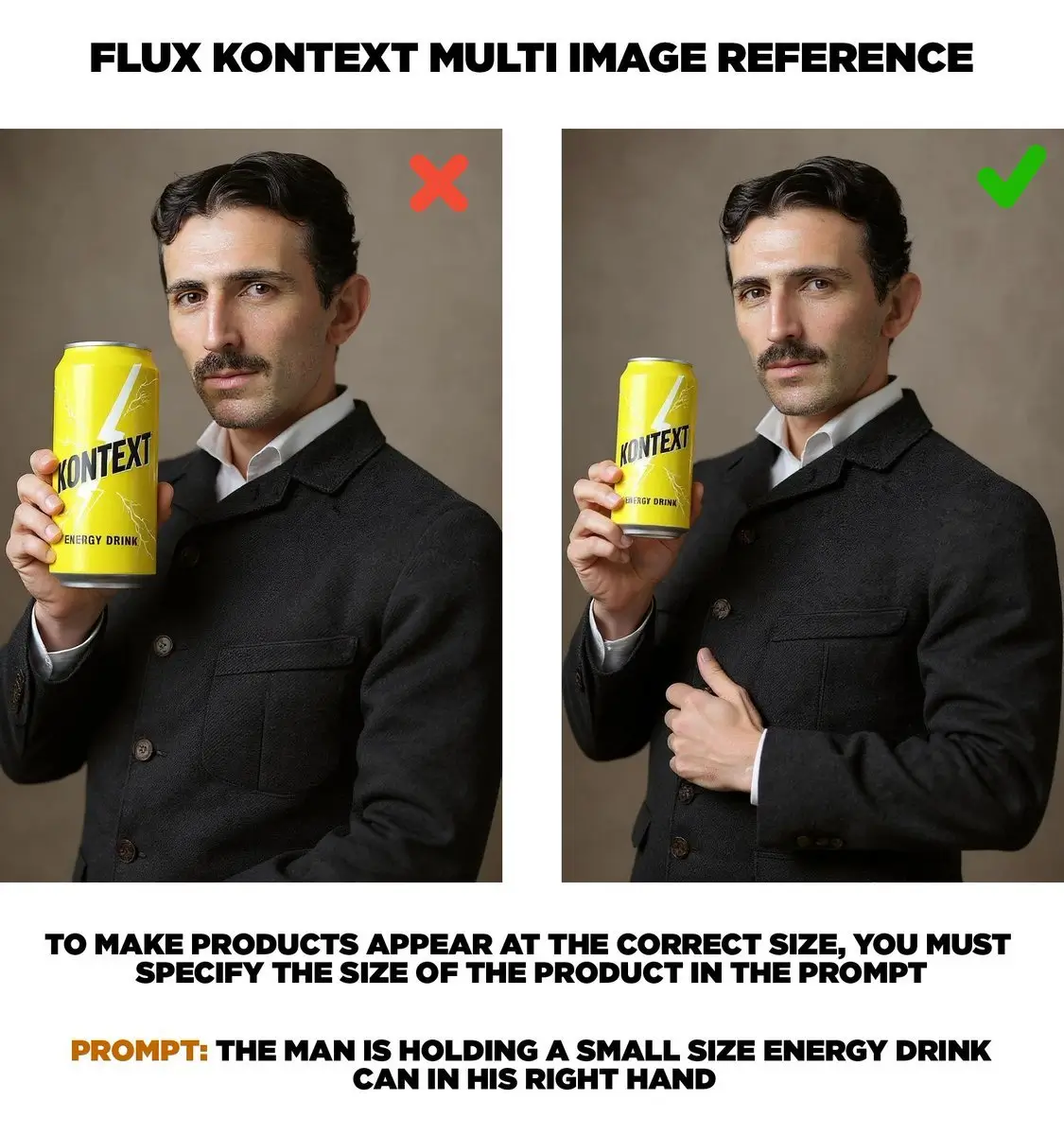
Product and Brand Visuals
Place a product into different environments, test campaign styles, create lifestyle scenes, or generate variations for ads. Flux Kontext is useful when the product or subject needs to remain recognizable while the setting changes.
Character and Storyboard Scenes
Create scene variations for comics, short videos, storyboards, and character-led content. Flux Kontext helps preserve visual context while moving a subject into different environments, moods, or compositions.
Fast Photo Edits and Creative Retouching
Use natural language to adjust backgrounds, atmosphere, styling, props, or lighting. It is a practical option for fast concept work before opening a manual editor such as Photoshop.
How to Use Flux Kontext
Step 1 Choose Text-to-Image or Image-to-Image
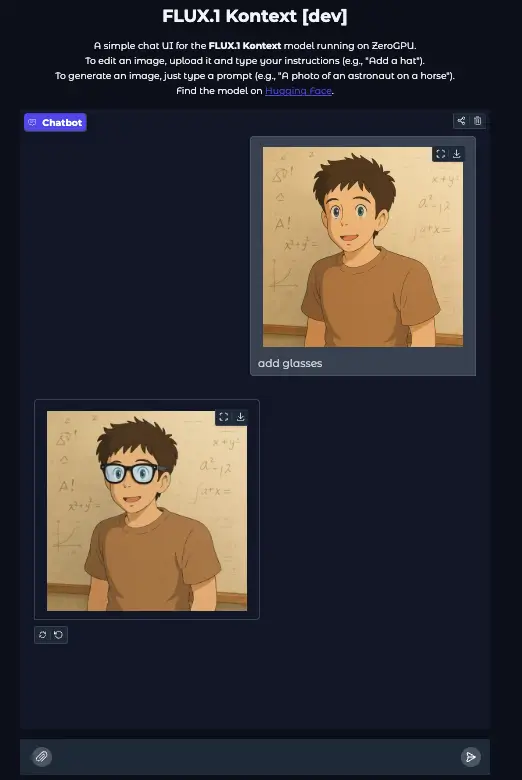
Use text-to-image when you want to create a new image from scratch. Use image-to-image when you want Flux Kontext to edit an existing image. For editing, upload one clear reference image and describe the exact change you want.
Step 2 Select Pro or Max
Choose Pro for efficient everyday editing. Choose Max for more polished output, stronger detail, or more ambitious scene changes. Auto translation is enabled by default, so non-English prompts can be translated before generation.
Step 3 Write a Specific Edit Instruction
A good Flux Kontext prompt says both what to change and what to preserve. For example: replace the background with a modern studio, keep the product shape and label unchanged, use soft premium lighting. This reduces unwanted changes and makes the output easier to use.

Flux Kontext Pricing Plans
Choose a credit plan for Flux Kontext image generation and editing. Flux Kontext Pro uses fewer credits per image, while Max is designed for higher-quality outputs.
Basic
Good for testing Flux Kontext and creating occasional image edits.
Includes
- 1000 credits (never expire)
- $0.10per image
- Flux Kontext Pro and Max access
- Text-to-image generation
- Image-to-image editing
- No watermark
- Commercial use rights
Credits never expire!
Max
PopularFor creators and teams producing frequent campaign visuals and image edits.
Everything in Basic, plus
- 7500 credits (never expire)
- $0.07per image
- High-volume Flux Kontext editing
- Reference image workflows
- No watermark
- Commercial use rights
- Priority support
Best value for creators
Pro
A balanced plan for designers, marketers, and content creators.
Everything in Basic, plus
- 3300 credits (never expire)
- $0.08per image
- More Flux Kontext generations
- Prompt-based image editing
- No watermark
- Commercial use rights
- Permanent image download link
Flexible creative plan
Flux Kontext FAQ
What is Flux Kontext?
Flux Kontext is an AI image generation and image editing model focused on context-aware visual changes. It can generate images from text and edit an uploaded image using natural language instructions. Its main value is controlled image editing: changing the requested part of an image while trying to preserve the rest of the scene.
What is the difference between Flux Kontext Pro and Max?
Flux Kontext Pro is the efficient mode for everyday editing and creative exploration. Flux Kontext Max is intended for higher-quality outputs, richer detail, and more polished creative work. On this site, Pro costs 5 credits per generation and Max costs 8 credits per generation.
Is Flux Kontext good for image editing?
Yes, Flux Kontext is especially useful for prompt-based editing: changing backgrounds, adjusting outfits, modifying product scenes, exploring styles, and creating variations from a reference image. It works best when your instruction clearly states what should change and what should remain unchanged.
Can Flux Kontext render text accurately?
Flux Kontext can create images that include text, but it is not the best choice when exact text rendering is the main requirement. For posters, diagrams, UI mockups, or multilingual text-heavy images, use a model that specializes in text fidelity. Use Flux Kontext when scene editing and visual consistency matter more.
How many reference images can I use?
For the Flux Kontext workflow on this site, image-to-image editing uses one reference image. Upload a clear source image, then describe the edit precisely. This keeps the workflow predictable and matches the model's prompt-based editing behavior.