
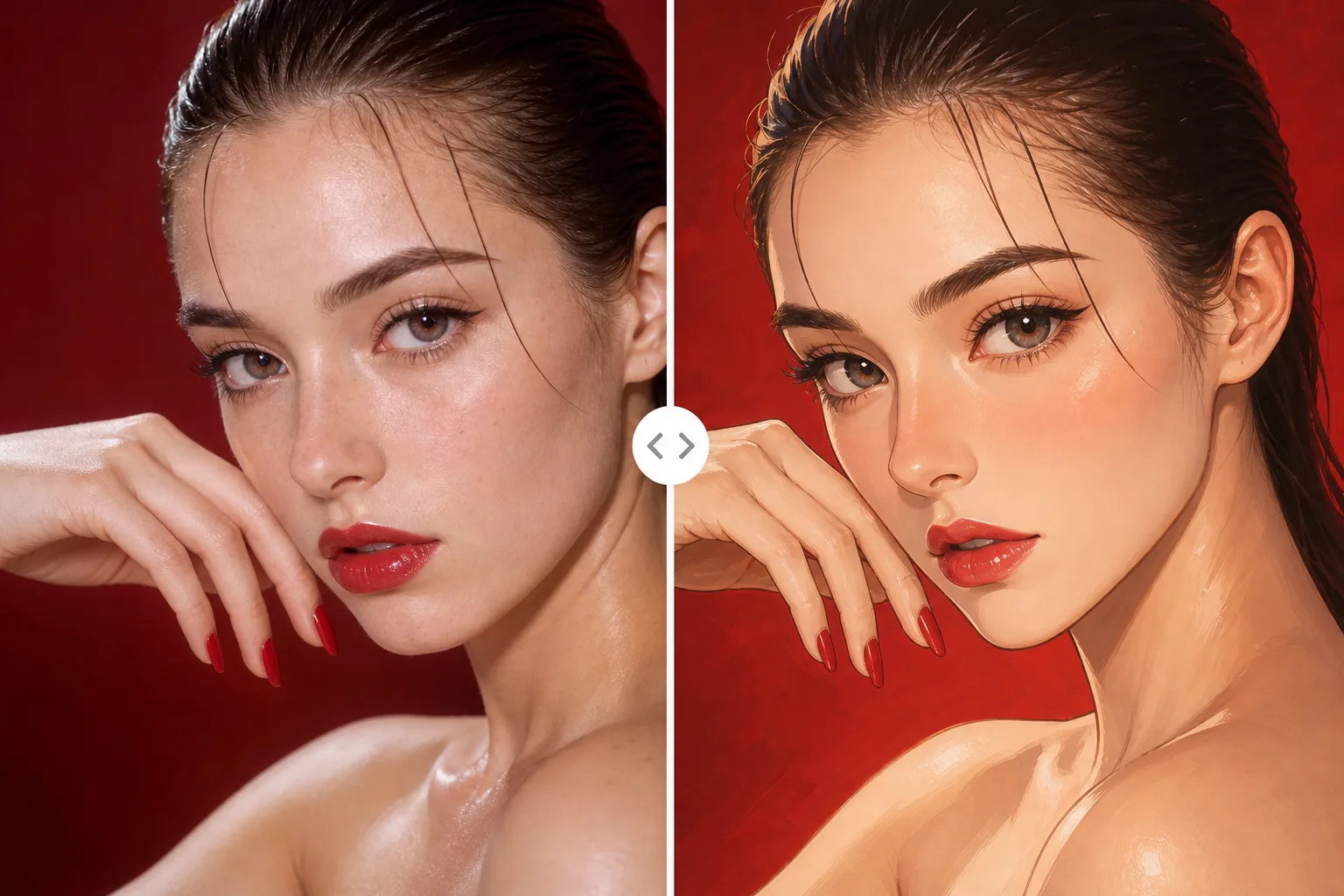
Before and After Portrait
A clear side-by-side transformation makes the tool easy to understand: original photo on one side, stylized portrait on the other, with recognizable face structure preserved.
Upload a selfie or headshot, choose a portrait style, and generate a new image that keeps the person's face recognizable. This AI Portrait Generator is built for professional headshots, social profile pictures, anime portraits, 3D avatars, and creative editorial looks.
The real search intent is not random image generation. People want to upload a real face and restyle it into a better portrait, avatar, or headshot without losing the original identity.
Use a clear face photo with the subject looking toward the camera. Good lighting, visible eyes, and a clean crop help the AI preserve facial geometry.
Ask for a professional headshot, anime portrait, 3D cartoon avatar, cinematic editorial look, or social profile image. The style changes, but the person should remain recognizable.
Adjust the prompt for skin texture, expression, background, outfit, and crop. Review identity, hands, glasses, hairline, and small facial details before using the final image publicly.
Google Search
Use web grounding for real-time context
These examples show how an uploaded photo can become different portrait formats. Use the same workflow for profile pictures, creator avatars, professional headshots, and stylized self portraits.
A clear side-by-side transformation makes the tool easy to understand: original photo on one side, stylized portrait on the other, with recognizable face structure preserved.
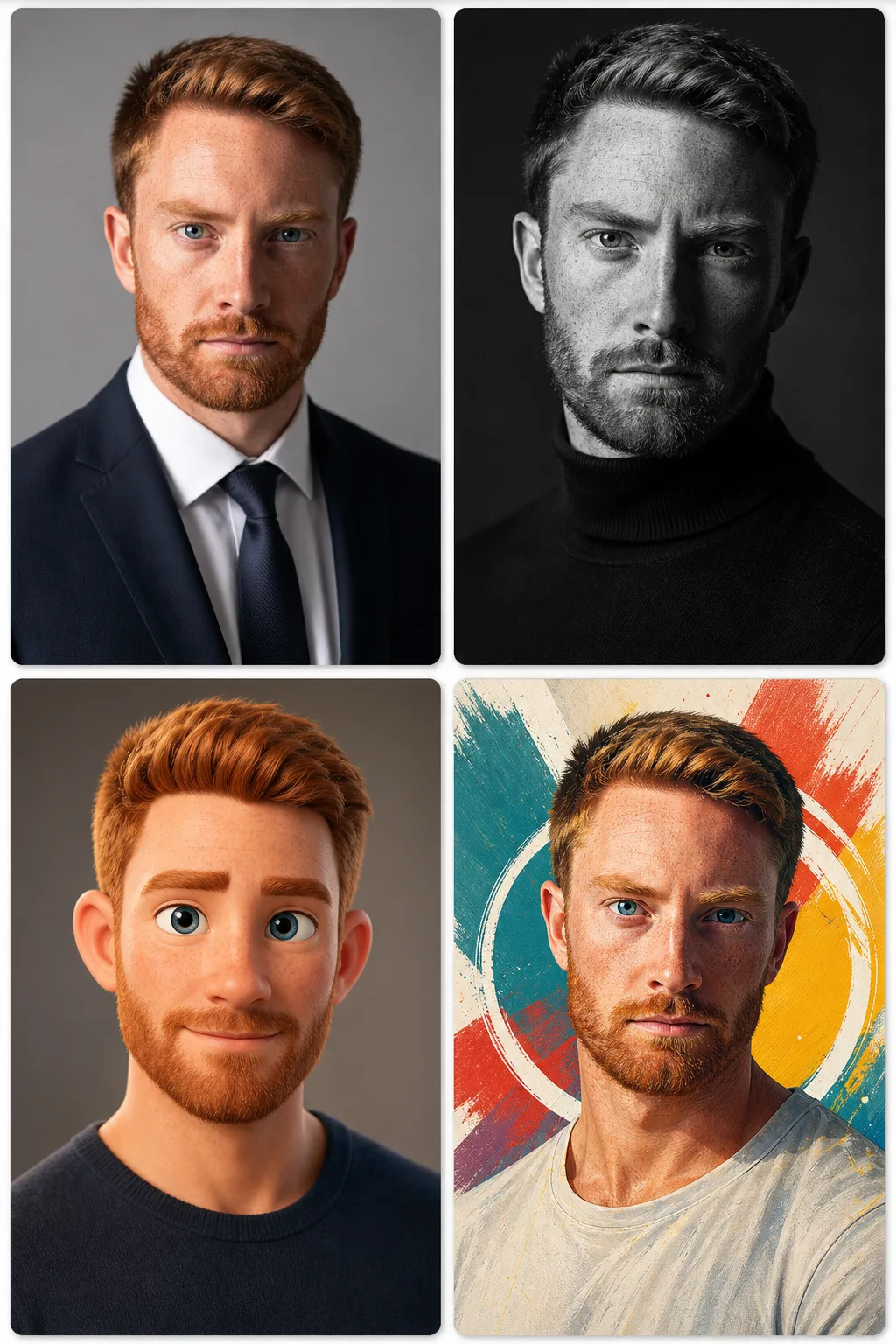
Turn a casual portrait into a studio-ready headshot with better lighting, cleaner background, sharper eye focus, and natural skin detail for resumes or business profiles.
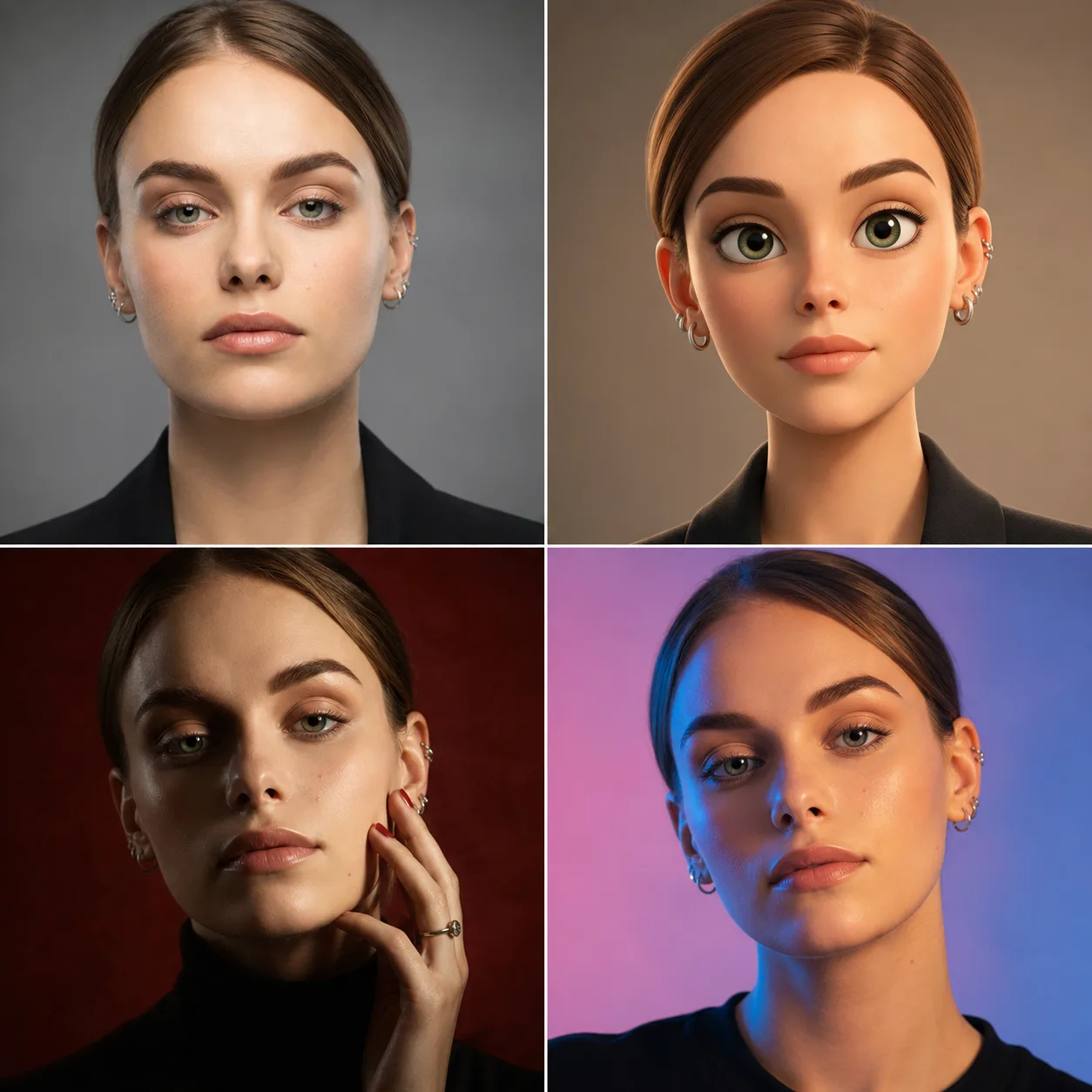
Generate several portrait directions from the same upload: professional, artistic, 3D cartoon, and social profile styles. Compare them before choosing the best version.
The default prompt is written for image-to-image use: preserve the uploaded face first, then change the lighting, outfit, background, and portrait style. These presets are short enough to edit before generation.
Transform the uploaded photo into a polished professional headshot. Preserve the person's identity, face shape, eyes, nose, lips, expression, hairline, and skin tone. Use soft studio lighting, a clean neutral background, natural skin texture, sharp eye focus, and a modern profile-picture crop.
Turn the uploaded face into a refined semi-realistic anime portrait. Keep the same facial proportions, expression, hairstyle direction, and recognizable identity. Use clean linework, expressive eyes, soft beauty lighting, and a polished social avatar composition.
Create a friendly 3D cartoon portrait from the uploaded photo while preserving the subject's identity cues, face shape, eye spacing, hairstyle, and expression. Use a clean studio background, soft materials, and a premium avatar look.
Enhance the uploaded portrait into a cinematic editorial image. Preserve identity and natural skin texture. Improve lighting, contrast, background, outfit styling, and color grading without changing the person's face or expression.
Use the page when your task starts with a real person and needs a new portrait output. The strongest prompts describe what must stay the same and what can change.
Create a polished image for TikTok, Instagram, Discord, X, YouTube, or community profiles. Ask for a clean face crop and a background that fits the platform.
Generate business-style portraits from casual photos. Review the output carefully for identity, realism, clothing, and platform expectations before using it on LinkedIn or a resume.
Try anime, 3D cartoon, oil-painting, cinematic, fashion editorial, retro, fantasy, or magazine-cover inspired looks while keeping the original face recognizable.
The most common failure is a beautiful portrait that no longer looks like the uploaded person. Prompt for identity preservation first, then add style and lighting.
Include instructions such as preserve identity, keep face shape, keep eye spacing, keep nose and lips, and do not change expression. These constraints matter more than style words.
Front-facing photos with visible eyes work better than blurry, cropped, filtered, or heavily shadowed images. Glasses, hats, and hair over the face can reduce likeness.
Ask for natural skin texture, visible pores, realistic hair detail, and no plastic skin. This helps portraits feel believable instead of generic or over-retouched.
Yes. You can try the AI portrait workflow online with free generations. Additional generation volume may require credits depending on your account and model choice.
Yes. The page is designed around image-to-image portrait generation. Upload a selfie or headshot, then use the prompt to preserve identity while changing style, lighting, background, and crop.
Yes. Use a clear face photo and ask for a professional headshot with soft studio lighting, neutral background, natural skin texture, and a profile-ready crop. Review the result before using it in formal contexts.
Yes. Use the same uploaded photo and prompt for anime, 3D cartoon, avatar, painting, or editorial styles. Include instructions to keep face shape, eye spacing, expression, and hairstyle direction.
The source photo may be too blurry, too angled, over-filtered, or partly covered. Add stronger identity instructions and use a clearer upload with visible eyes, face shape, and natural lighting.
Usage depends on your rights to the uploaded photo, the person in the image, the chosen model, and your local rules. Avoid uploading people without permission and review outputs before using them in ads, resumes, or public branding.