
LinkedIn studio
A navy blazer, pale gray backdrop and soft frontal lighting keep attention on your face. This default is a straightforward starting point for a professional profile or a resume photo where one is requested.
YOUR SELFIE. YOUR PROFESSIONAL INTRODUCTION.
Turn an everyday selfie into a professional profile photo with the AI Headshot Generator. Upload one clear photo and start with LinkedIn studio, or choose a different setting. Aim for a polished headshot that still looks like you.
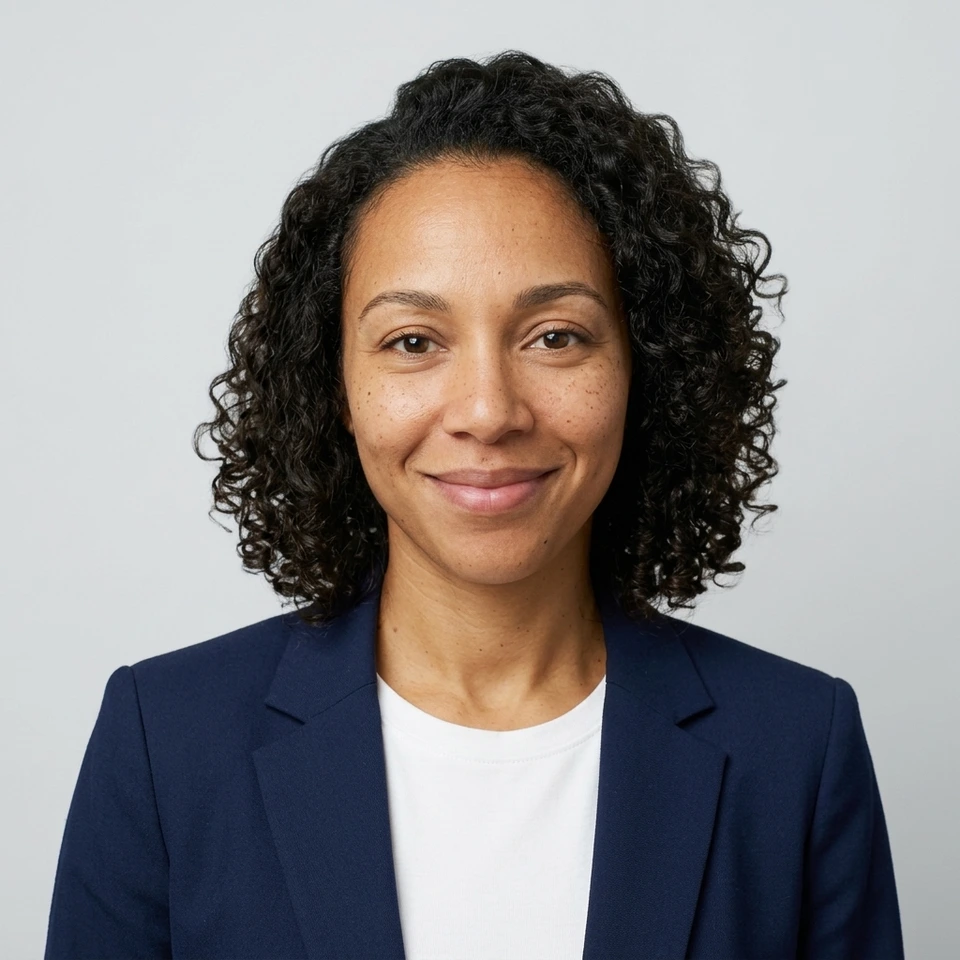

Actual generated example using a fictional sample. Your headshot will replace it.
A SETTING THAT FITS YOUR WORK
Compare four AI Headshot Generator presets using the same sample face. Each changes the clothes, light and background while asking to preserve identity. Choose a style below to load it into the tool.
A navy blazer, pale gray backdrop and soft frontal lighting keep attention on your face. This default is a straightforward starting point for a professional profile or a resume photo where one is requested.
An open-collar blue shirt and a bright, softly blurred workspace create a more approachable business portrait. Try it for a consultant bio, company directory or an About page with a lighter visual style.
A charcoal suit, dark background and controlled side lighting give a formal look for leadership pages and speaker introductions. Check that both eyes remain clear and the face does not disappear into shadow.
A rust-colored knit and soft green surroundings suit a relaxed founder or freelancer profile. Open-shade lighting keeps the face readable without the stiffness of a formal studio setting.
Start with a recent photo that already looks like you. These illustrated steps use actual generated sample images to show the process.
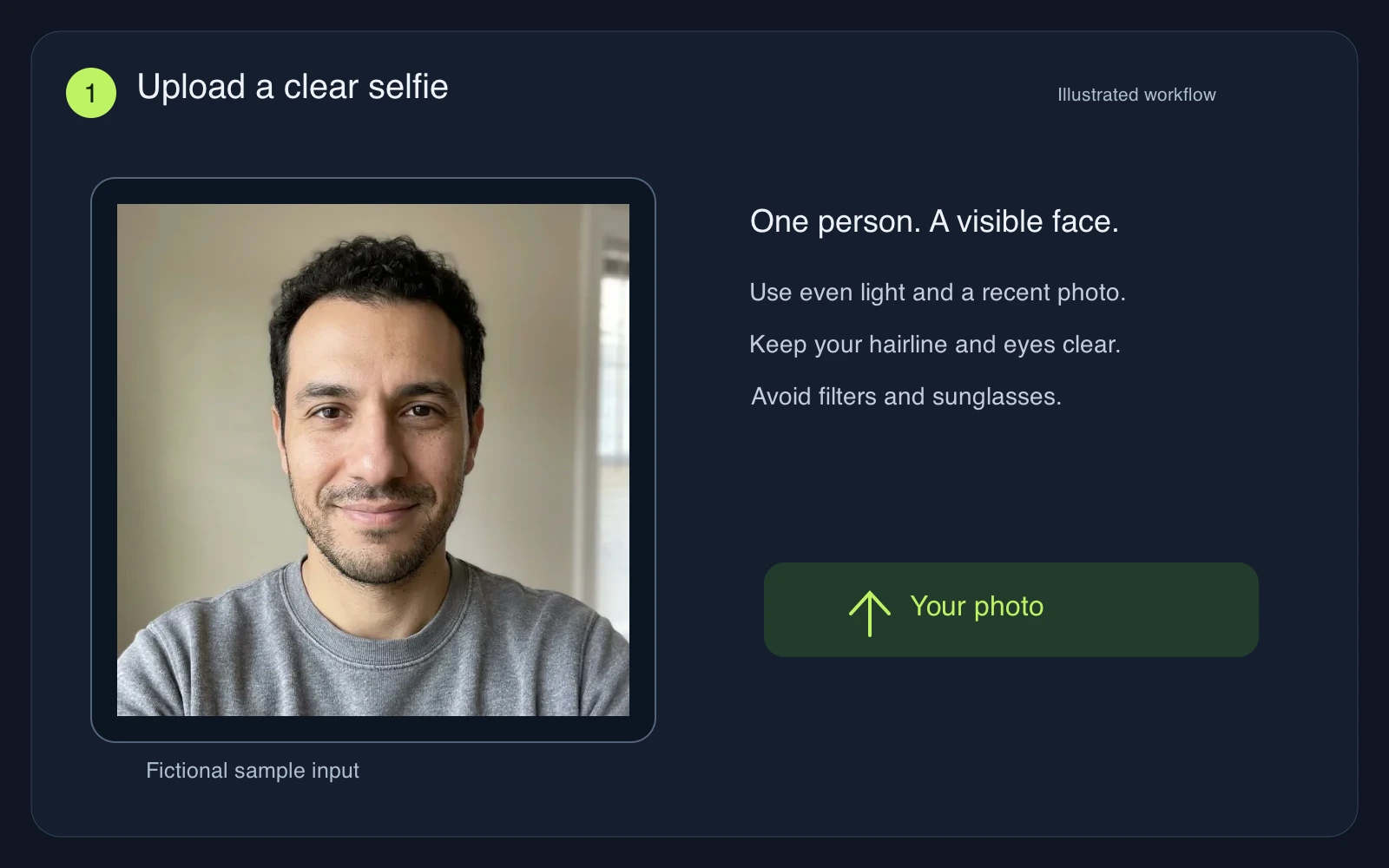 01
Use an unfiltered shoulders-up photo with your whole face visible. Face a window, keep the camera near eye level and choose a photo without other people. You can upload and select a style before signing in, or try the fictional sample.
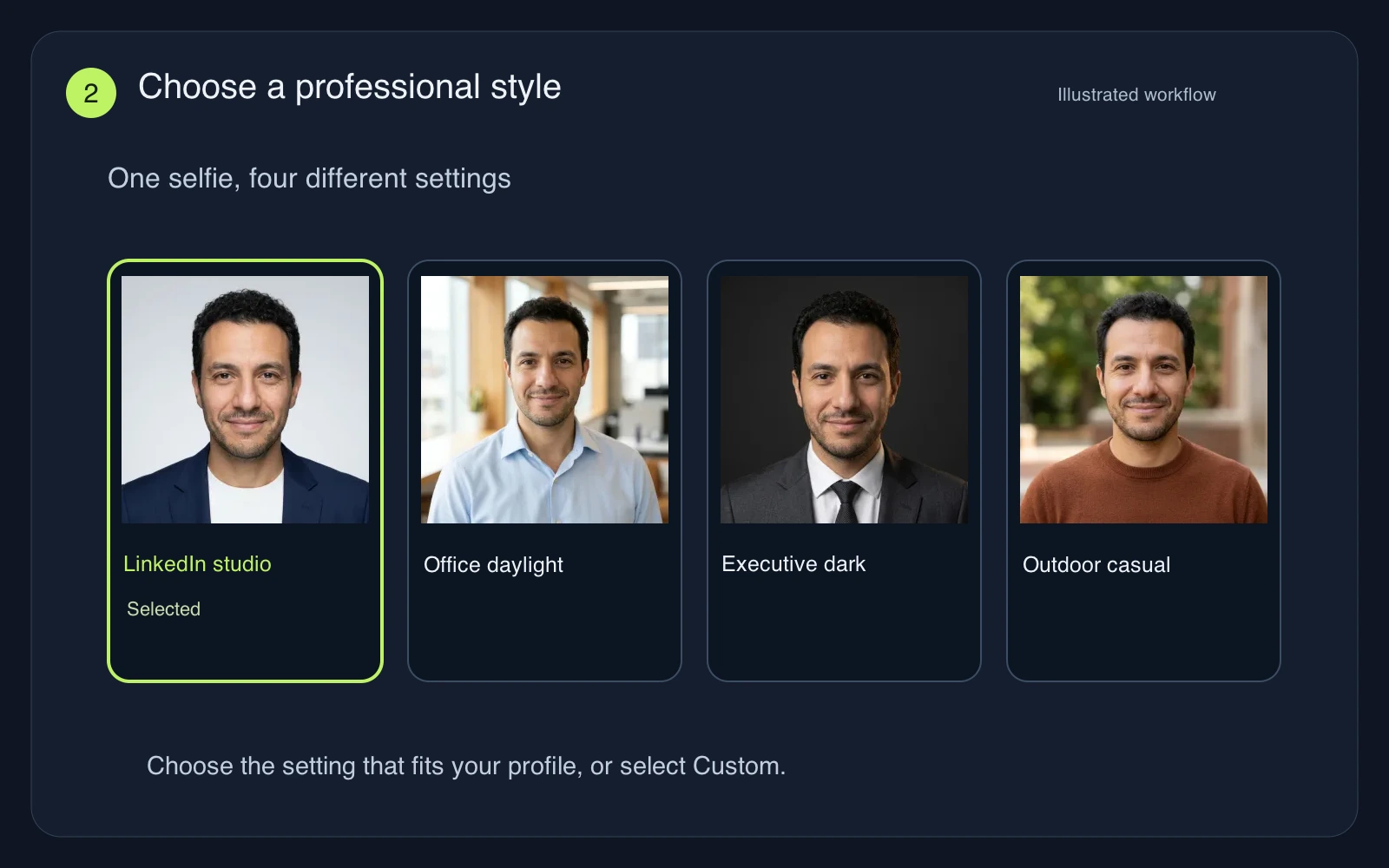 02
LinkedIn studio is selected first. Switch styles to change the outfit, background and lighting together. Select Custom for specific clothing or glasses instructions. The photo stays your identity reference; choosing a preset does not start generation.
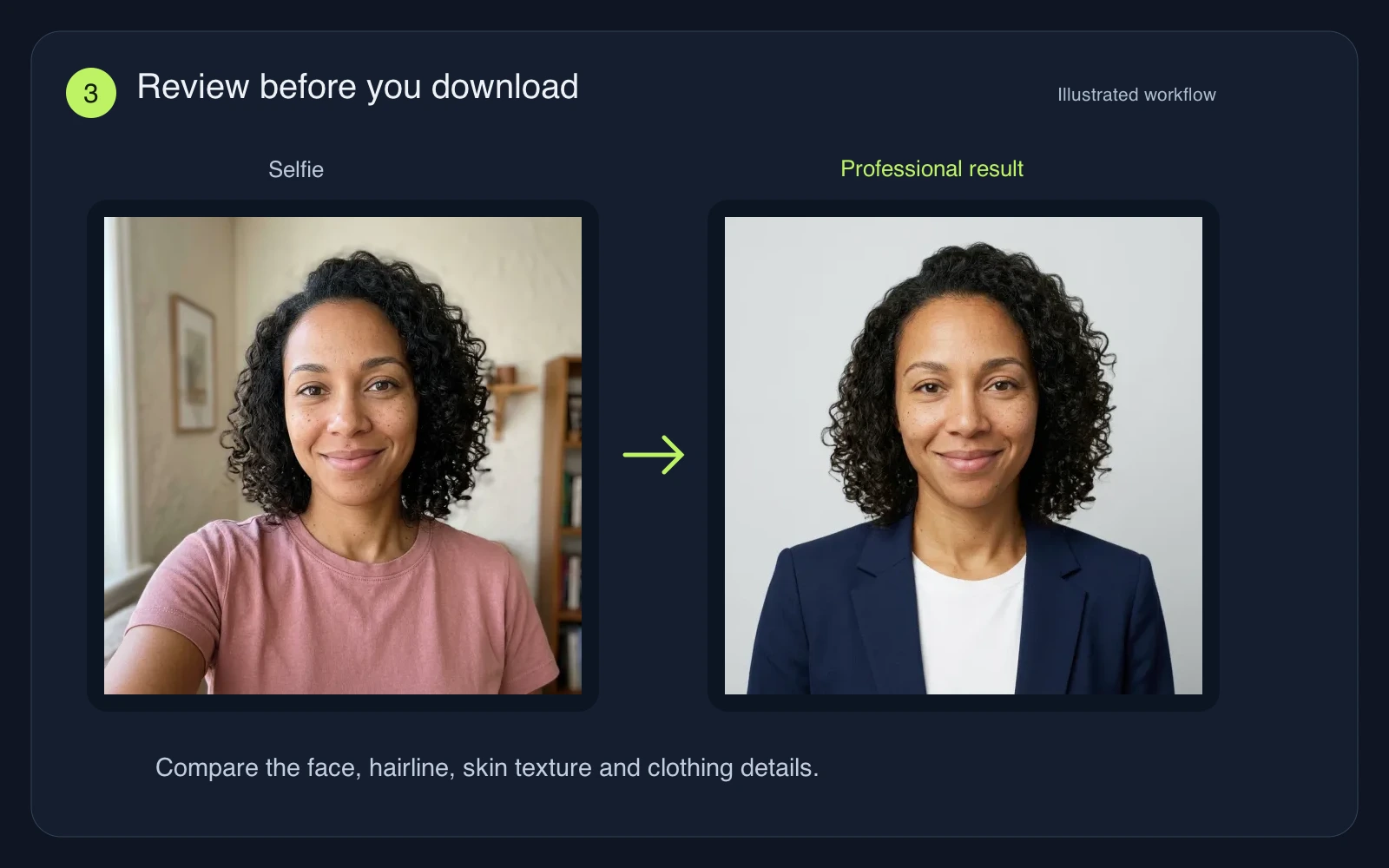 03
Check the cost on Generate, then sign in to create your image. Compare the result against your photo, including your eyes, hairline, teeth and glasses. Download a result you are comfortable using. Another attempt uses credits and can change details.
ONE HEADSHOT, SEVERAL INTRODUCTIONS
Use the square image as a starting point for a profile crop. Leave space around your hair and shoulders, then check the circular preview so your face remains readable at a small size.
Create a clear, current photo for applications that request one. Follow the employer’s instructions and local conventions; a photo is optional or discouraged in many hiring contexts.
Choose the same style for each consenting colleague and generate their photos individually. Similar settings can help a directory feel coherent, though exact lighting and clothing will vary.
Reuse a reviewed photo in a speaker bio, portfolio or signature. Start with the downloadable image, then resize it for the destination so the face stays clear without a heavy file.
RECOGNIZABLE COMES FIRST
The AI Headshot Generator uses your photo as a visual reference. Likeness can still drift, so judge the face before the clothes or backdrop.
Strong beauty filters, tiny faces and steep selfie angles leave less reliable detail to work with. Choose even light and a natural expression. Avoid sunglasses or hair hiding your eyes; do not use an old photo if your appearance has changed.
Use Custom to specify a jacket color, plain background or soft light. Keep your usual hair, age and expression. Requests for dramatic beauty changes can produce an impressive portrait that no longer feels appropriate as your professional introduction.
Compare eye shape, eyebrow spacing, nose, jawline and skin tone with the upload. Look for mismatched glasses, invented teeth, waxy skin or missing facial hair. If the face looks wrong, choose a clearer input or try again before publishing.
A calm neutral background works across many business settings; a relaxed outdoor photo may fit a creative portfolio. For official ID, passport photos or any application requiring an unedited photograph, use a photo that meets those requirements.
It edits an uploaded photo into a professional shoulders-up headshot, changing the clothing, lighting and background according to your chosen style. Your source image guides the face. It is designed for work profiles and bios, with a result you should review before use.
You can explore the examples, upload a photo and choose a style before signing in. Generating requires an account and credits. The button shows the cost before submission, and each new attempt uses credits. Check your account balance and the pricing page for current offers.
This workflow takes one clear photo of one adult. It does not train a personal model or request a large selfie pack. A recent, well-lit photo with a visible face is a better starting point than a cropped group shot or a heavily filtered image.
The presets ask to preserve your identity, facial structure, age and natural texture, but exact likeness is not guaranteed. Compare the output with your upload, especially your eyes, teeth, hairline and glasses. Keep only results that you recognize as yourself.
The result appears in the tool after generation finishes. Timing depends on the queue and service availability; a fixed turnaround is not guaranteed. You can watch the generation progress, then review and download the image when it is ready.
Yes, work with each person’s consent and generate their headshot separately using the same preset. This page does not provide batch processing or exact brand matching. Review every face individually before adding photos to a company directory.
Upload your own photo or one you have permission to use. Review the Privacy Policy for storage, service improvement, retention and deletion details, and the Terms of Service before using an output commercially. These policies apply to the uploaded photo as well as your generated content.
Upload a recent selfie and try the LinkedIn studio default. Use the AI Headshot Generator to explore a professional look, then keep the result that feels true to you.
Create my headshotExamples feature fictional adults and actual generated edits. Results vary; inspect likeness and follow the requirements of the place you plan to use your photo.