
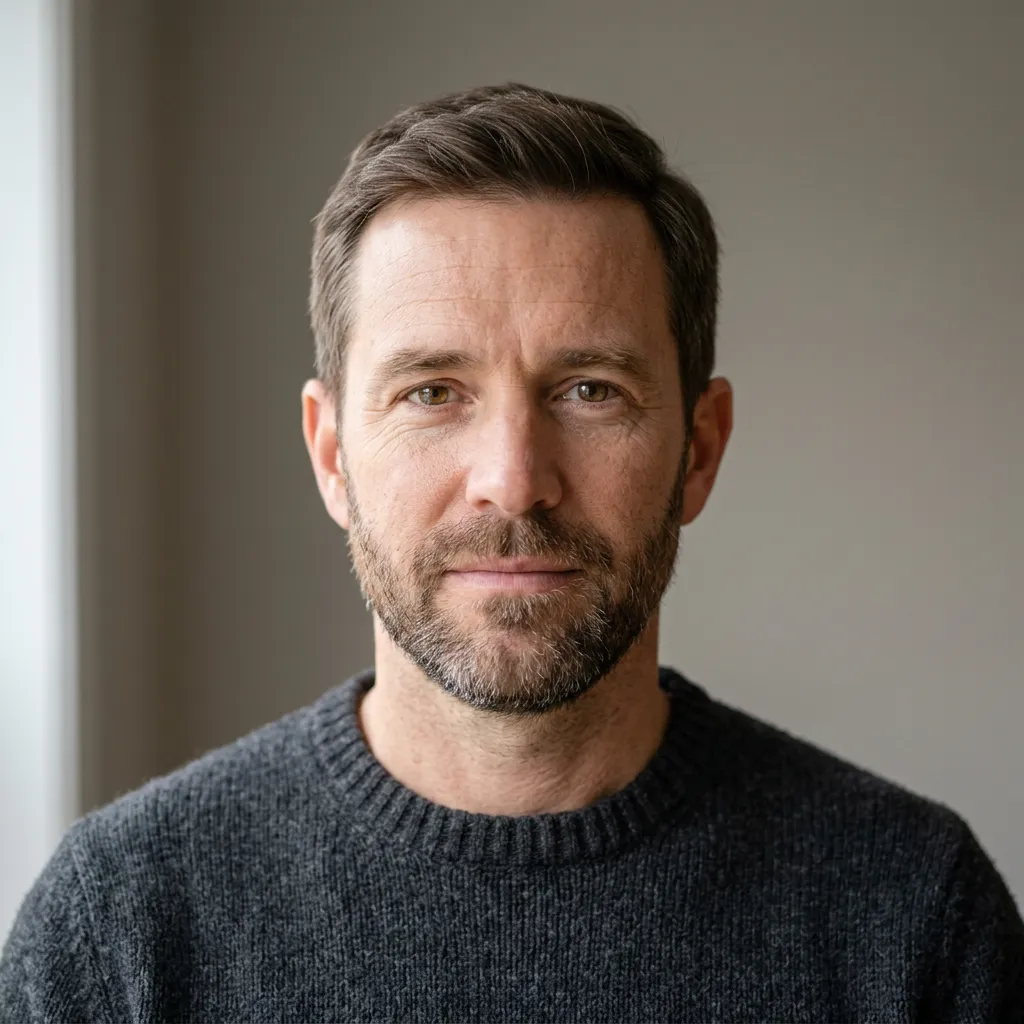
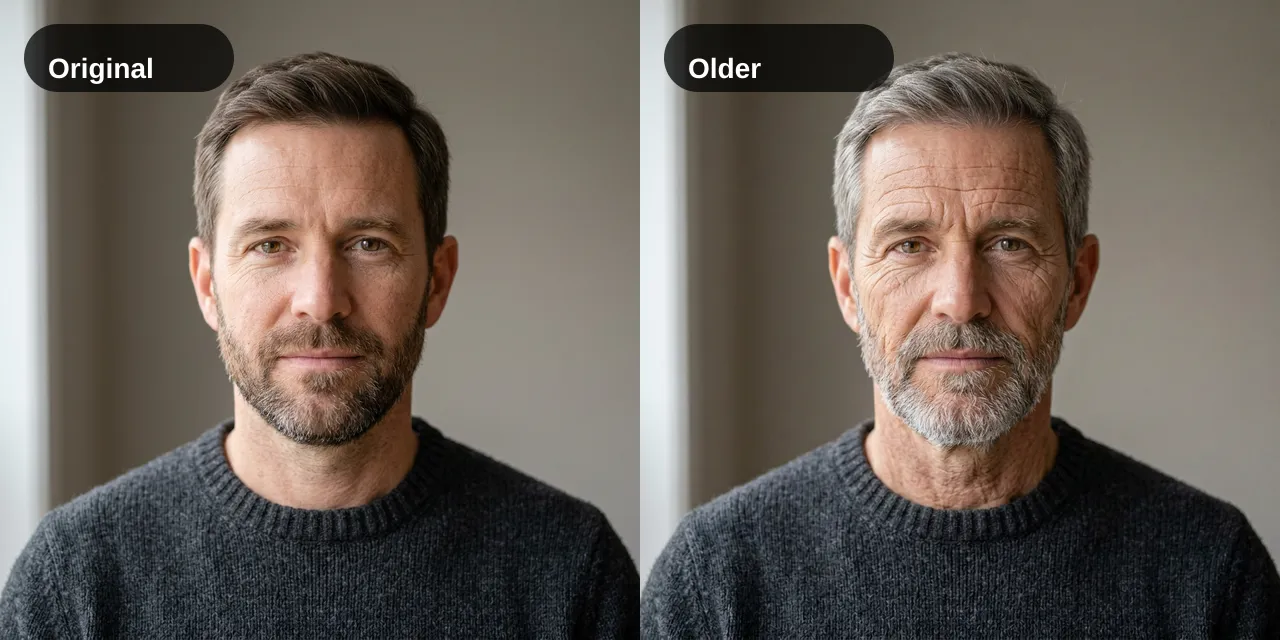
 ORIGINAL
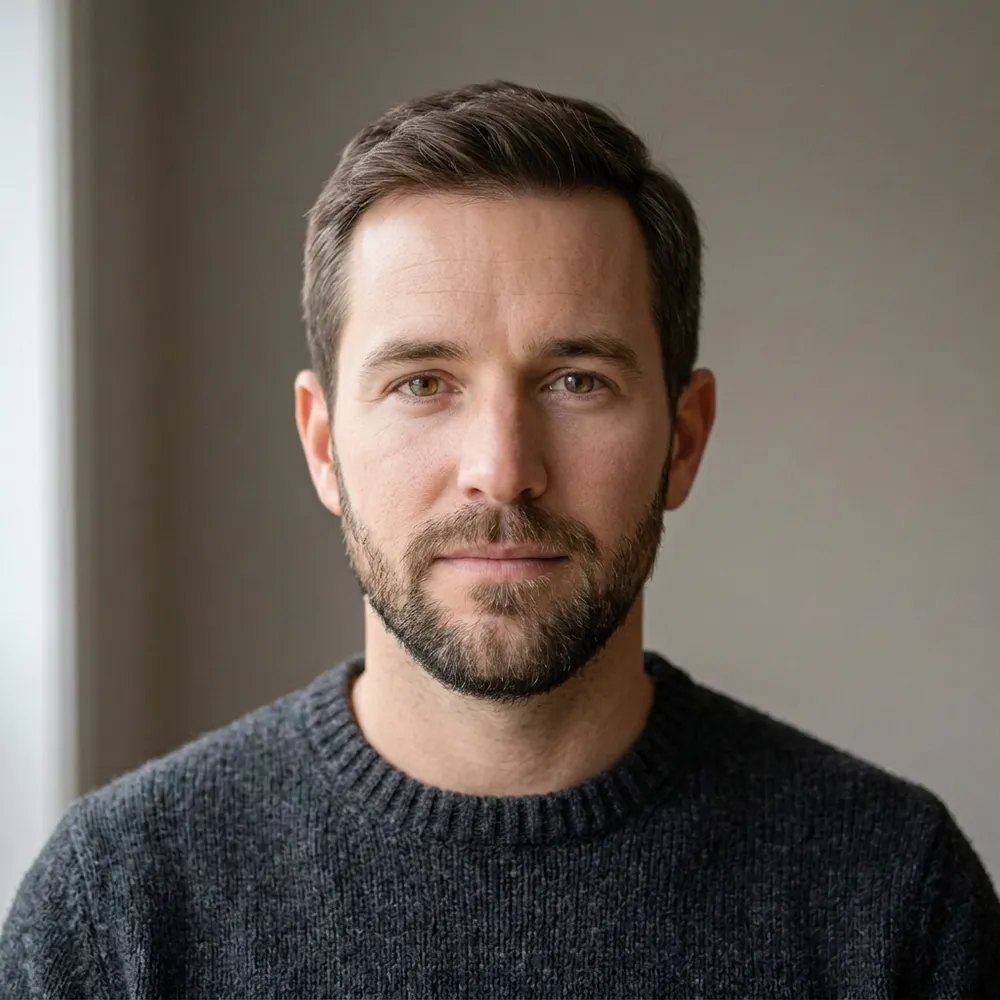 EDITED
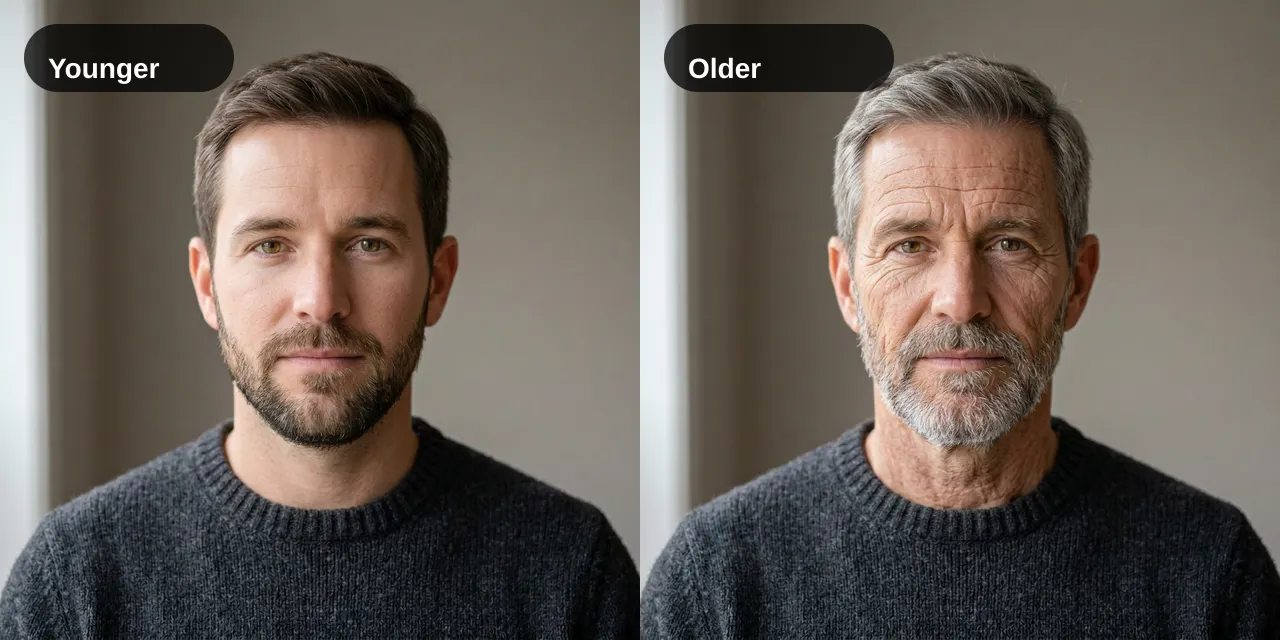
Younger adult
The default look. Skin is a little smoother and the face a little fuller. The haircut, beard, sweater, pose and background stay in place. He still reads as an adult.
ONE PORTRAIT, A DIFFERENT AGE LOOK
This age filter edits a photo you upload so the same adult can look younger or older. Pick a look, compare it with the original, and download the result. It is an illustrative picture, not an age estimate, an age check, or a forecast of how someone will age.
5 credits per image. The sample is a fictional portrait, not your upload.
Your edit replaces this example
SAME PORTRAIT, DIFFERENT LOOKS
These age filter pairs start from one fictional adult portrait made for this page. They show the kind of change to expect. A small step can be subtle. Gray hair and deeper lines are easier to see. Your result uses the photo you upload.
ORIGINALEDITEDThe default look. Skin is a little smoother and the face a little fuller. The haircut, beard, sweater, pose and background stay in place. He still reads as an adult.
ORIGINAL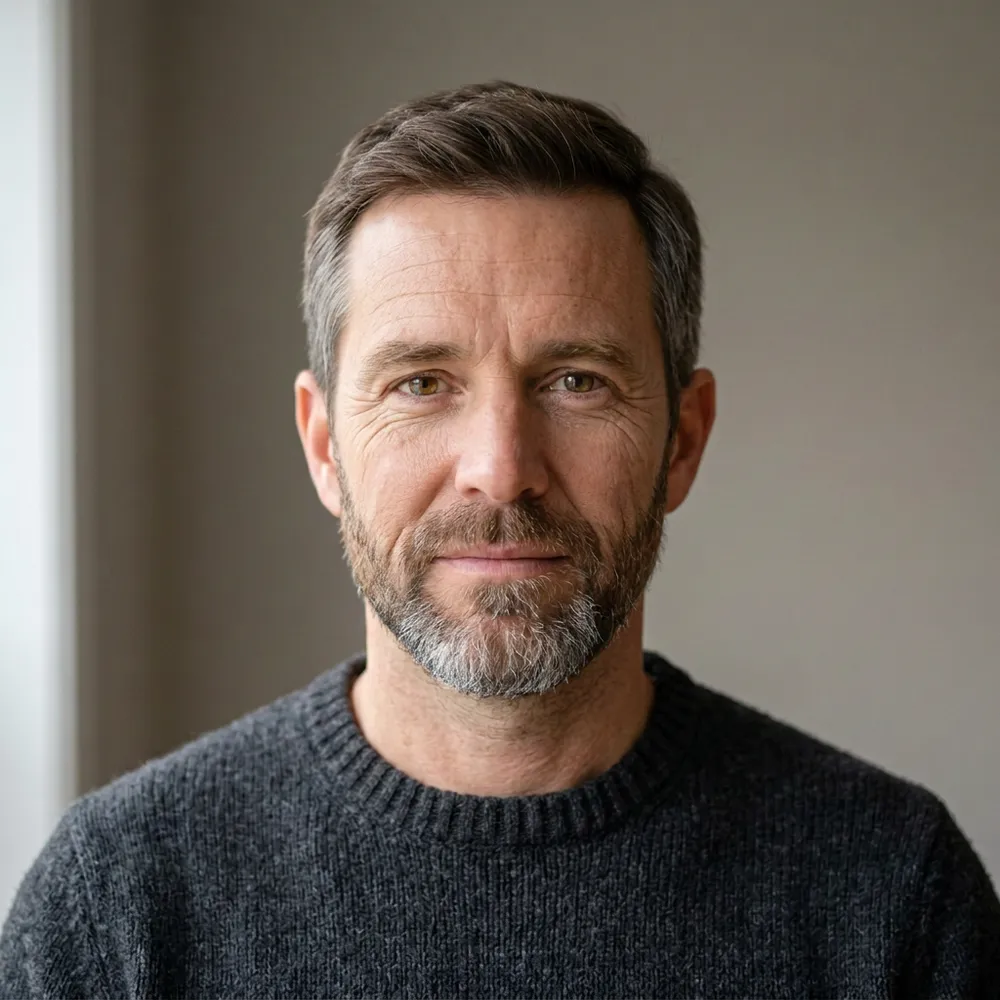 EDITED
Lines around the eyes and mouth are clearer, and gray shows at the temples and in the beard. The short haircut and the charcoal sweater do not become a new outfit.
ORIGINAL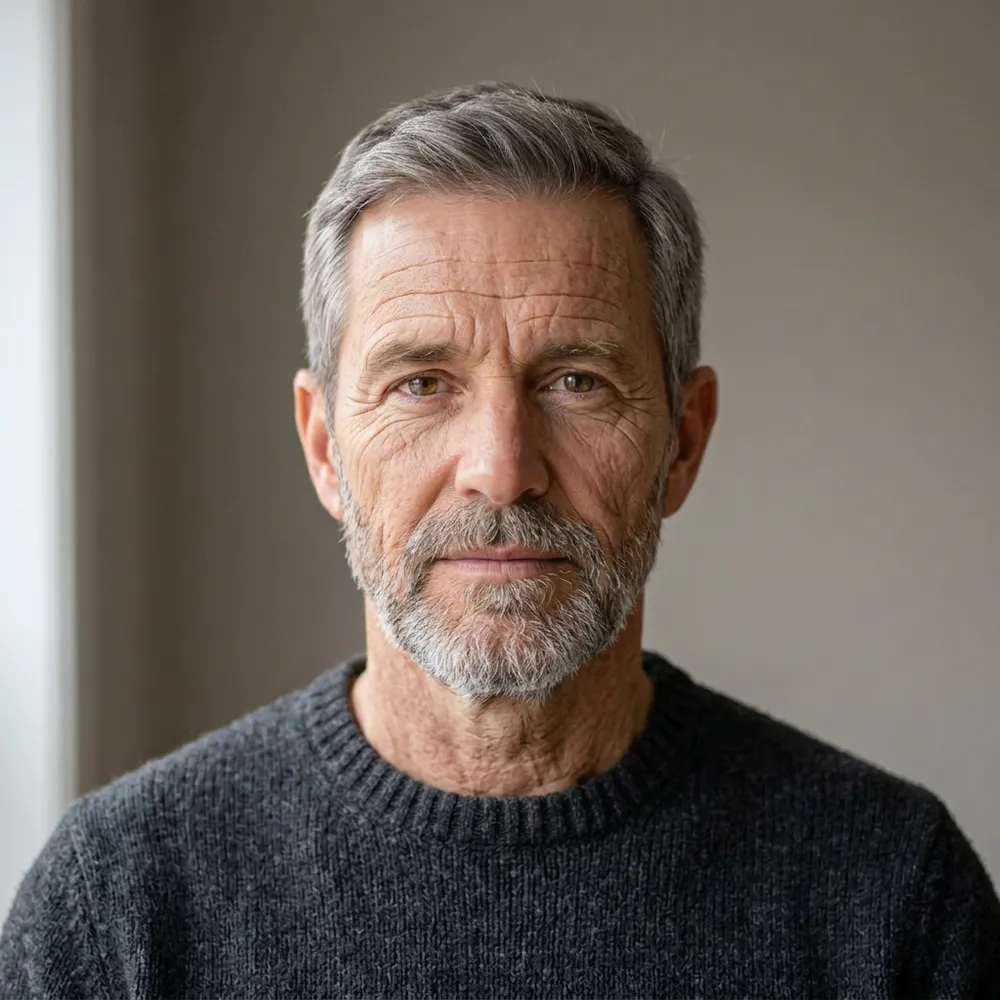 EDITED
The clearest step. Hair and beard go gray, and the lines are deeper, while the eyes, closed-mouth expression and sweater remain recognizable.
THREE STEPS
This age filter starts with one clear adult portrait and one look. The edit asks to change age cues and to leave the person, pose, expression, haircut, clothes and background alone. That request can still miss, so compare before you download.
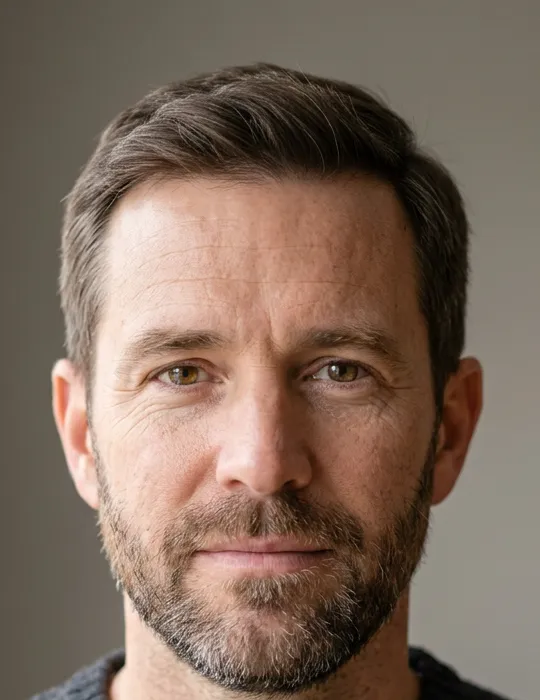 01
Use a sharp JPEG, PNG or WebP of one adult, facing the camera, with both eyes visible. Hats, sunglasses, a hand over the face, or a face that is tiny in a group photo give the edit less to follow. The server rejects other file types and files over the model limit, 50 MB for this edit.
 02
Younger adult is selected first. A little older keeps the hair color and adds mild lines. Mature adds gray at the temples. Older adult grays the hair and deepens the lines. Custom is for a short adult-look note, such as gray only at the temples. None of these looks measures a real age.
 03
The button shows the price before the age filter starts: 5 credits for each image. The example slider is a sample. After a result, the same spot compares your upload with the edit. Check the eyes, mouth, haircut and clothes, then download. A second try is a new image and spends credits again. If the edit fails to start, the credits come back.
CHECK THE PERSON, NOT THE POLISH
An age filter can still lose the face it started with: a younger request turns into a beauty retouch, an older request becomes a different person, or the haircut and clothes change with the wrinkles. Use the original as the reference.
A straight-on portrait gives the edit eyes, a nose and a jaw to follow. A profile, a strong tilt, bangs over one eye, or heavy blur makes identity drift more likely. Crop closer when the face is a small part of the frame.
Smoothing, face reshaping and filters remove the texture this edit needs, and they stack with the new look. Upload the plain portrait. The presets ask for no makeup, no slimming and no plastic skin.
A little older can look close to the original because the pose, sweater and haircut are held still. Older adult is the look that changes hair color. If you need a difference you can see at a glance, start there and compare.
If the eyes, jaw or clothes drift, go back to the unedited photo and run one look again. Do not feed the previous result in as the next photo. That stacks changes and moves the person further away.
A PICTURE, NOT A RECORD
Preview the same character a little younger or clearly older for a short story, a pitch, or a scene board. Treat it as a sketch of a life stage, then keep the frame you can still recognize.
Make an illustrative older or younger version of an adult portrait you have permission to edit. It can start a conversation. It cannot show how that person looked in a given year, and it is not a restoration of a missing photograph.
Try one direction before a costume, a character sheet, or a social post. If the face is no longer the same person, discard it. Do not use the picture for an ID, a medical opinion, hiring, or an age gate.
NOT A DETECTOR
This age filter is one portrait edit. It is not a face-shape detector, not a hairstyle salon preview, and not a tool that invents a new avatar or a new person. The AI Portrait Generator restyles lighting and wardrobe. The AI Hairstyle Changer changes a haircut. The AI Face Generator builds a face from a description. None of those applies an age look to the photo you already have.
It edits the adult portrait you upload toward a younger or older look you choose. You can compare the result with the original and download it. The picture is an illustration of age cues such as lines and, on the older looks, gray hair.
No. An AI age filter changes the photo. An age detector would guess an age from the current picture. This page does not guess, score, or verify age, and the edited photo should not be used as proof of age.
The edit is written to keep the face, expression, pose, haircut, clothes and background, and to avoid a gender, race, or body change and a beauty retouch. That is a request, not a lock. Compare the eyes, mouth, jaw and clothes with your original before you use the image.
One sharp, front-facing photo of an adult, in JPEG, PNG or WebP, up to 50 MB. Both eyes should be visible. Group shots, profiles, sunglasses and heavy filters are weaker inputs. Upload a photo you have permission to edit.
Yes. Choose Custom and the note opens under that card. Ask for an adult look, such as gray only at the temples. The note is wrapped so the rest of the portrait stays put. Do not use it to request a child or a teenager.
Each age filter image costs 5 credits, and the button shows that cost before you start. Choosing a look or loading the sample does not spend credits. A retry is a new image. If the edit fails to start, those credits are returned. New accounts receive 10 signup credits, which covers two images at this price.
No. Lighting, health, habits and time all change a real face. This result is an illustrative AI effect on the pixels you uploaded. Do not treat it as a future photograph, a medical image, or a document.
Uploaded photos and generated results are saved in your account until you delete them. Privacy Policy
No. The before-and-after example is a fictional adult portrait generated for this page, then edited with the same younger and older looks. It is marked Example until your own result replaces it.
Change a haircut. This page tries to keep the haircut and only shifts age cues.
AI Portrait GeneratorRestyle lighting and wardrobe from a photo. It is a portrait style, not an age look.
AI Face GeneratorDescribe a new face. It does not edit the age look of a portrait you already have.
Upload a front-facing adult photo, pick younger or older, and compare the age filter result with the original before you download it.