🔥LIMITED OFFER
01:58:23
GET 50% OFF

BLACK-AND-WHITE PHOTO TO NATURAL COLOR

Photo Colorizer

Upload one black-and-white or faded monochrome photograph and this photo colorizer adds plausible natural color. The same person, pose, objects, framing, and texture should remain. It does not repair damage, and it cannot know the colors that were really there.

5 credits per photo. A failed run returns those credits.

Upload one black-and-white photo

Choose a single JPEG, PNG, or WebP. The button shows the credit cost before anything is submitted.

If colorizing fails, the credits for that attempt are returned. Trying again is a new attempt.

Your before-and-after comparison appears here after the photo is colorized.

REAL RUNS, NOT MOCKUPS

Three public-domain photographs, colorized

These pairs are real outputs from this photo colorizer. The originals are public-domain photographs. Colors are estimates, and the frames are the model's standard result rather than the scan's original pixels.

Portrait

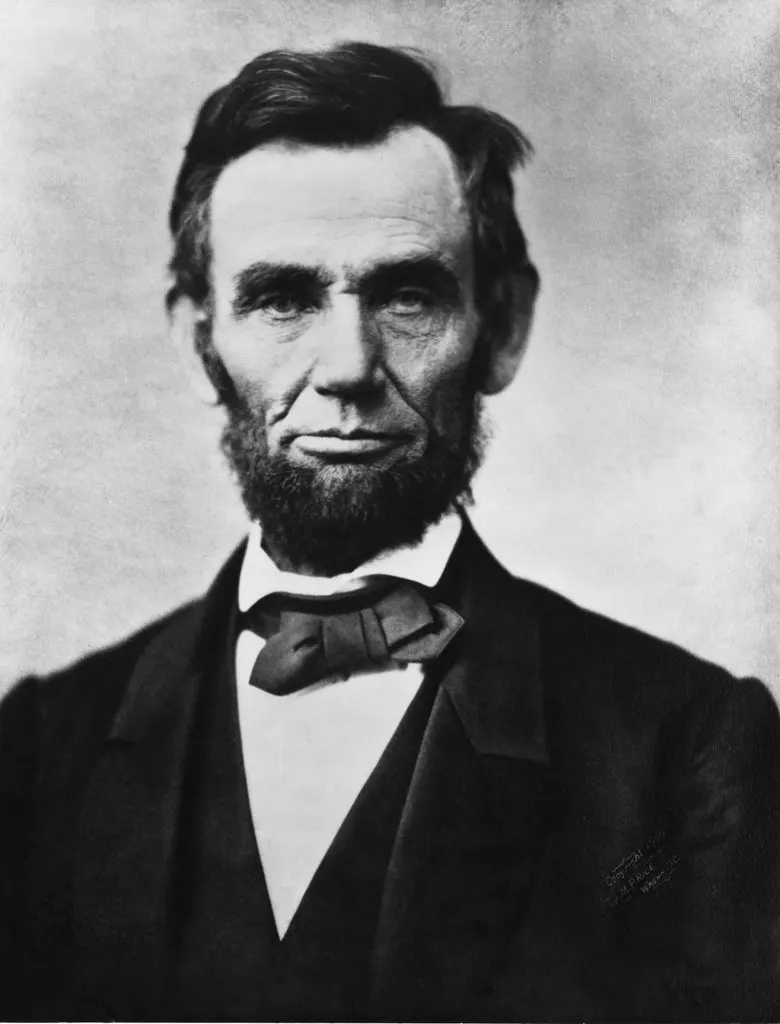
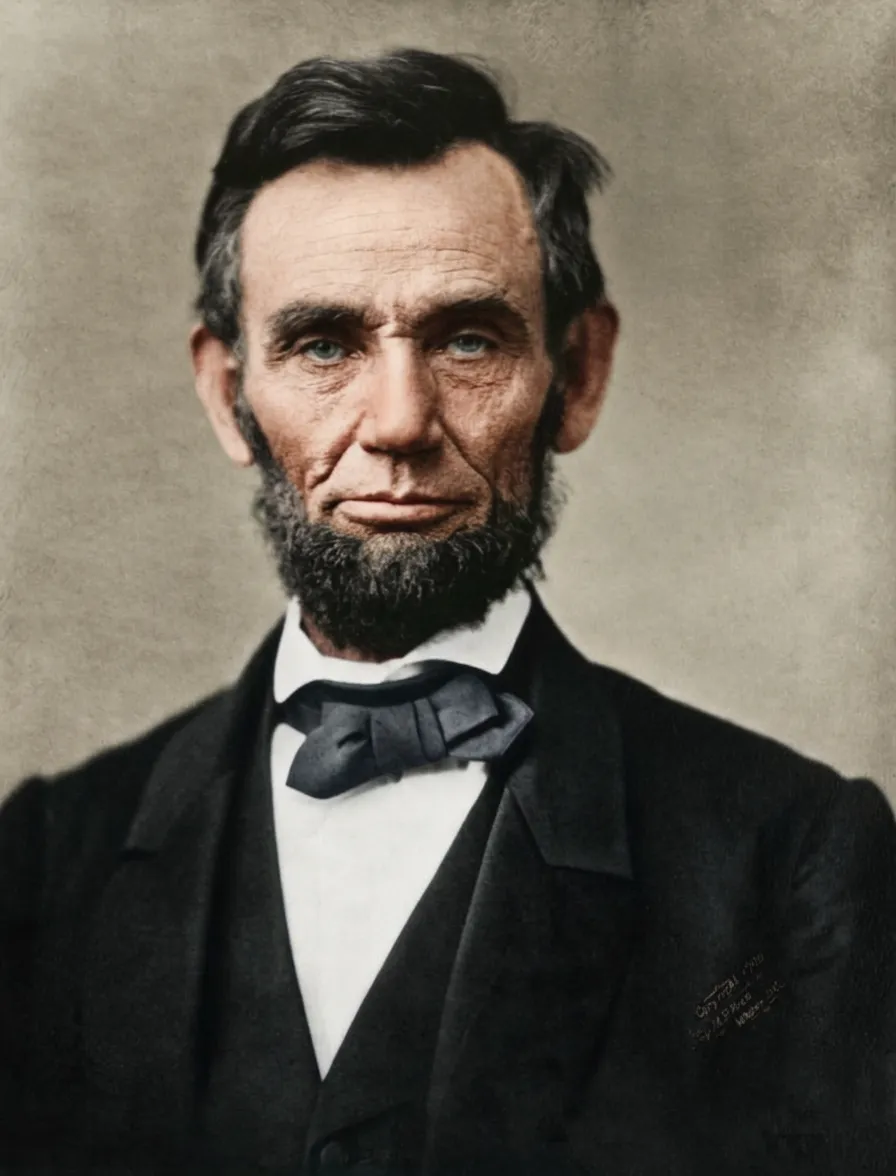
Black-and-white public-domain portrait of Abraham Lincoln before the photo colorizer
Before
Same Abraham Lincoln portrait after color was added, with estimated skin and eye color
After

Abraham Lincoln remains recognizable, including the bow tie and the small inscription. Eye color is a guess, and the skin is slightly smoother than the print.

Public domain. Wikimedia Commons, File:Abraham Lincoln head on shoulders photo portrait.jpg.
Group

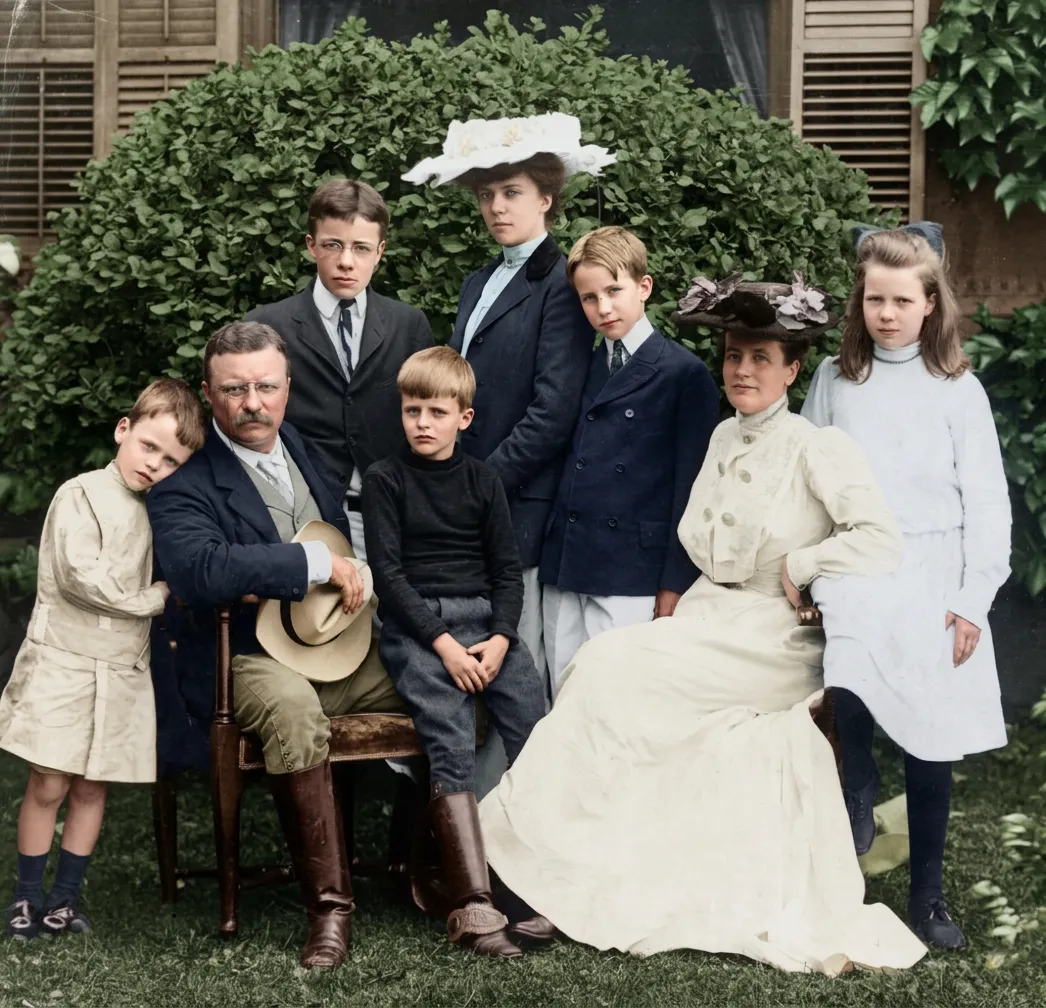
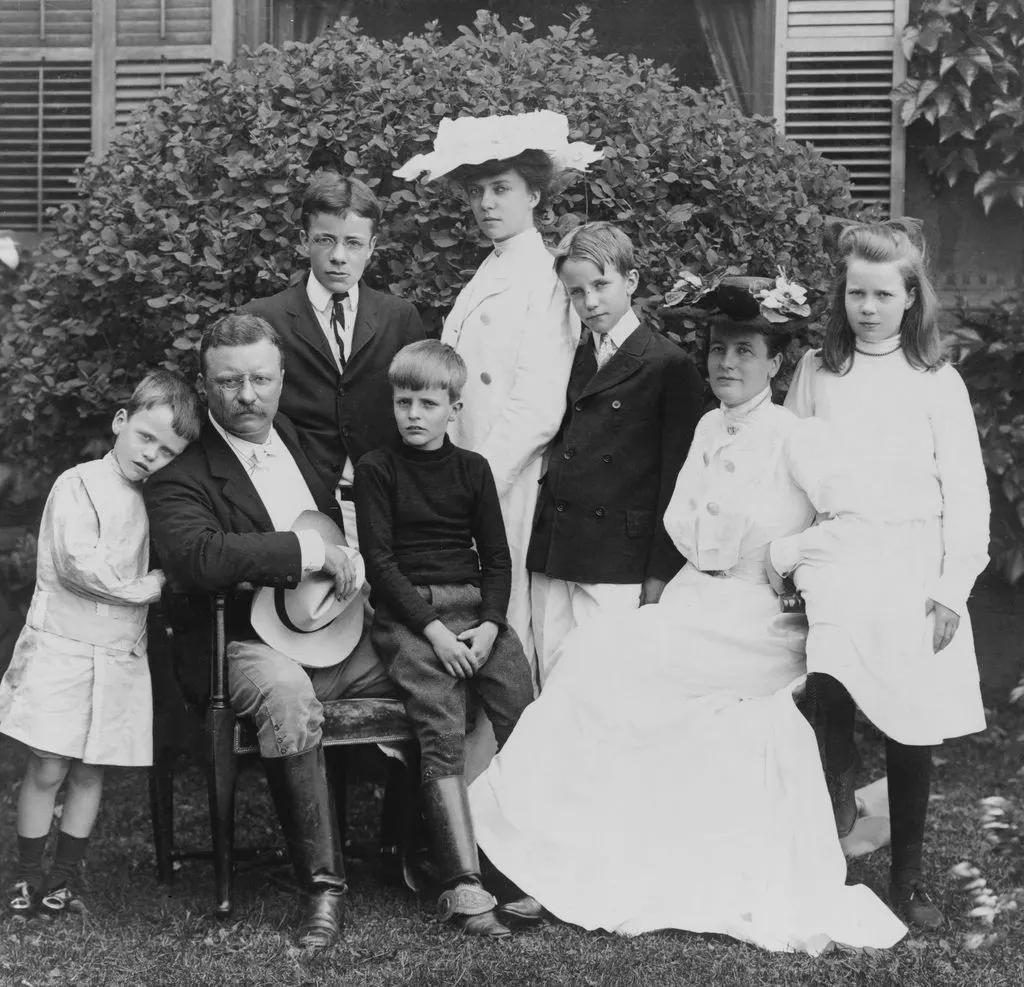
Black-and-white 1903 public-domain photograph of the Theodore Roosevelt family
Before
Colorized 1903 Roosevelt family photograph with estimated clothing colors
After

The Theodore Roosevelt family keeps the same people and poses. A light dress on the standing woman was rendered as a dark jacket, which is a wrong clothing color rather than a fact.

Public domain. Wikimedia Commons, File:Theodore Roosevelt and family, 1903.jpg.

Landscape

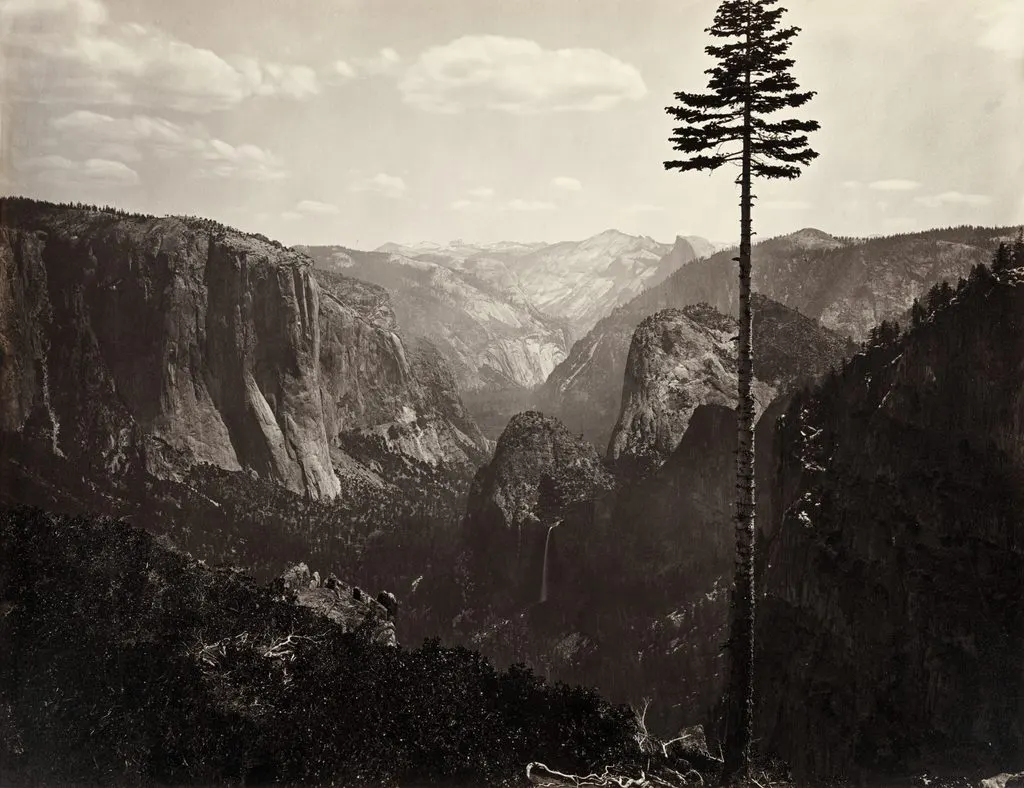
Black-and-white Carleton Watkins photograph of Yosemite Valley before colorizing
Before
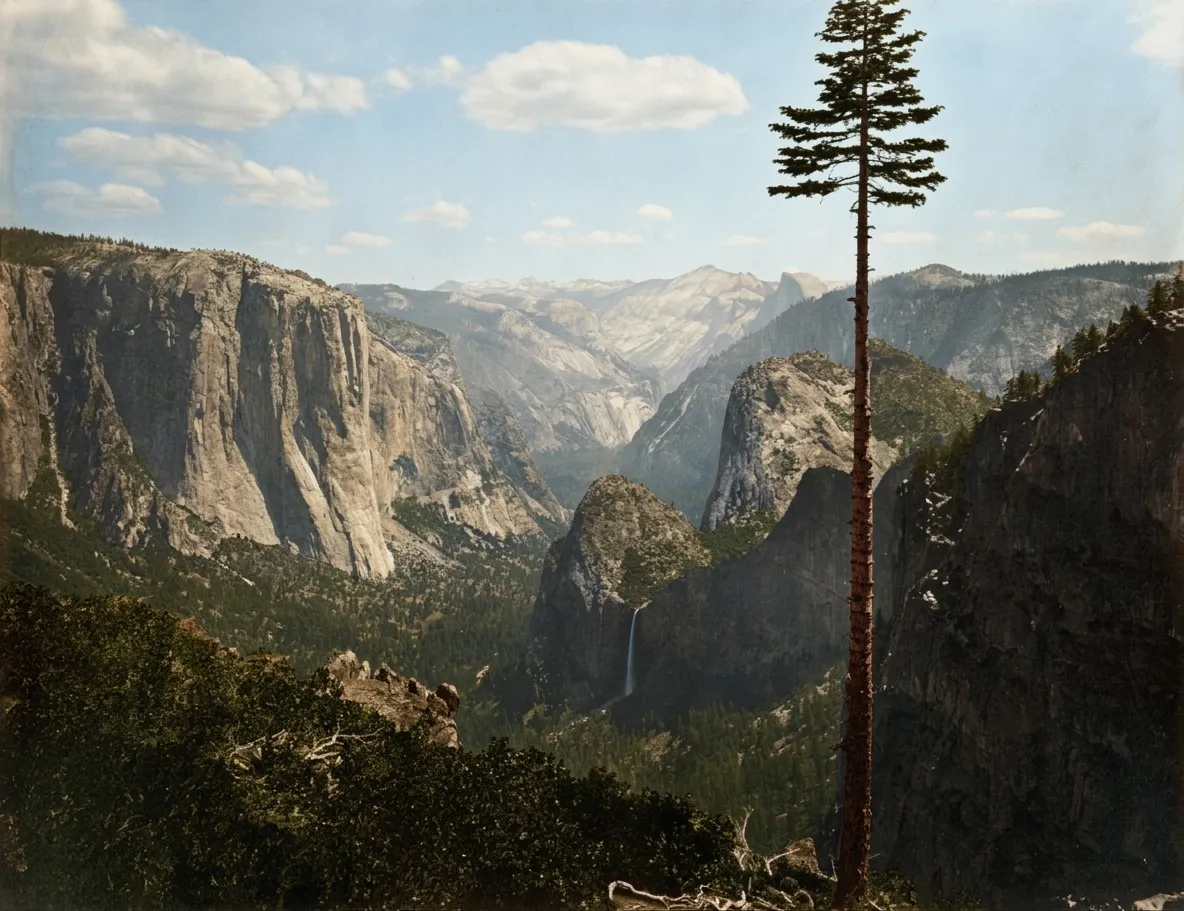
Colorized Carleton Watkins Yosemite Valley photograph with estimated sky, rock, and tree color
After

The Yosemite tree, cliffs, and waterfall stay in place. Sky, rock, and foliage colors are plausible, not a record of that day's light.

Public domain. Carleton Watkins, Yosemite Valley, about 1865. Wikimedia Commons.

ONE PHOTO, ONE JOB

What you do with a black-and-white photograph

The photo colorizer is a single action. There is no prompt box and no choice of models. You check the result against the original before you keep it.

01

Upload the monochrome photo

Use a still photograph, not a collage or a multi-page file. A clear scan holds more detail than a tiny preview. The file stays on this page until you submit it.

02

Colorize the same picture

The model is asked for natural, plausible color only. It is told not to beautify faces, redraw people, add objects, or repair scratches, tears, stains, or missing parts.

03

Compare, then download

Drag the slider, or focus it and use the arrow keys, to move between the original and the colorized photo. Download the result only if the person and the scene still look like the photograph you uploaded.

A DIFFERENT JOB FROM RECOLORING OR REPAIR

Color is not the same as restoration

People often search for one tool that will both repair an old print and invent its colors. This page does only the second half, and only as an estimate.

Colorize a monochrome photo

This photo colorizer starts from a black-and-white or faded photograph and adds color across the picture. It is for portraits, group photographs, and landscapes that are already intact enough to read.

Recolor an object that already has color

Change Color of Image is a different page. It recolors an object you name in a photograph that is already in color, such as a shirt, a car, or a sofa. It is not a black-and-white photo colorizer.

Repair is a separate intent

Photo restoration would mean filling scratches, tears, stains, and missing pieces. That work is not part of this tool. Damage that is visible in the upload can remain visible after color is added.

WHAT THE COLOR CAN AND CANNOT MEAN

Plausible color, not a historical record

A black-and-white photograph records light and dark. It does not store the hue of a coat, a car, a uniform, a flower, or a painted wall. Any color a photo colorizer adds later is a guess.

Do not treat the result as exact

Skin, sky, foliage, and wood often land in a familiar range. Clothing, paint, badges, and branded objects can be confidently wrong while still looking natural. Keep the original next to the colorized file and say that the color was added.

Identity can still shift

The instruction is to preserve the face, age, expression, pose, clothing design, objects, crop, grain, and fine detail, and not to beautify or replace anyone. A generated edit can still move a small feature. Reject the result when the person no longer looks like the photograph.

Output size is the standard 1K result

Each photo costs 5 credits at this tool's fixed setting. The colorized file is the model's standard 1K result, not a promise that a large scan comes back at its original pixel dimensions. Compare detail before you replace an archive master.

Questions before you colorize a photograph

Can a photo colorizer recover the original colors?

No. Nothing in a black-and-white exposure records the original hues, and early film did not map brightness to color the way your eyes do. The photo colorizer asks for natural, plausible color. A red dress can look dark gray in the print, so the model cannot prove it was red. Keep the uncolored original.

How is this different from Change Color of Image?

Change Color of Image recolors an object you name inside a photograph that already has color. This page colorizes a monochrome photo. Use the recoloring page when the shirt or the car is already visible in color and you want a different shade. Use this page when the whole photograph is black and white.

Will scratches, tears, and missing pieces be repaired?

No. Restoration is not this tool. The model is told not to remove scratches, tears, dust, stains, folds, or missing areas, and not to invent replacement detail. If the print needs repair, colorizing it will not do that work.

What does it cost, and what happens if it fails?

One photo costs 5 credits. The price is shown on the button before you submit. You need to be signed in, and the account needs those credits. If the attempt fails, or no usable image comes back, those 5 credits are returned. Submitting the same attempt again does not charge a second time. After a failure, Try again is a new attempt and costs 5 credits.

Does the photo stay on my device?

No. The photo is uploaded to nanabanana2.run and processed by the image model that performs the colorizing. It is not processed only in your browser. The original and the colorized file are stored privately on your account so you can compare and download them. They are not published to the public gallery.

Which files are accepted?

One still JPEG, PNG, or WebP photograph, up to 50 MB, with each side between 64 and 8,192 pixels. A photo colorizer is meant for a readable portrait, group photograph, or landscape. Collages, animated files, and pictures that are already in full color are a poor fit.

Colorize one photograph and compare it

Open the photo colorizer, upload the black-and-white original, and spend 5 credits only when the button confirms the cost. Download the result after the slider shows you what changed.

Back to the photo colorizer